
How to cancel a subscription on Hi Mind 正念抒壓
How to cancel a subscription on your iPhone
Discover how to cancel a subscription through Apple or one purchased via an app on the App Store.
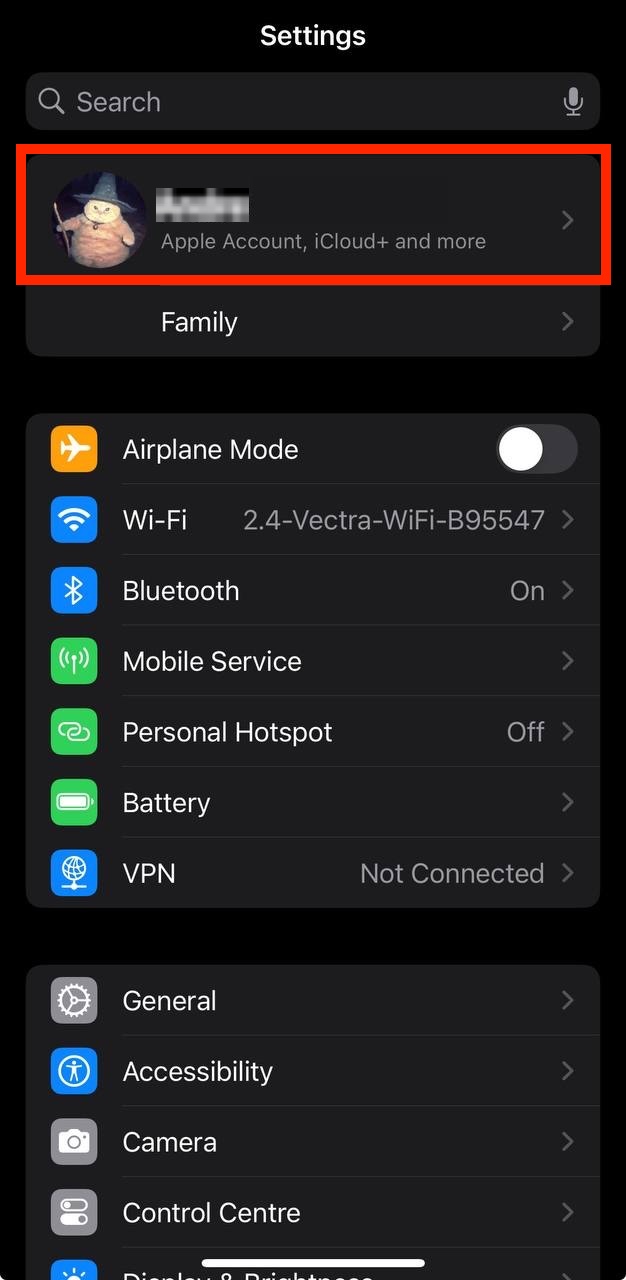
- Open the Settings app.
- Tap your name - "Apple Account, iCloud and more"
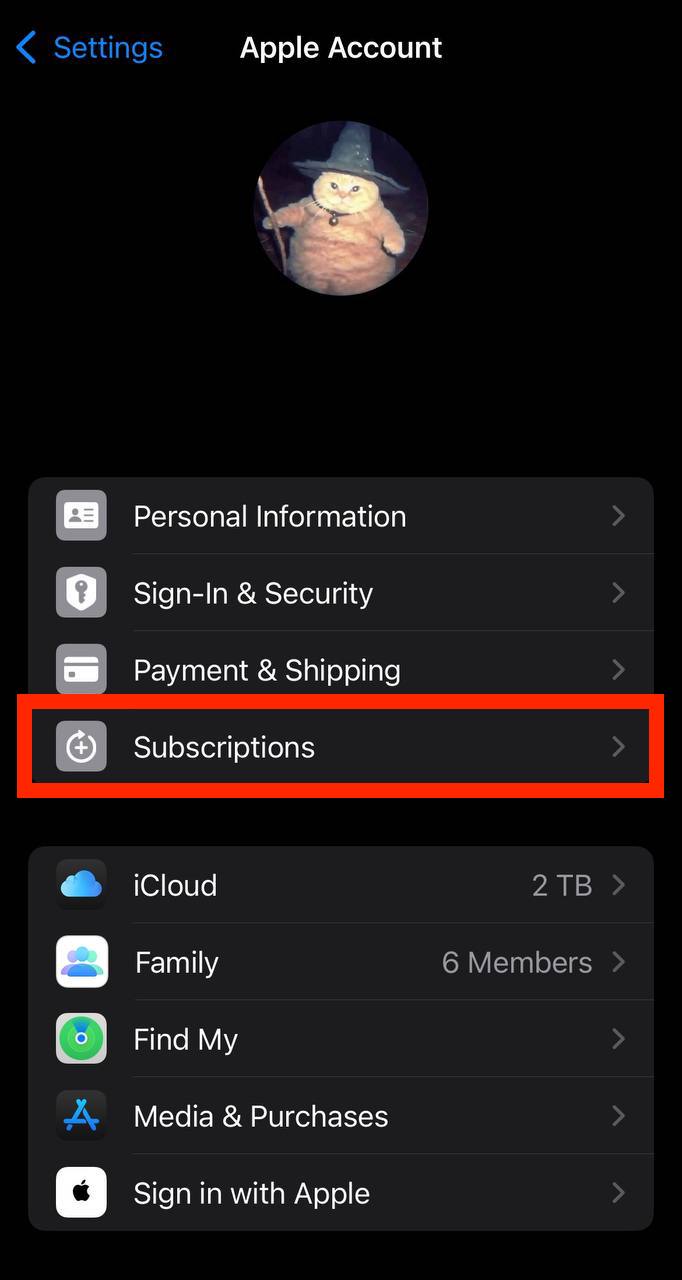
In the first section, tap Subscriptions.
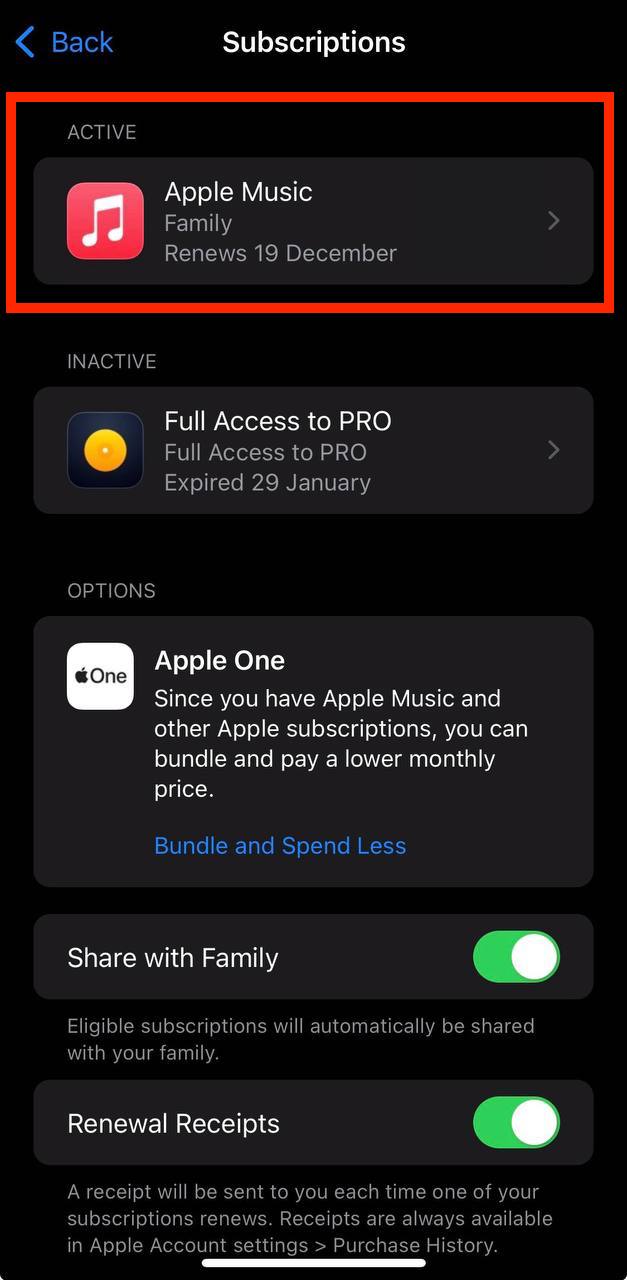
Show screenshot.Select the Hi Mind 正念抒壓 subscription you want to cancel.
Show screenshot.Tap to Cancel Subscription. You may need to scroll down to locate the Cancel Subscription button. If the button is missing or a red expiration message appears, the subscription has already been canceled.
Show screenshot.

Cancel a subscription on your Mac
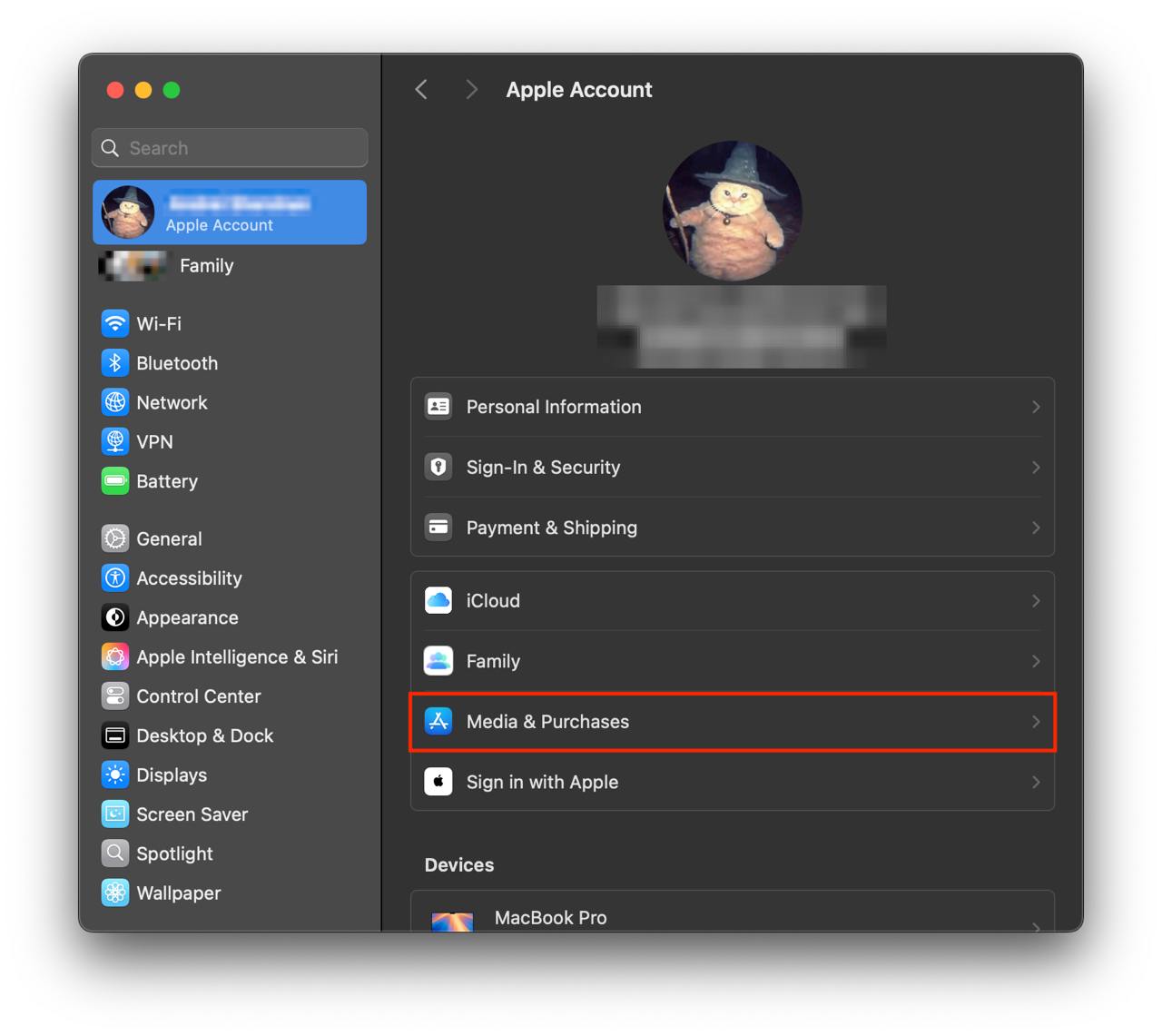
- Open the System Settings app.
- Click your name - "Apple Account" in the top-right corner.
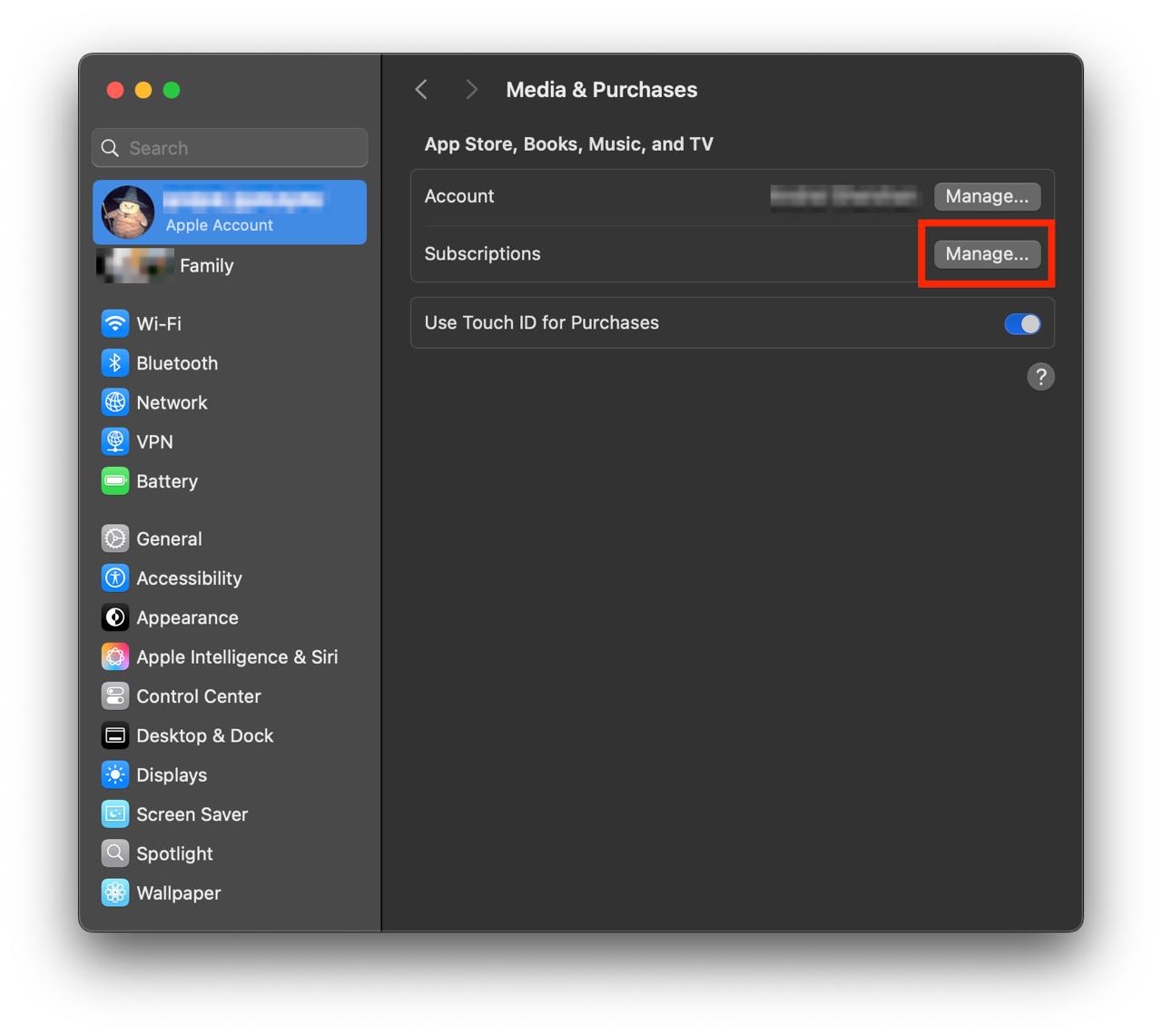
Click to "Media & Purchases" in the left-hand menu.
Show screenshot.Click to the "Manage..." button next to "Subscriptions" in the left-hand menu.
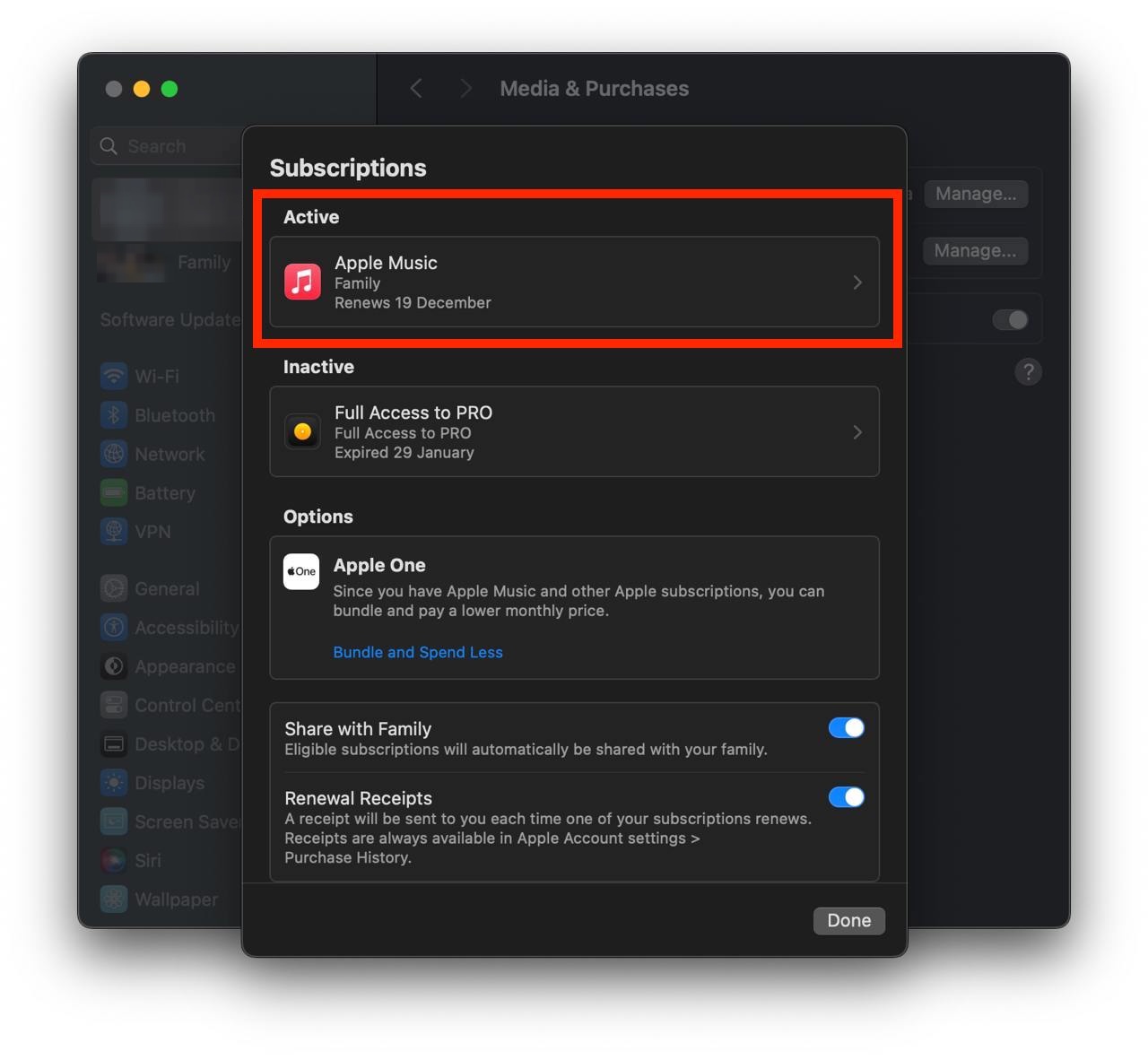
Show screenshot.Select the subscription you want to cancel. You may need to scroll down to locate the Cancel Subscription button. If the button is missing or a red expiration message appears, the subscription has already been canceled.
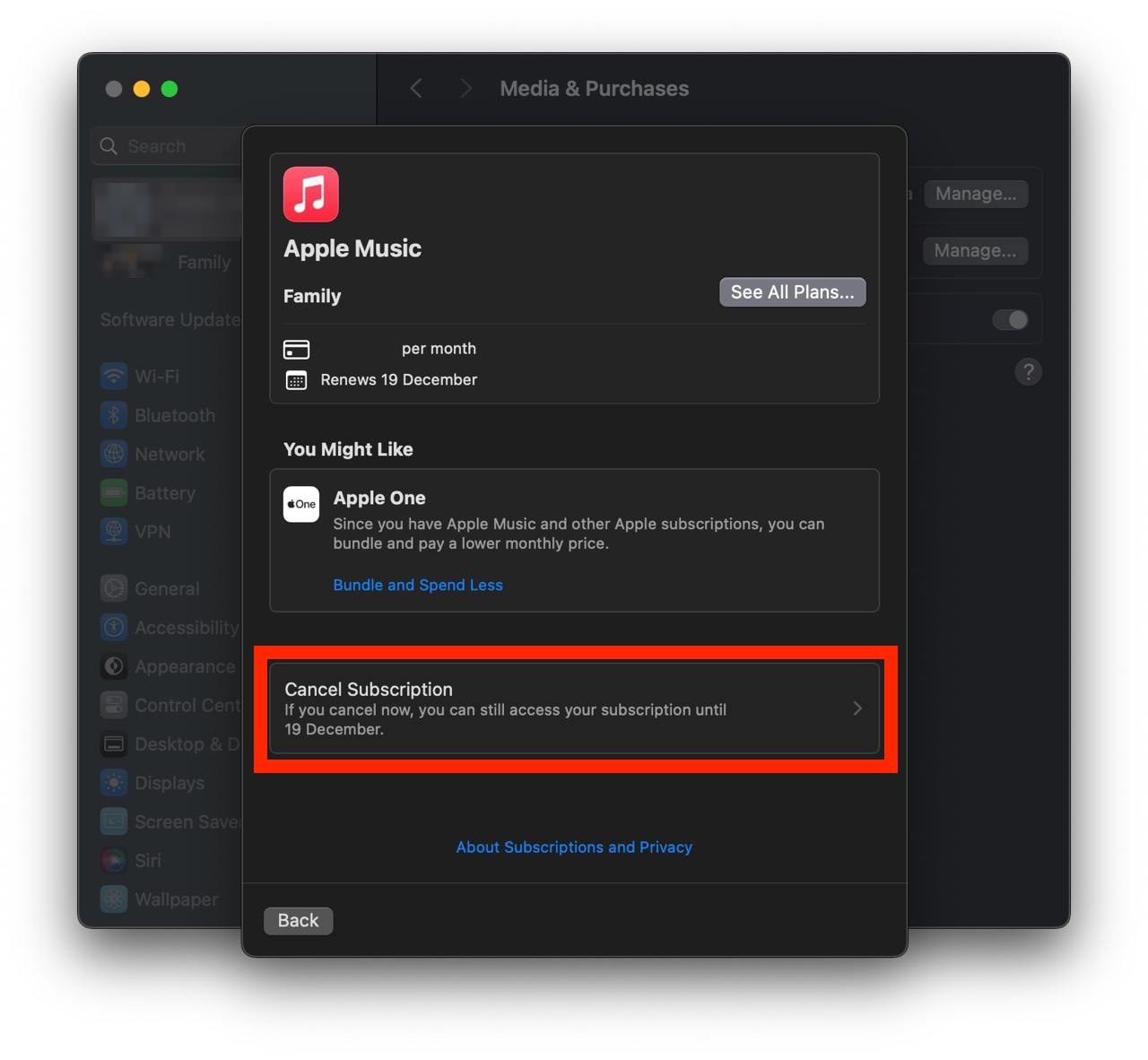
Show screenshot.Click the "Cancel Subscription" button.
Show screenshot.
Unable to find the subscription you want to cancel?
If you member of family account, you need to contact your Parent or family account owner to cancel the subscription by following the steps above.
If the receipt lists another Apple Account you use, sign in to that account and follow the steps in this guide to cancel the subscription.
Consider contacting app support or visiting the developer's website for assistance.
Follow by this link to discover the Hi Mind 正念抒壓 in the App Store.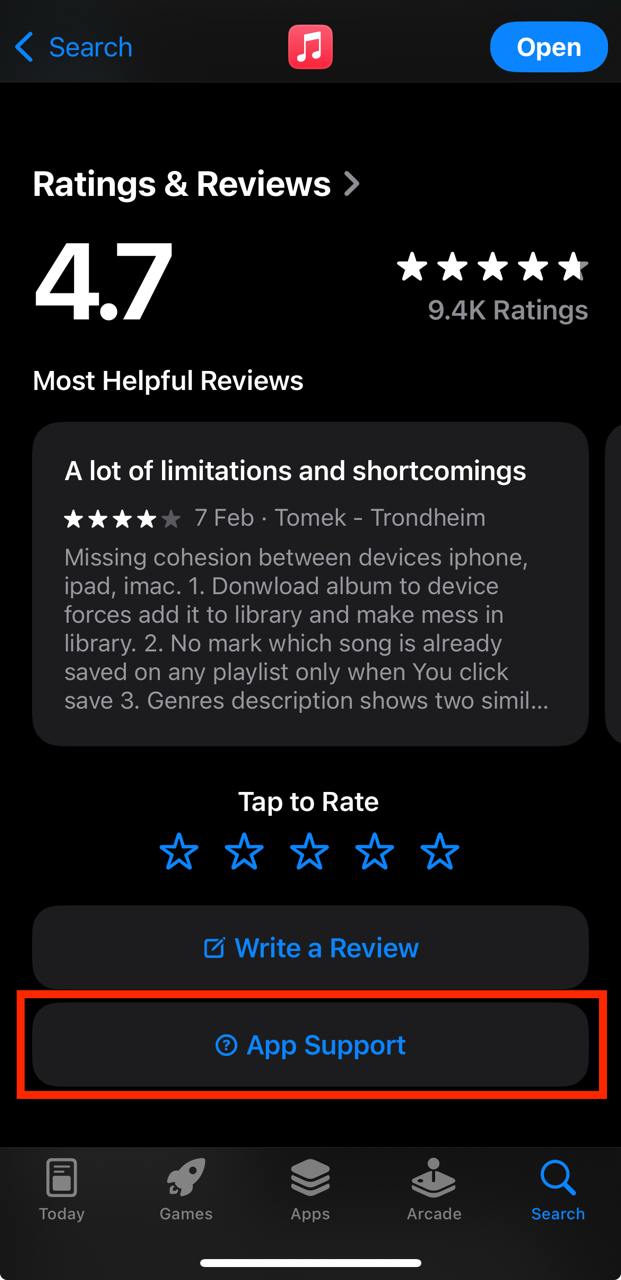
Hi Mind 正念抒壓 subscriptions
訂閱Hi Mind 正念之鈴服務
溫馨的鐘鈴聲,定時提醒您回到覺察當下的 感受、情緒、想法。祝福您每天可以獲得正念的喜悅。
訂閱Hi Mind 練習服務
每月只要100元(一杯咖啡價),完整VIP會員功能(完整音檔練習,自主練習正念之鈴)。
訂閱Hi Mind 練習服務
每月只要120元(一杯咖啡價),完整VIP會員功能(完整音檔練習,自主練習正念之鈴)。
訂閱Hi Mind 練習服務
每月只要160元台幣,期間享有VIP會員,可練習所有的音頻練習。
訂閱Hi Mind 練習服務
每年只要1260元台幣,期間享有VIP會員,可練習所有的音頻練習。