
How to cancel a subscription on IBJS
How to cancel a subscription on your iPhone
Discover how to cancel a subscription through Apple or one purchased via an app on the App Store.
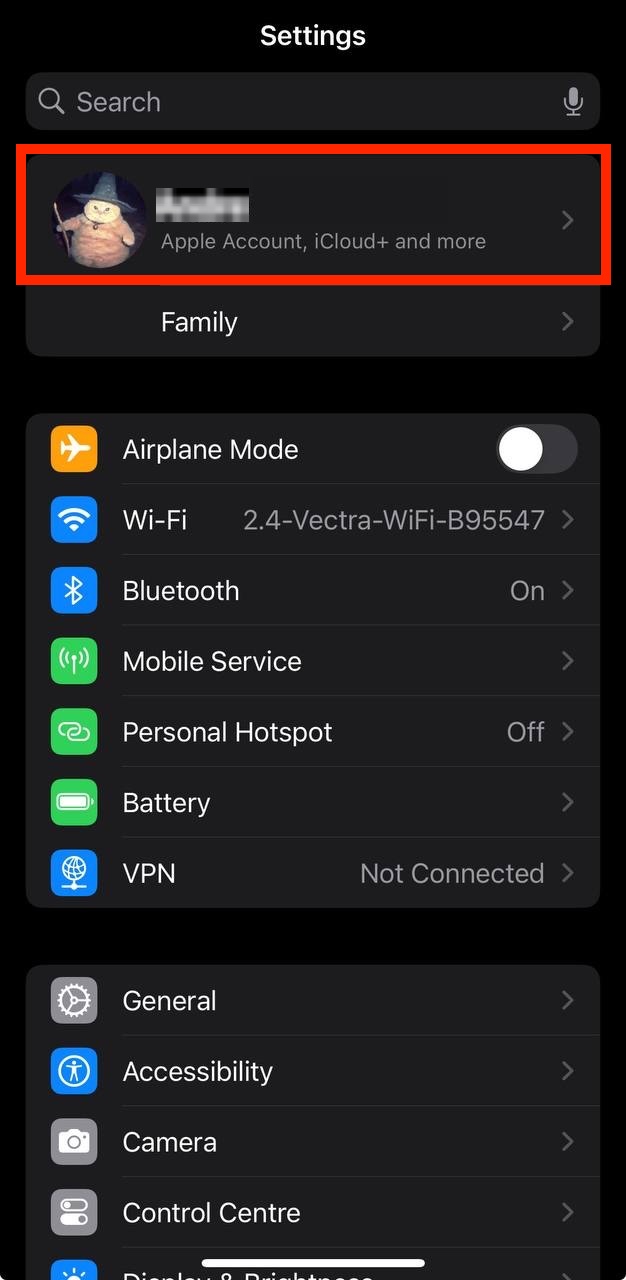
- Open the Settings app.
- Tap your name - "Apple Account, iCloud and more"
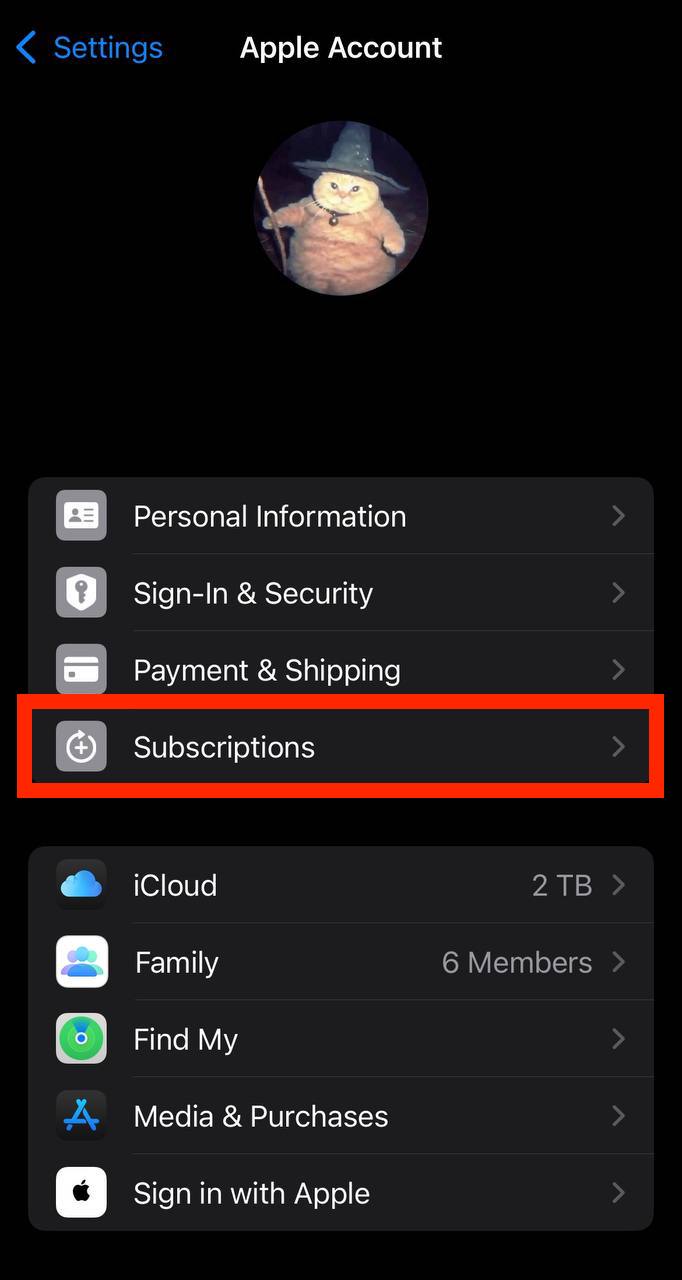
In the first section, tap Subscriptions.
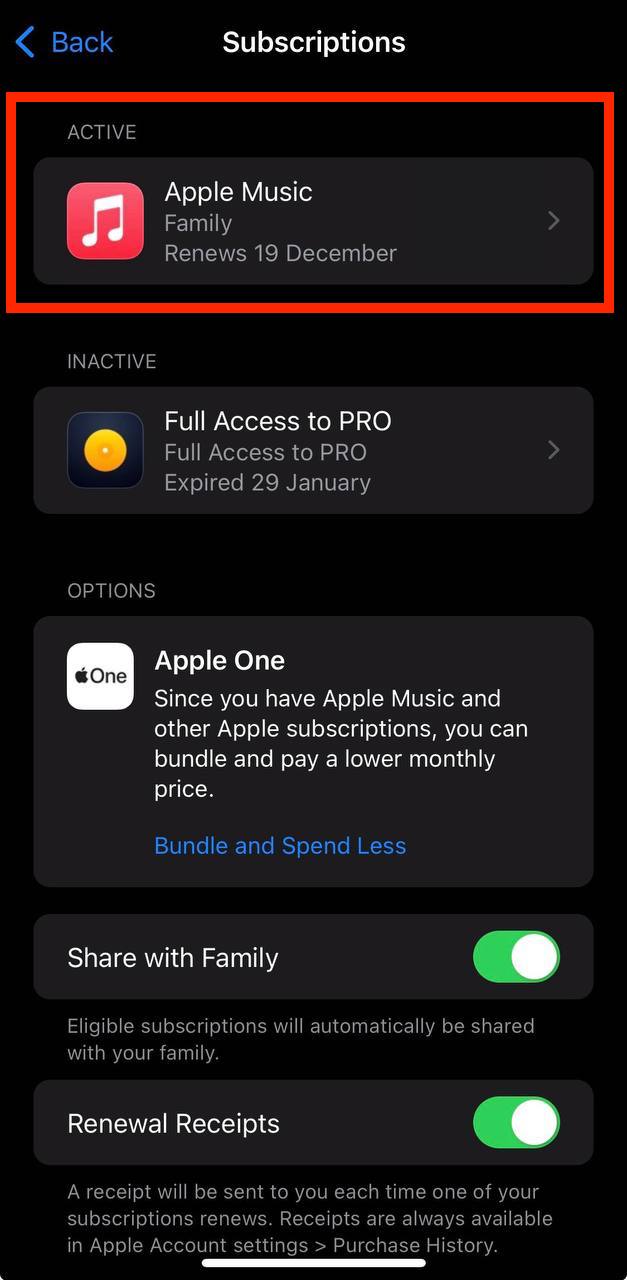
Show screenshot.Select the IBJS subscription you want to cancel.
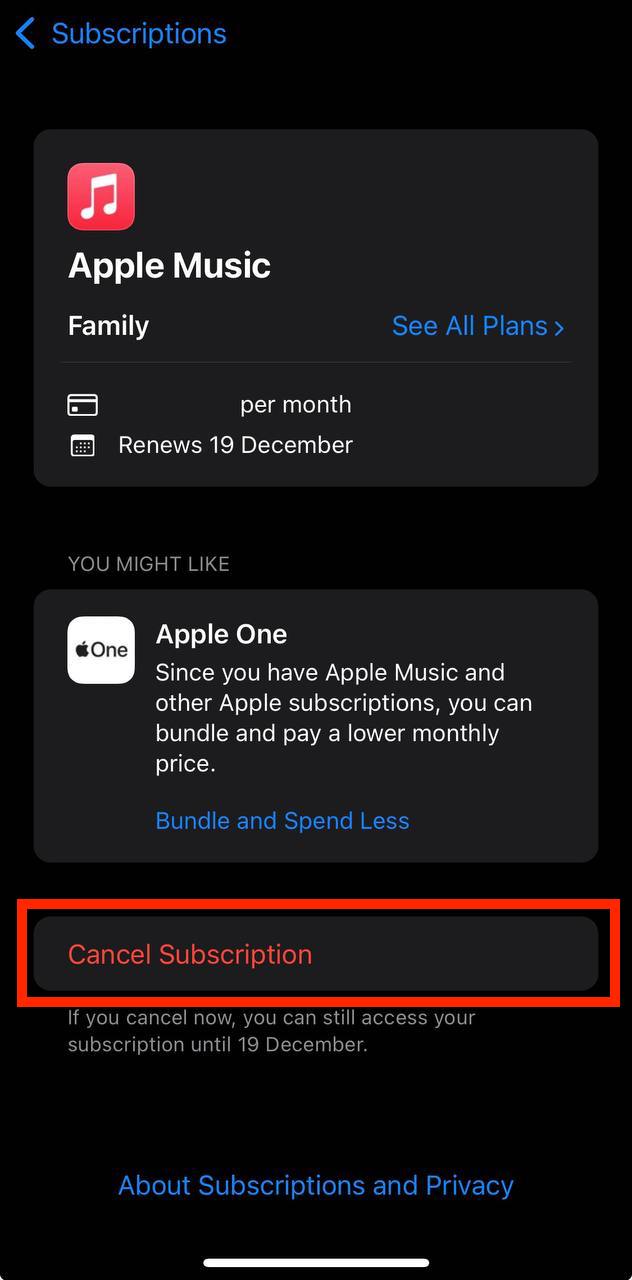
Show screenshot.Tap to Cancel Subscription. You may need to scroll down to locate the Cancel Subscription button. If the button is missing or a red expiration message appears, the subscription has already been canceled.
Show screenshot.
Cancel a subscription on your Mac
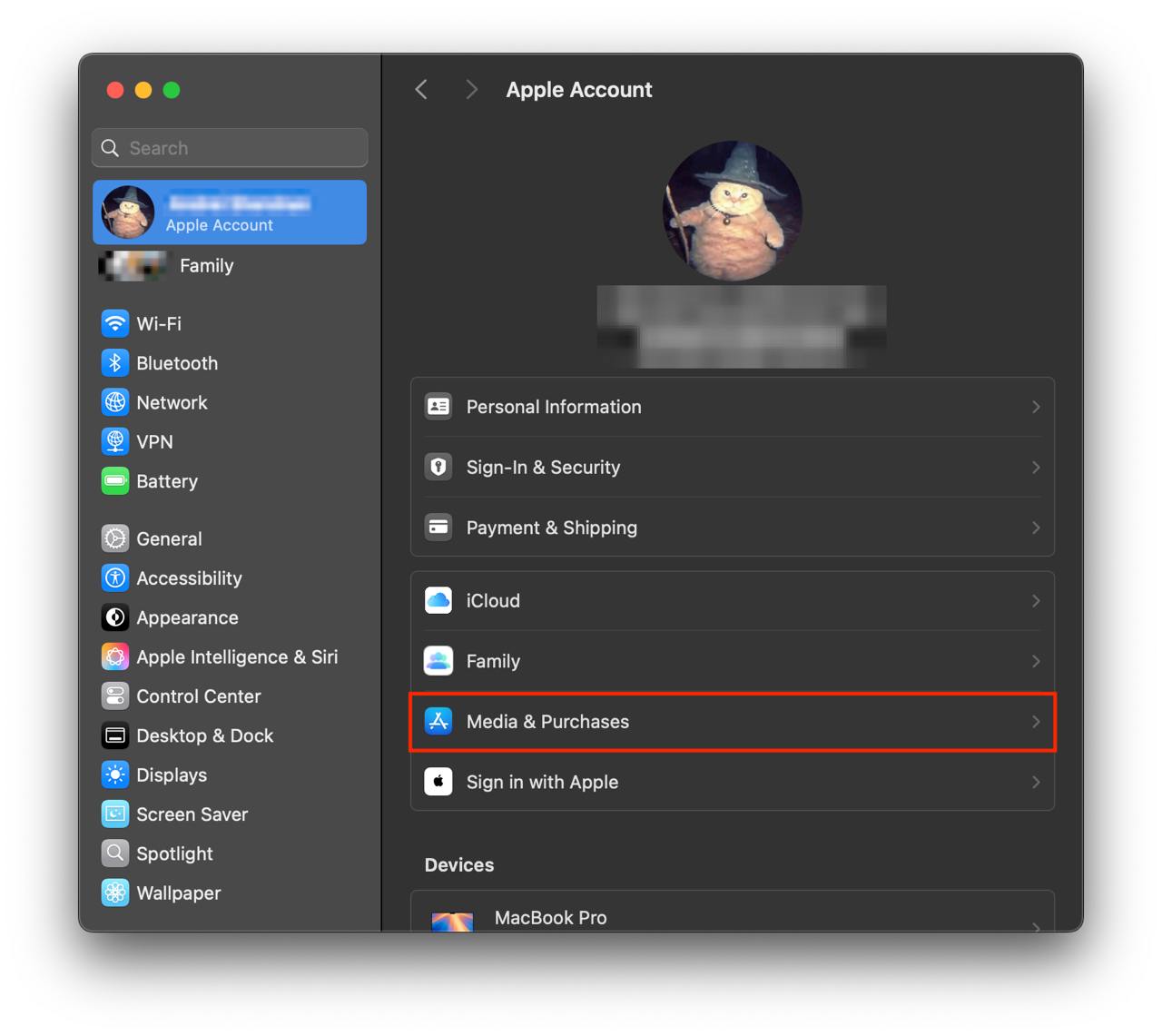
- Open the System Settings app.
- Click your name - "Apple Account" in the top-right corner.
Click to "Media & Purchases" in the left-hand menu.
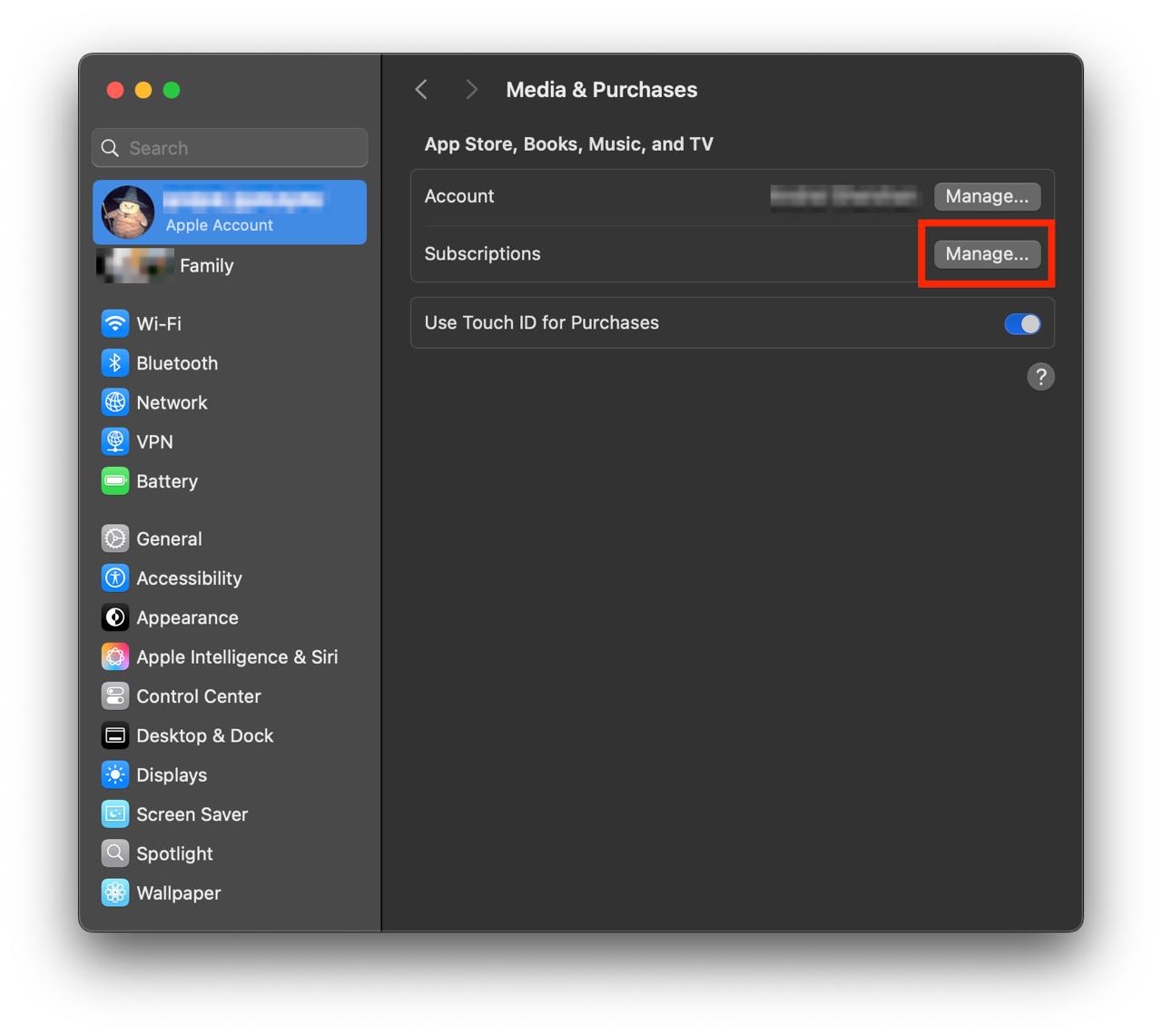
Show screenshot.Click to the "Manage..." button next to "Subscriptions" in the left-hand menu.
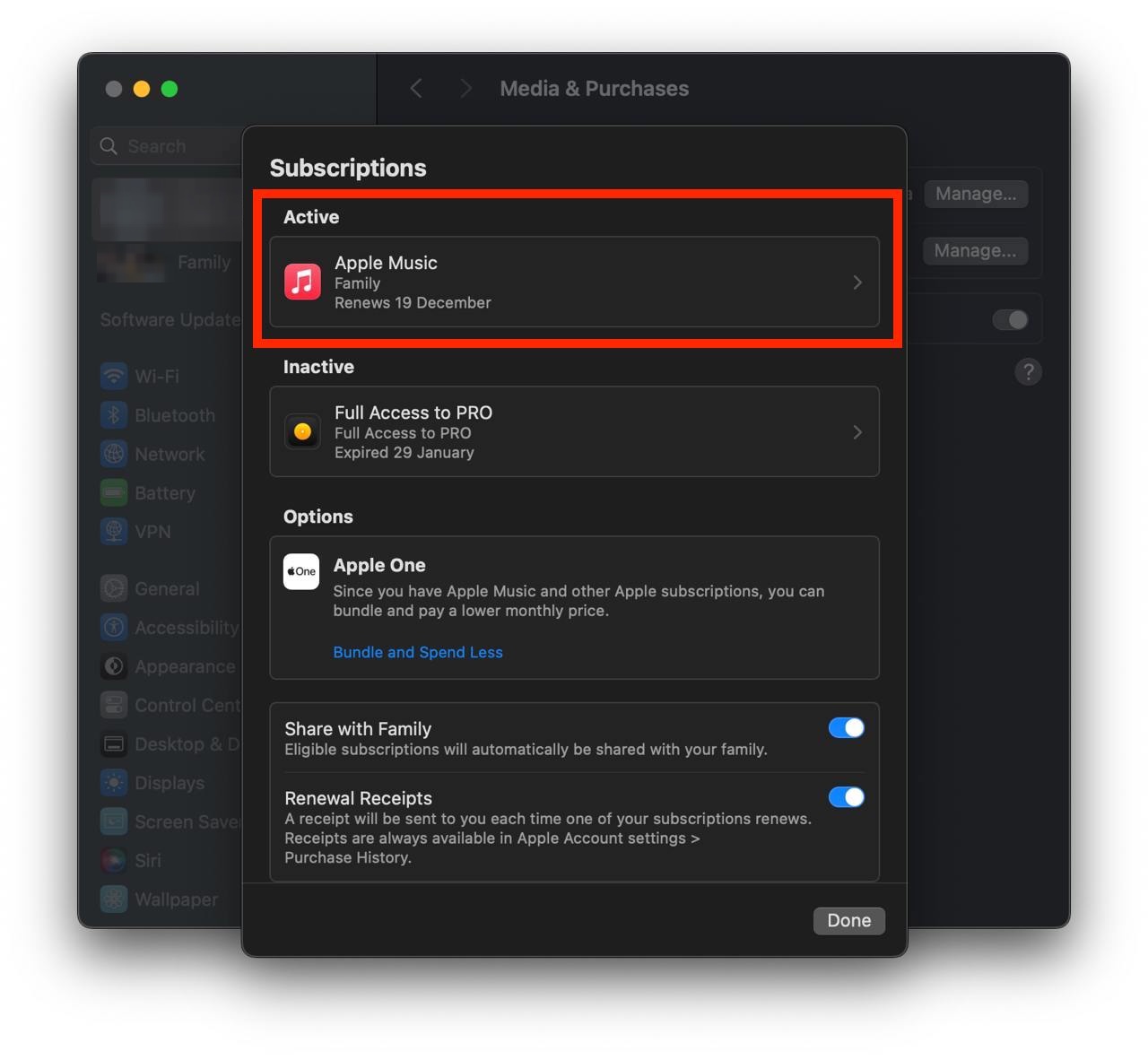
Show screenshot.Select the subscription you want to cancel. You may need to scroll down to locate the Cancel Subscription button. If the button is missing or a red expiration message appears, the subscription has already been canceled.
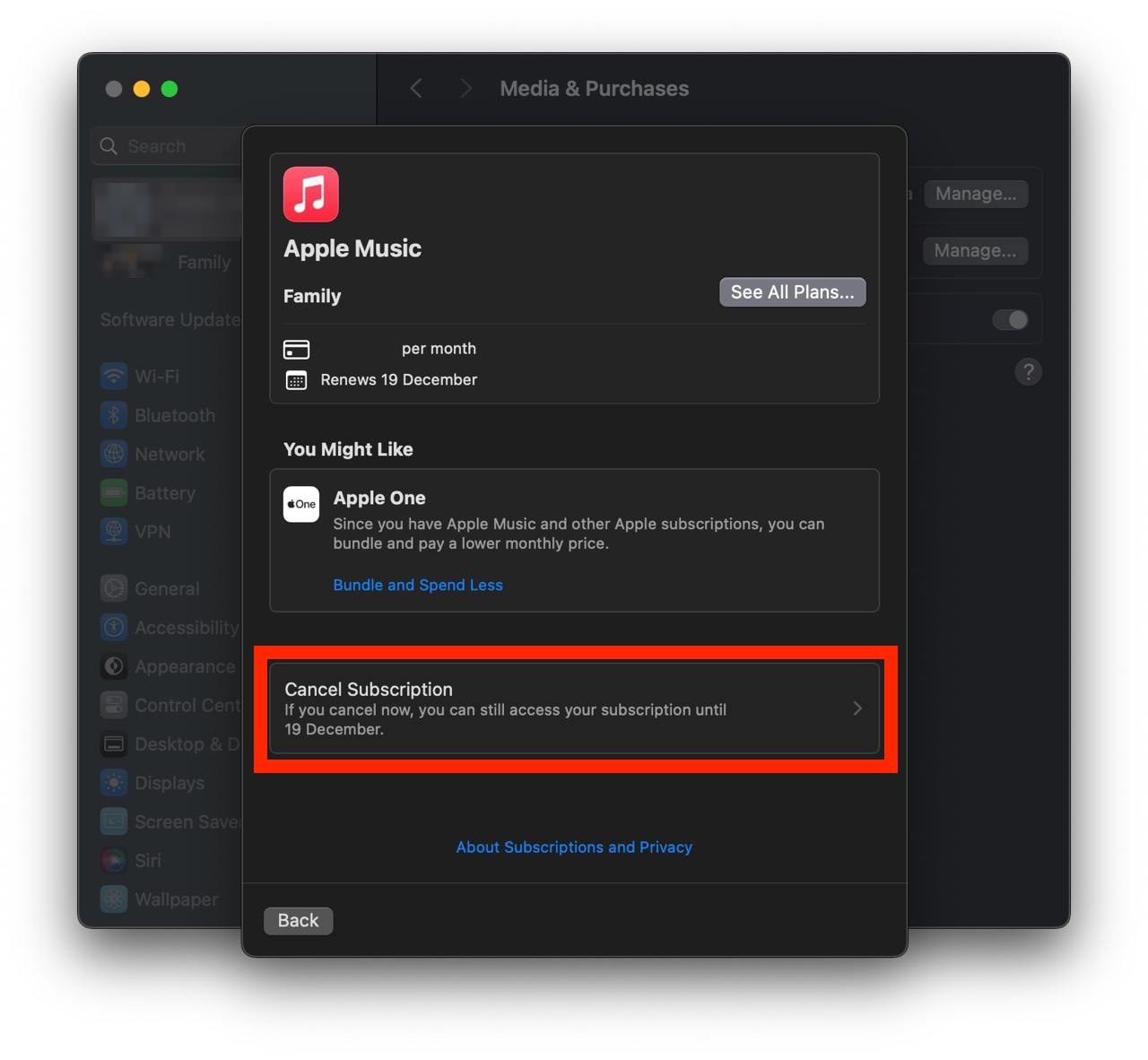
Show screenshot.Click the "Cancel Subscription" button.
Show screenshot.
Unable to find the subscription you want to cancel?
If you member of family account, you need to contact your Parent or family account owner to cancel the subscription by following the steps above.
If the receipt lists another Apple Account you use, sign in to that account and follow the steps in this guide to cancel the subscription.
Consider contacting app support or visiting the developer's website for assistance.
Follow by this link to discover the IBJS in the App Store.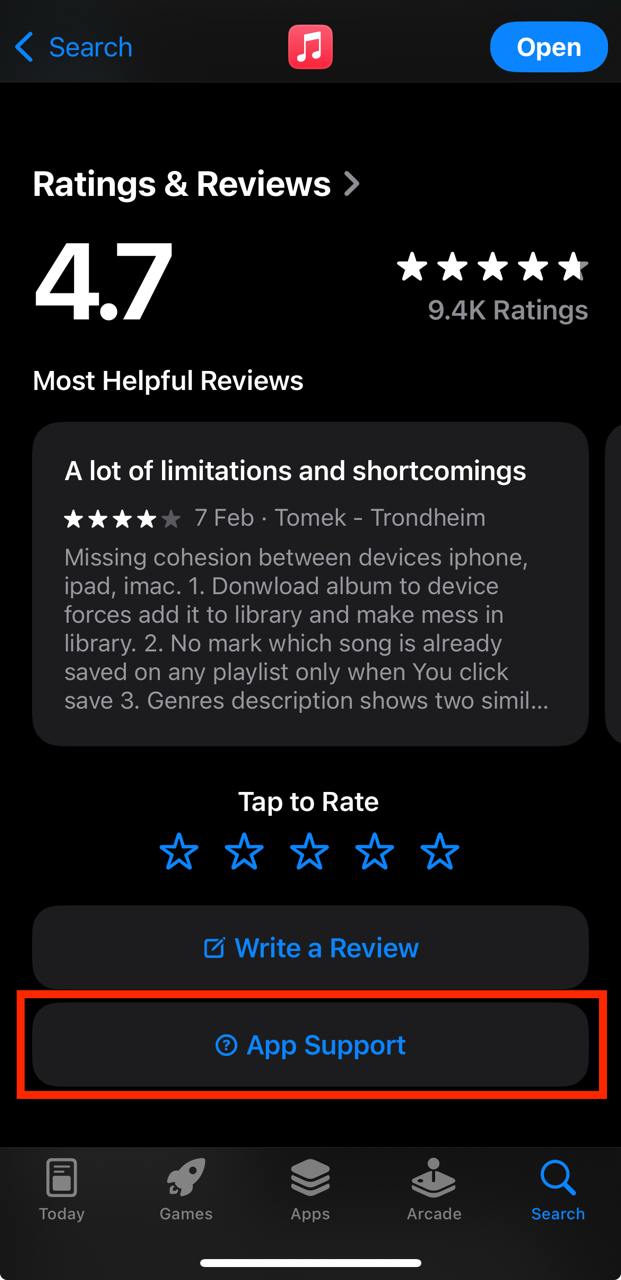
IBJS subscriptions
1ヶ月プラン
IBJSプレミアムパック 1ヶ月プラン
IBJプラス(使い放題)
IBJプラス(使い放題)に登録すると以下の機能が使えます。 ・価値感の一致度合によって異性が自動で紹介される「共感マッチ」の機能上で、紹介された異性の詳細プロフィールが直接閲覧できるようになる ・好きな写真の投稿やいいね!を通して異性と交流ができる「みんなのフォト」の機能上で、フォト投稿者の詳細プロフィールが直接閲覧できたり、いいね!をくれた異性の詳細プロフィールが直接閲覧できる。 ・お見合い実施後、交際状態になった異性とのみ利用できるチャット機能で無制限にメッセージの送信ができる
3ヶ月プラン
IBJSプレミアムパック 3ヶ月プラン
6ヶ月プラン
IBJSプレミアムパック 6ヶ月プラン