
How to cancel a subscription on 診療報酬辞典
How to cancel a subscription on your iPhone
Discover how to cancel a subscription through Apple or one purchased via an app on the App Store.
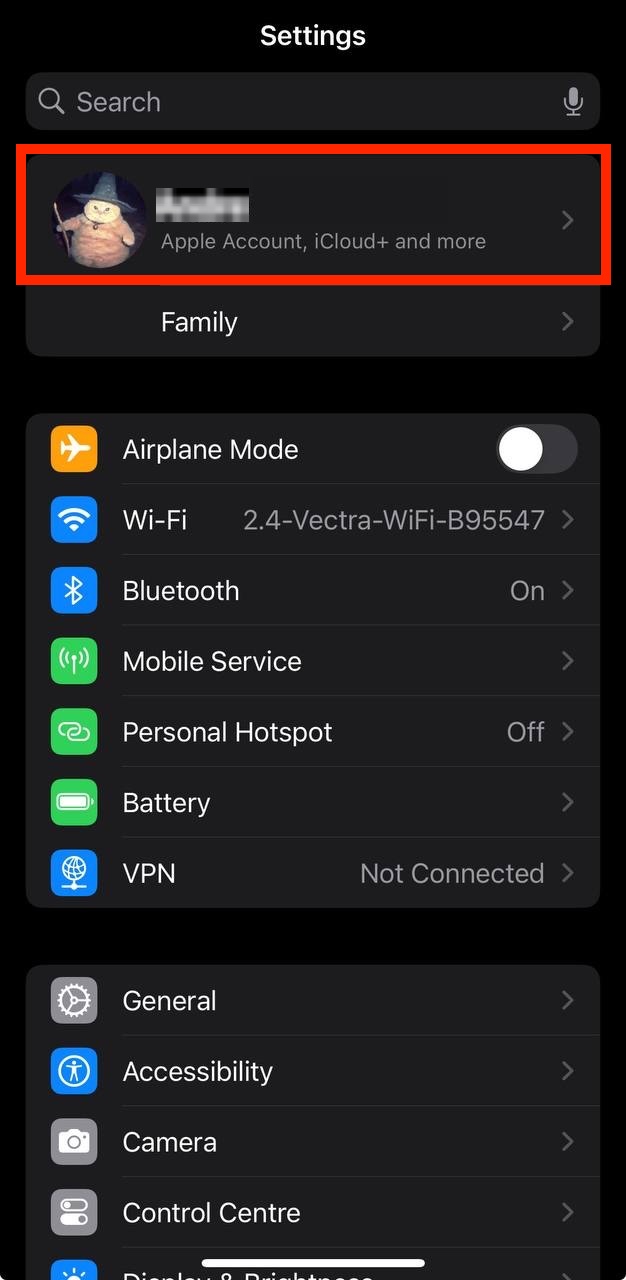
- Open the Settings app.
- Tap your name - "Apple Account, iCloud and more"
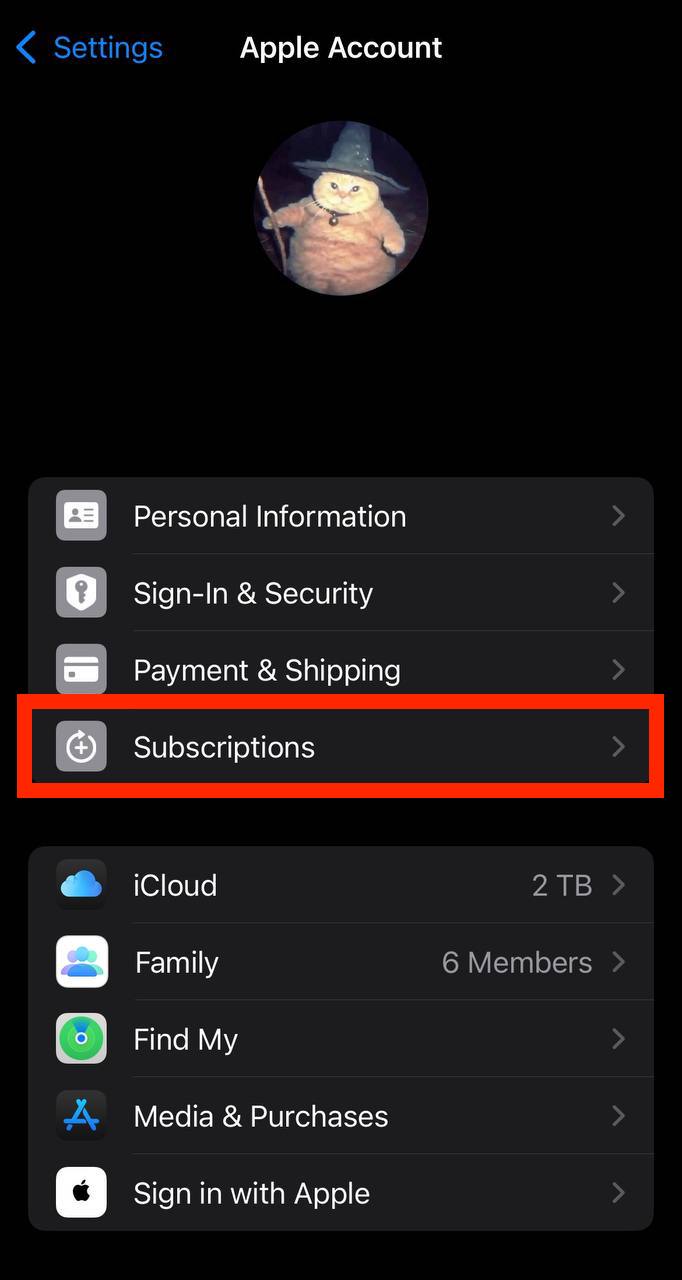
In the first section, tap Subscriptions.
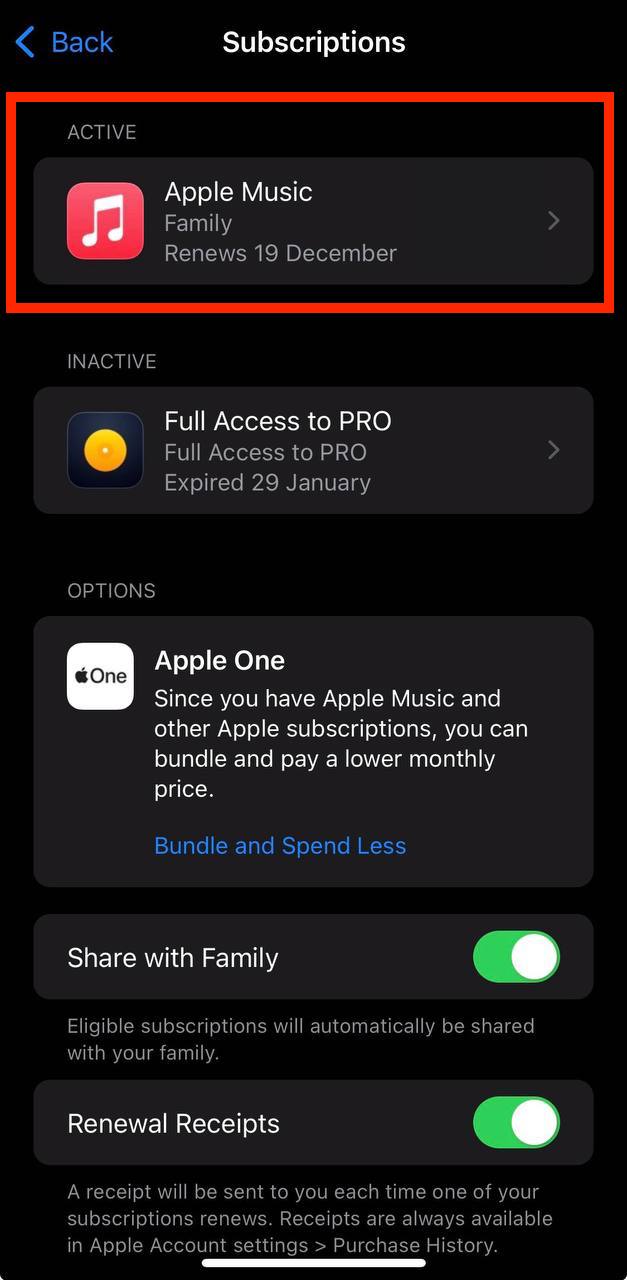
Show screenshot.Select the 診療報酬辞典 subscription you want to cancel.
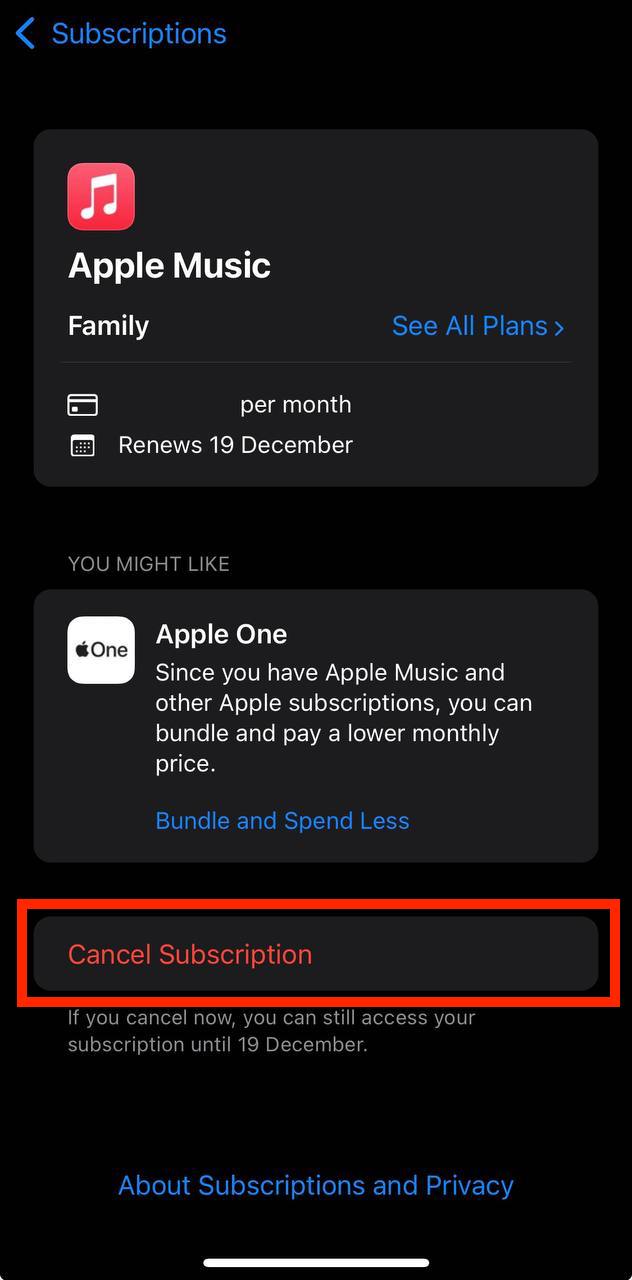
Show screenshot.Tap to Cancel Subscription. You may need to scroll down to locate the Cancel Subscription button. If the button is missing or a red expiration message appears, the subscription has already been canceled.
Show screenshot.
Cancel a subscription on your Mac
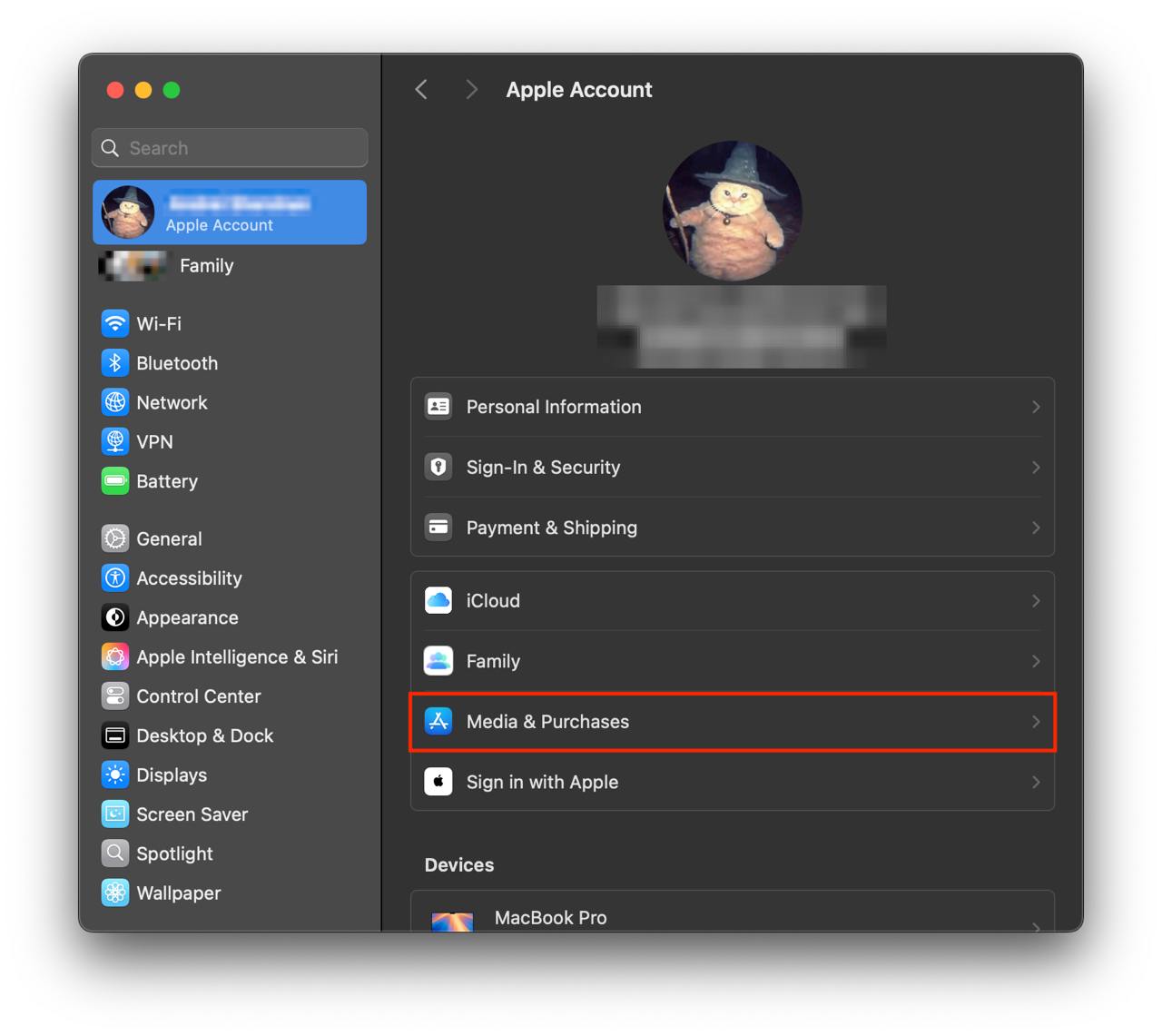
- Open the System Settings app.
- Click your name - "Apple Account" in the top-right corner.
Click to "Media & Purchases" in the left-hand menu.
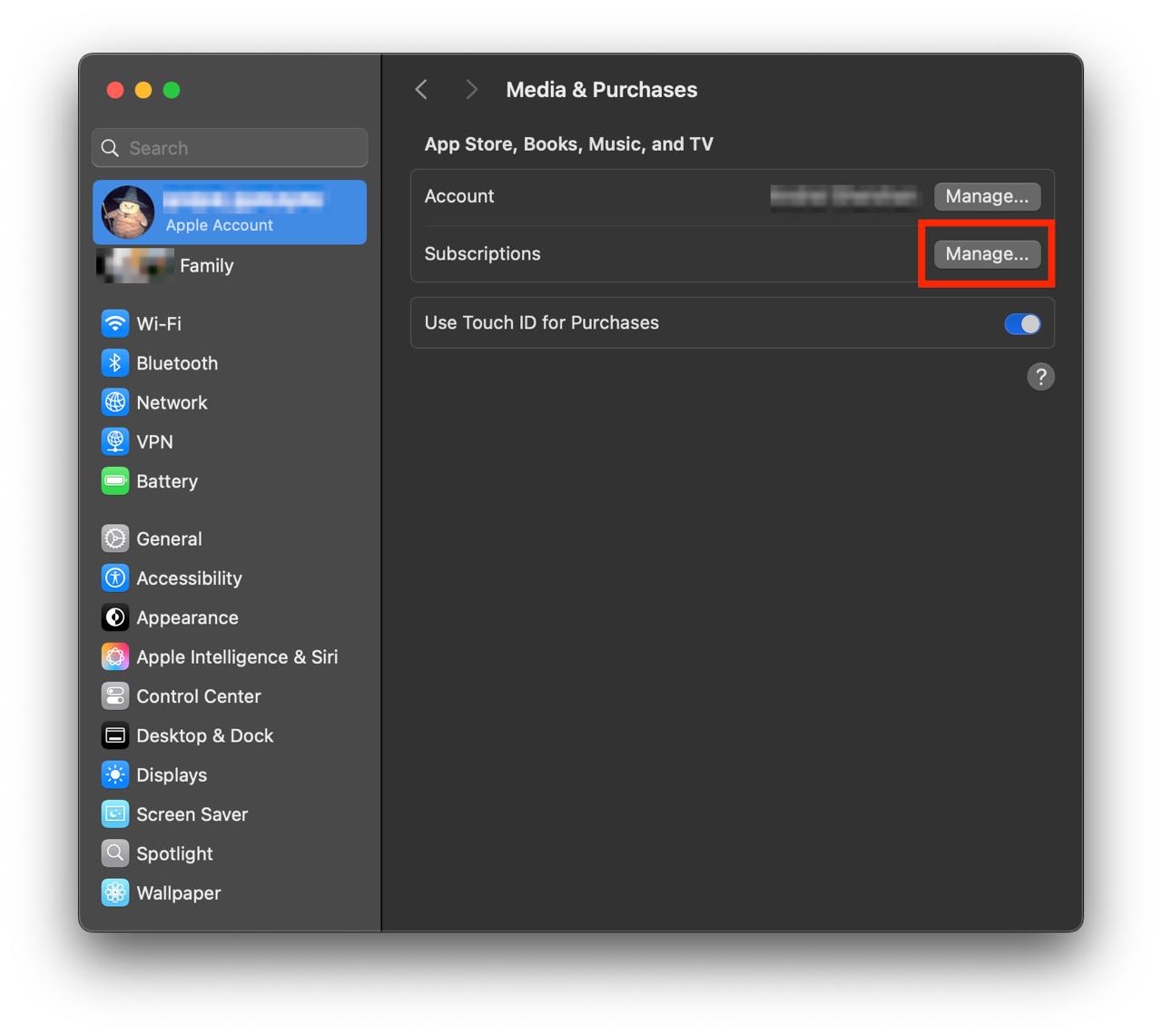
Show screenshot.Click to the "Manage..." button next to "Subscriptions" in the left-hand menu.
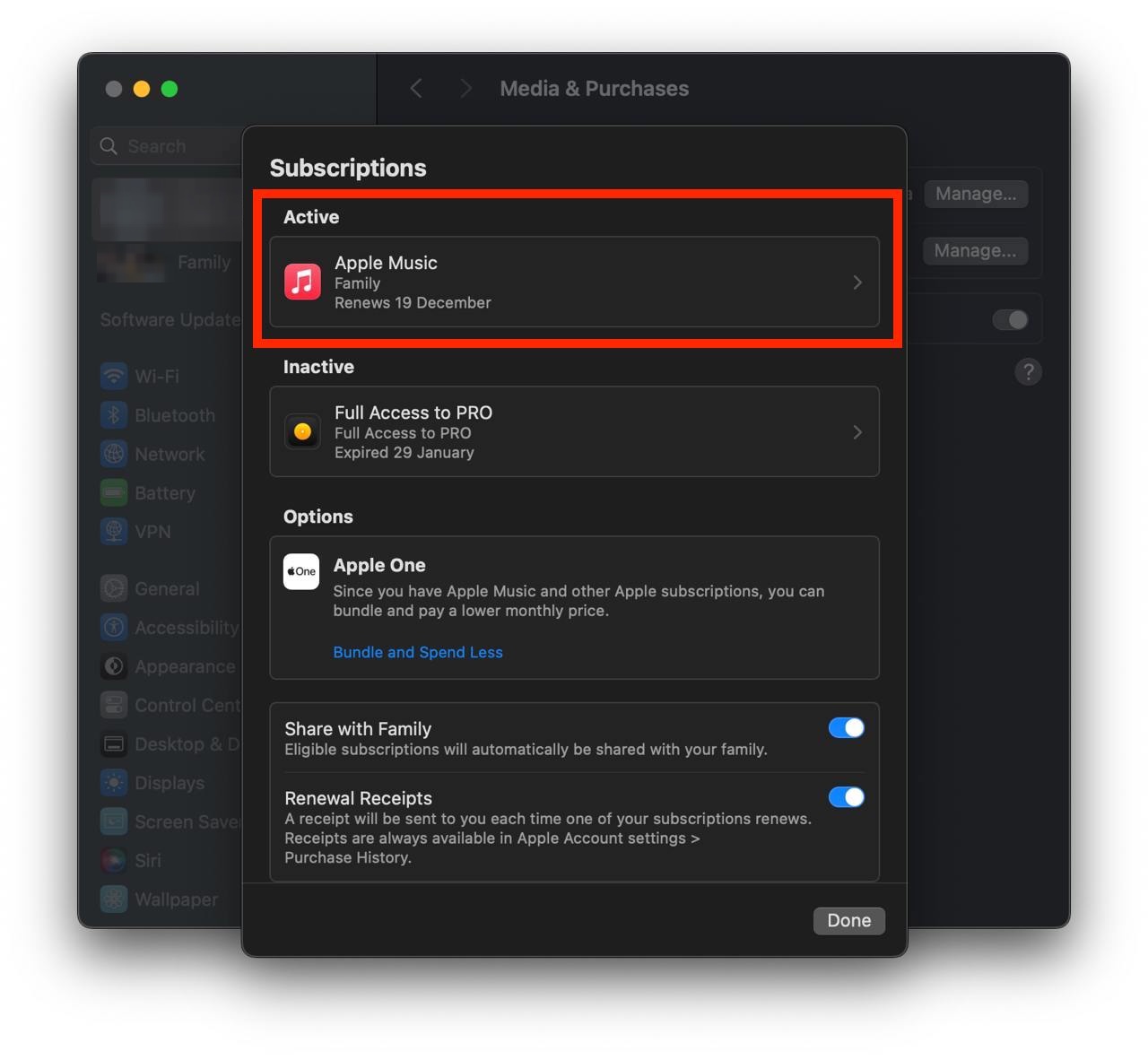
Show screenshot.Select the subscription you want to cancel. You may need to scroll down to locate the Cancel Subscription button. If the button is missing or a red expiration message appears, the subscription has already been canceled.
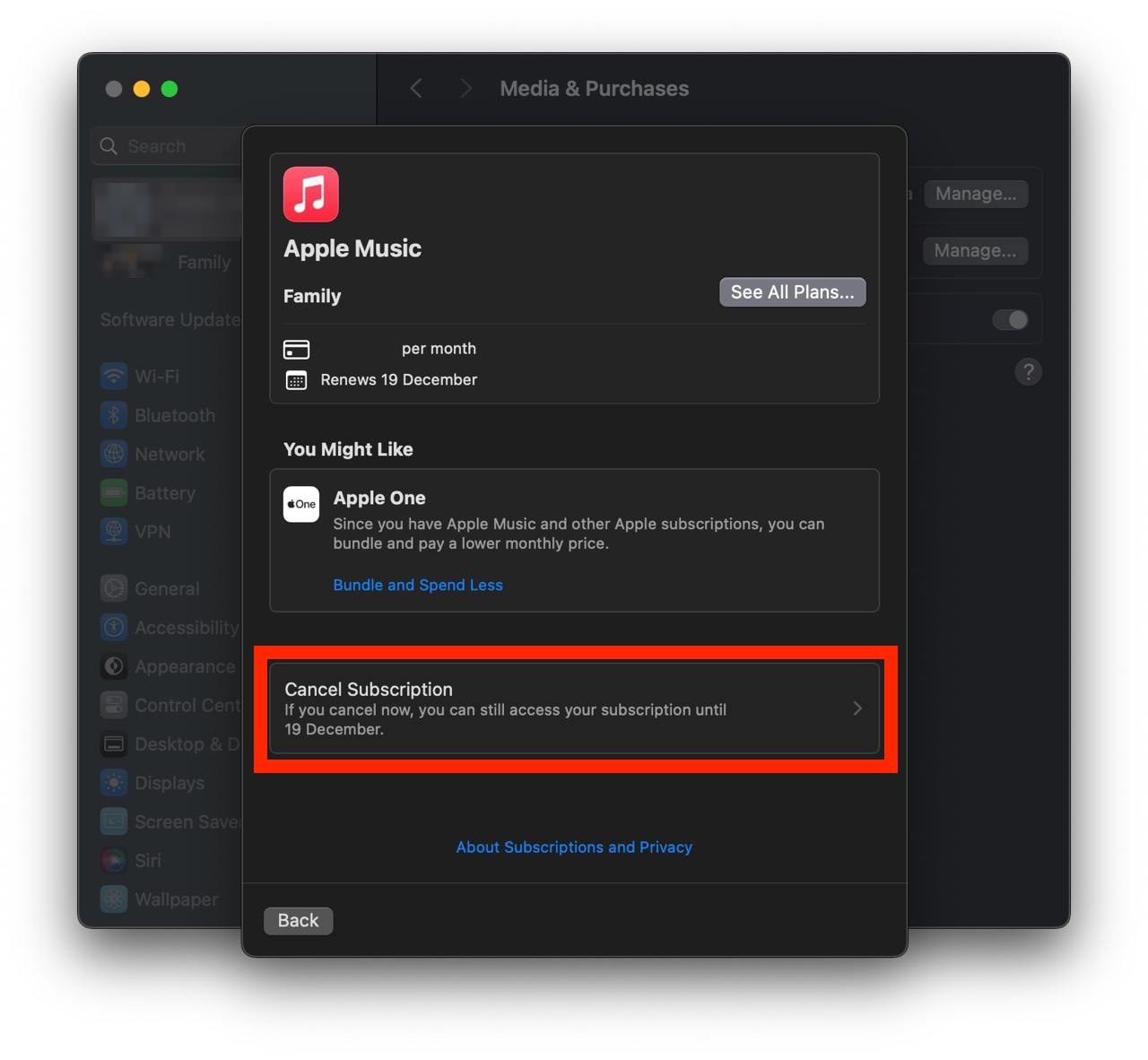
Show screenshot.Click the "Cancel Subscription" button.
Show screenshot.
Unable to find the subscription you want to cancel?
If you member of family account, you need to contact your Parent or family account owner to cancel the subscription by following the steps above.
If the receipt lists another Apple Account you use, sign in to that account and follow the steps in this guide to cancel the subscription.
Consider contacting app support or visiting the developer's website for assistance.
Follow by this link to discover the 診療報酬辞典 in the App Store.
診療報酬辞典 subscriptions
定期購読
アプリ内課金(定期購読)いただくことで、お使いいただける機能(厚労省通達)の情報が更新されます。 ※本アプリケーションの機能や内容は、毎月月末に更新されます。 以下、機能(厚労省通達情報)の説明一覧 ・通則・告示・通知情報の表示機能 ・診療行為内容に、『 新設 ・入院・外迅検 ・ 施設届・外管x 』の情報表示 ・疑義解釈資料(事務連絡)の表示 ・施設基準の情報の表示 ・算定回数制限のある診療行為の回数内容の表示
診療報酬辞典機能
アプリ内課金(定期購読)いただくことで「厚労省通達」の情報が毎月更新されます。
適応疾患辞典機能
アプリ内課金(定期購読)いただくことで、適応疾患情報の情報が提供、更新されます。
2 variants
診療報酬辞典機能
診療報酬辞典機能がご利用いただけます(H30.9.1以降)
診療報酬辞典-診療報酬辞典機能-
アプリ内課金(定期購読)いただくことで「厚労省通達」の情報が更新されます。