
How to cancel a subscription on 競馬予想のウマニティ
How to cancel a subscription on your iPhone
Discover how to cancel a subscription through Apple or one purchased via an app on the App Store.
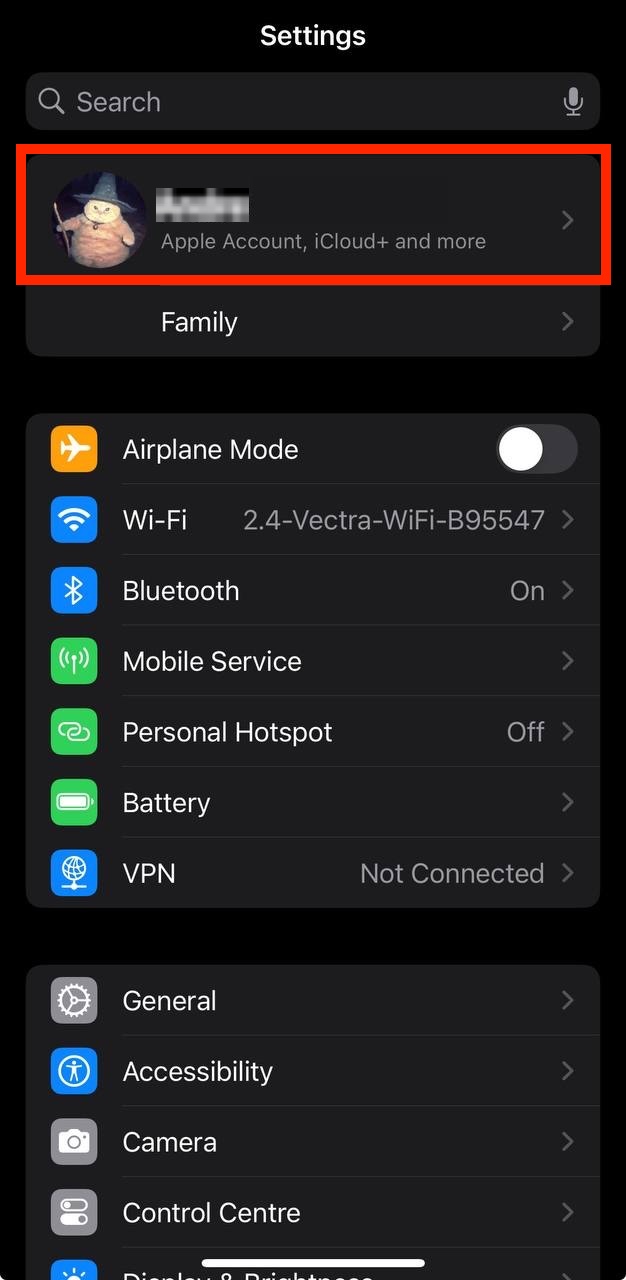
- Open the Settings app.
- Tap your name - "Apple Account, iCloud and more"
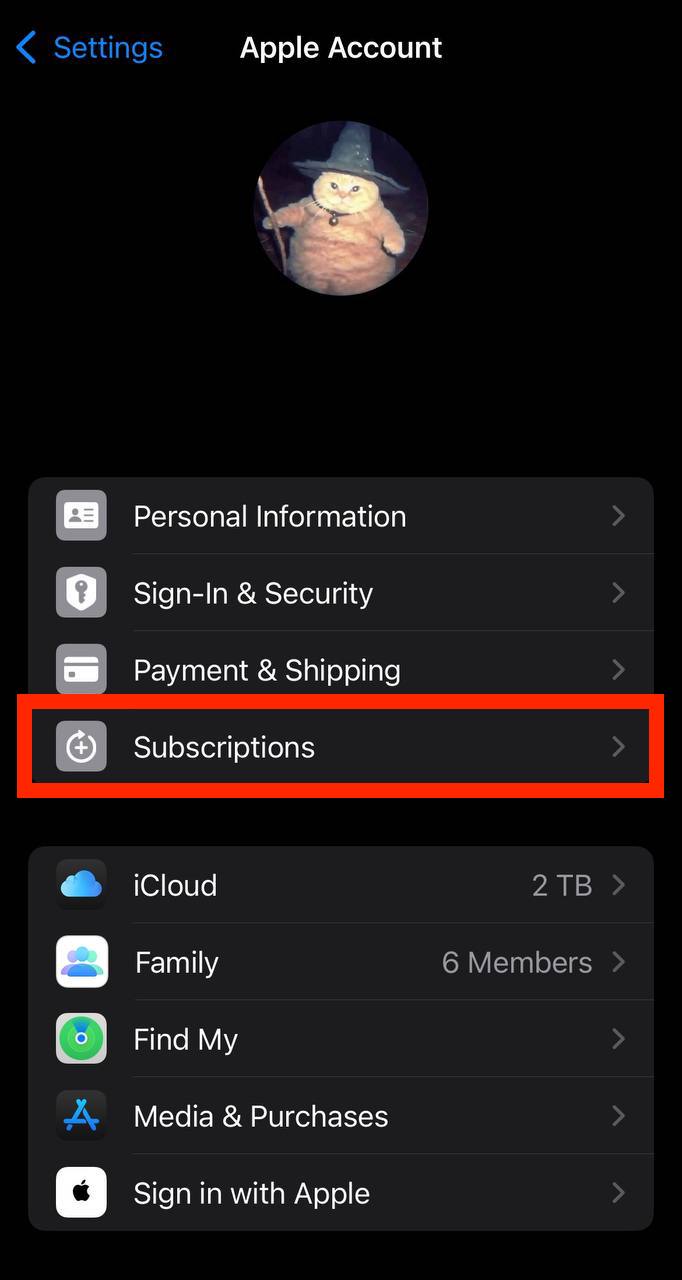
In the first section, tap Subscriptions.
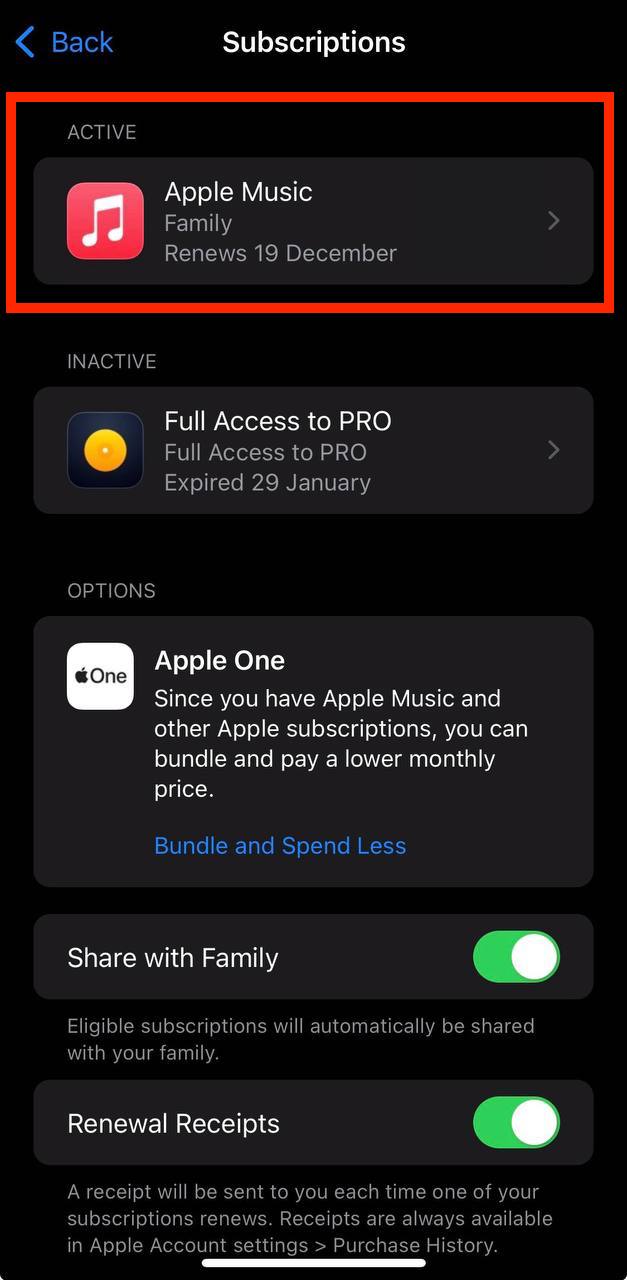
Show screenshot.Select the 競馬予想のウマニティ subscription you want to cancel.
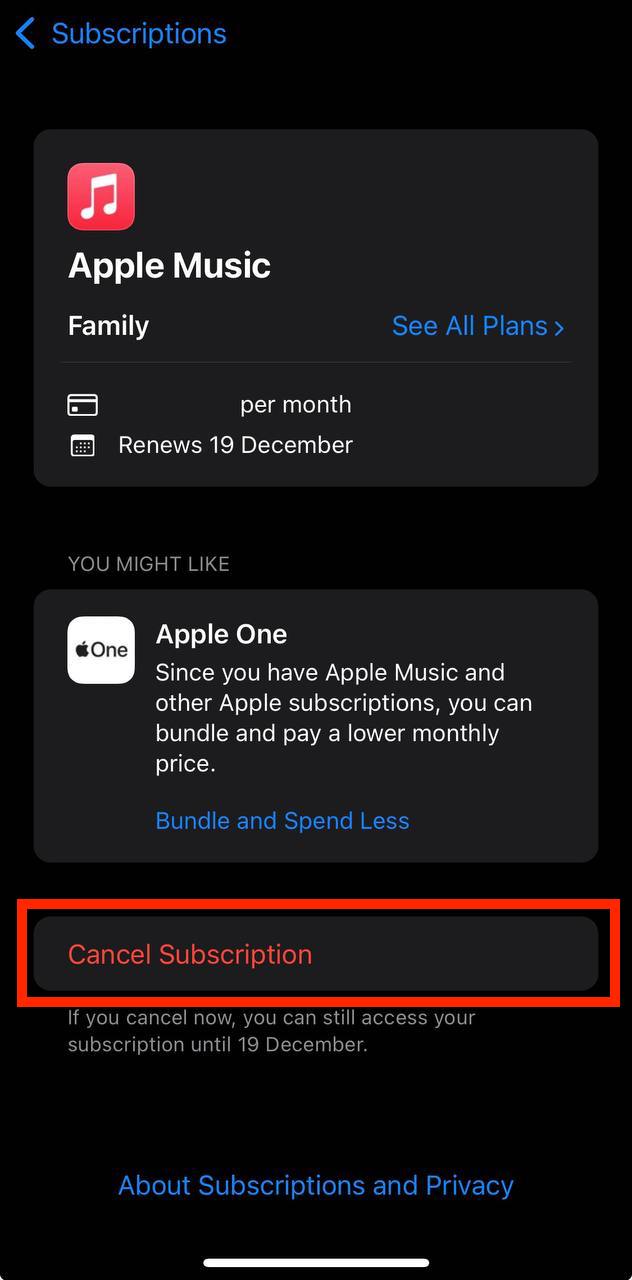
Show screenshot.Tap to Cancel Subscription. You may need to scroll down to locate the Cancel Subscription button. If the button is missing or a red expiration message appears, the subscription has already been canceled.
Show screenshot.
Cancel a subscription on your Mac
- Open the System Settings app.
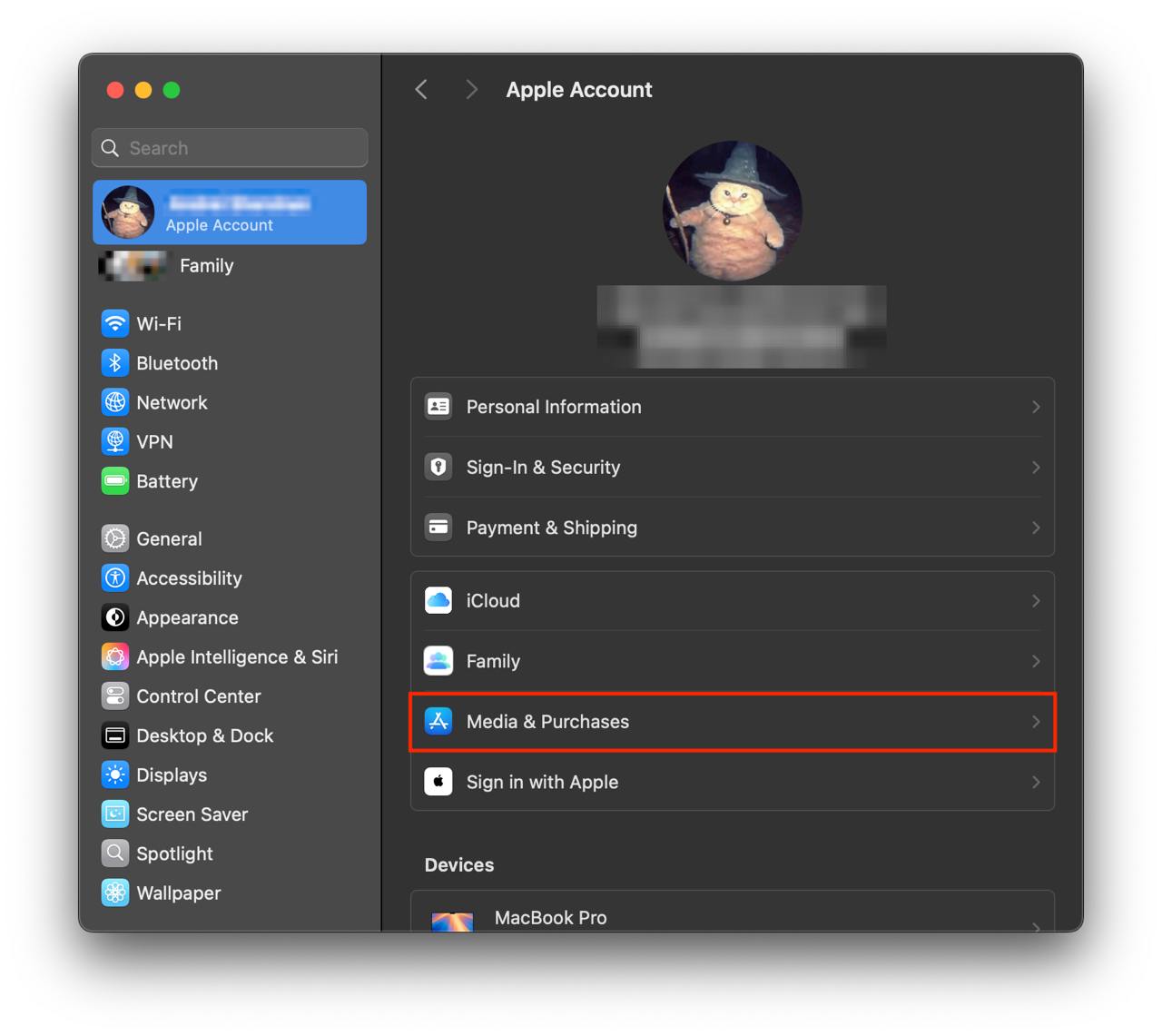
- Click your name - "Apple Account" in the top-right corner.
Click to "Media & Purchases" in the left-hand menu.
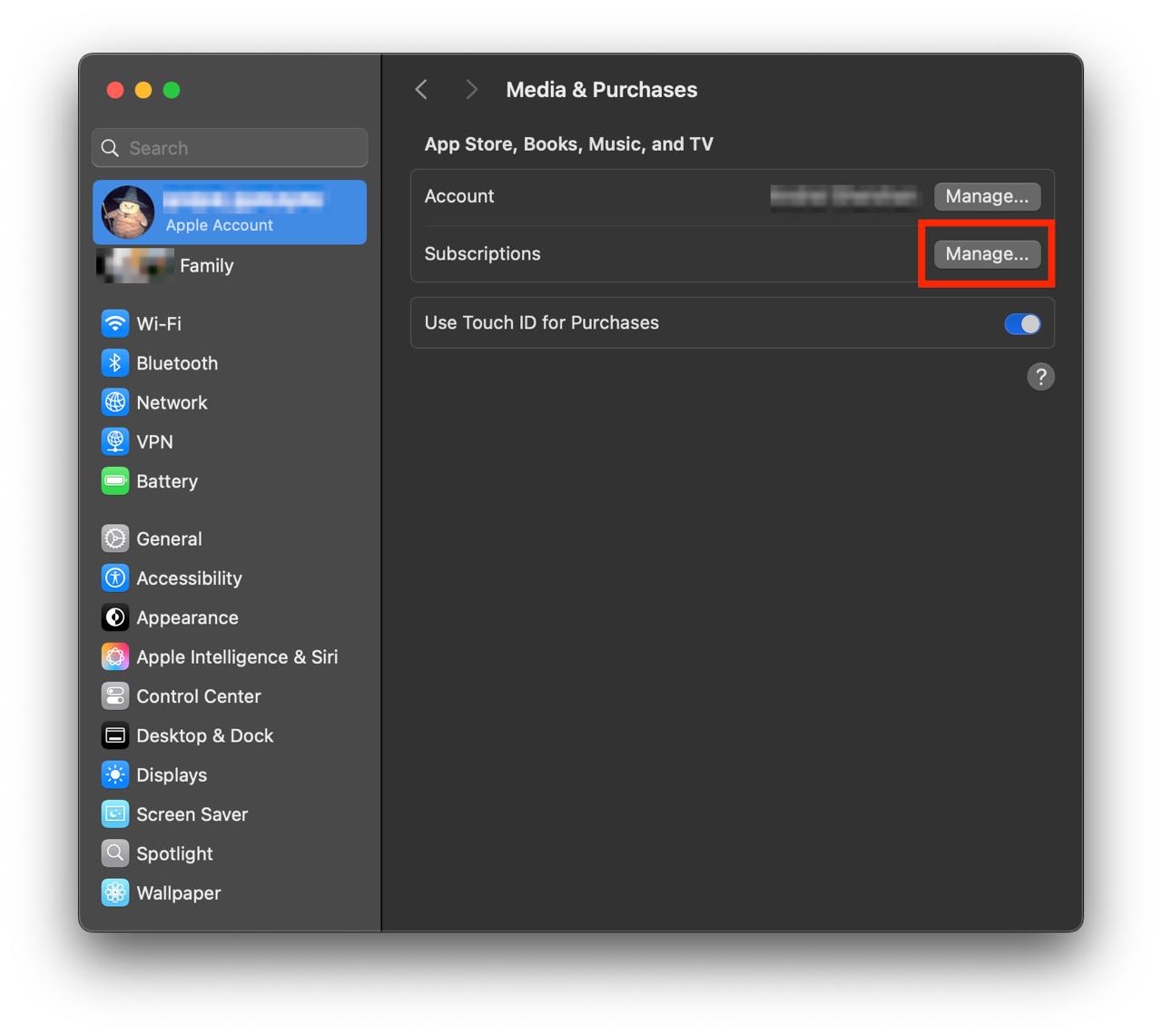
Show screenshot.Click to the "Manage..." button next to "Subscriptions" in the left-hand menu.
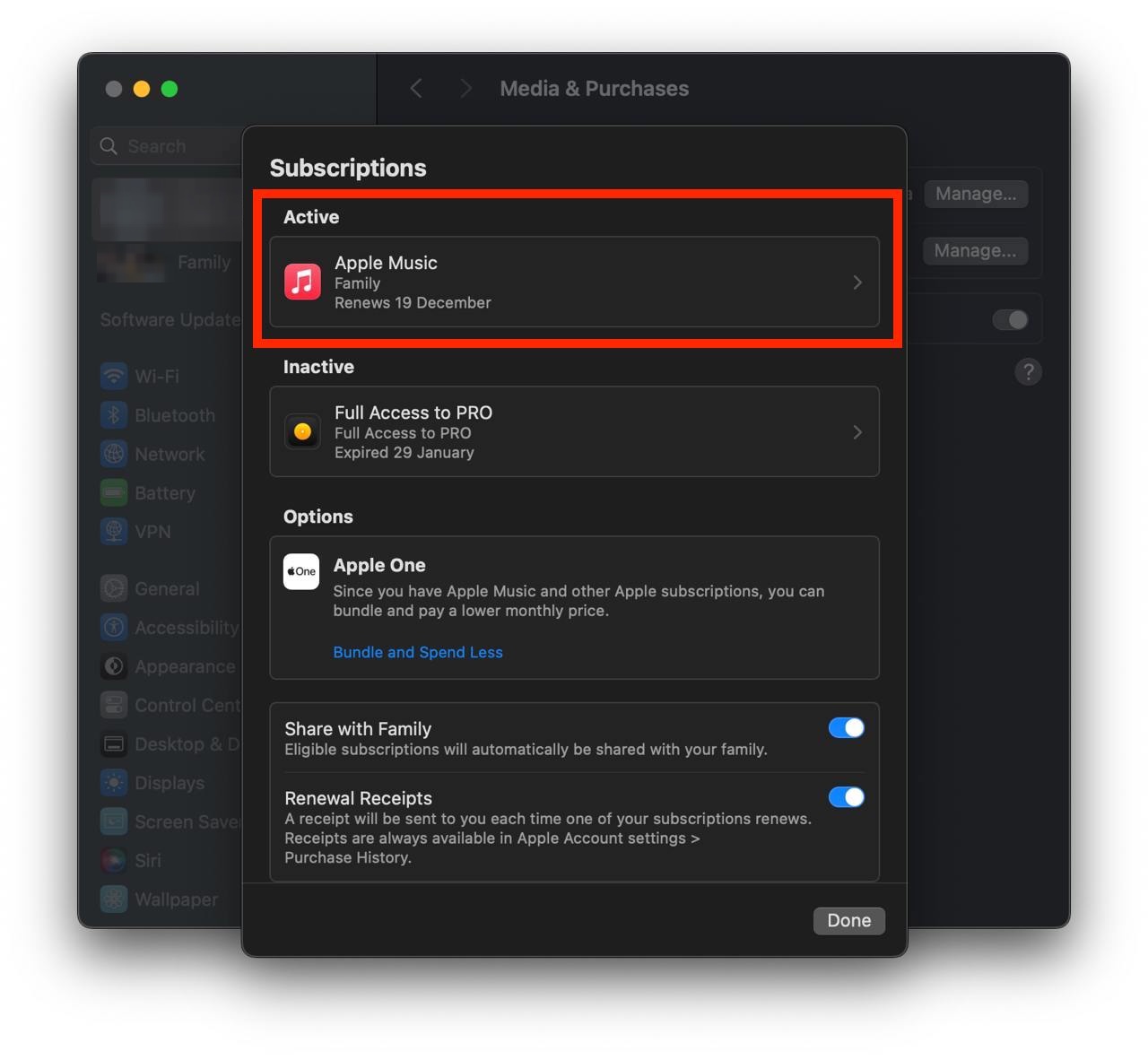
Show screenshot.Select the subscription you want to cancel. You may need to scroll down to locate the Cancel Subscription button. If the button is missing or a red expiration message appears, the subscription has already been canceled.
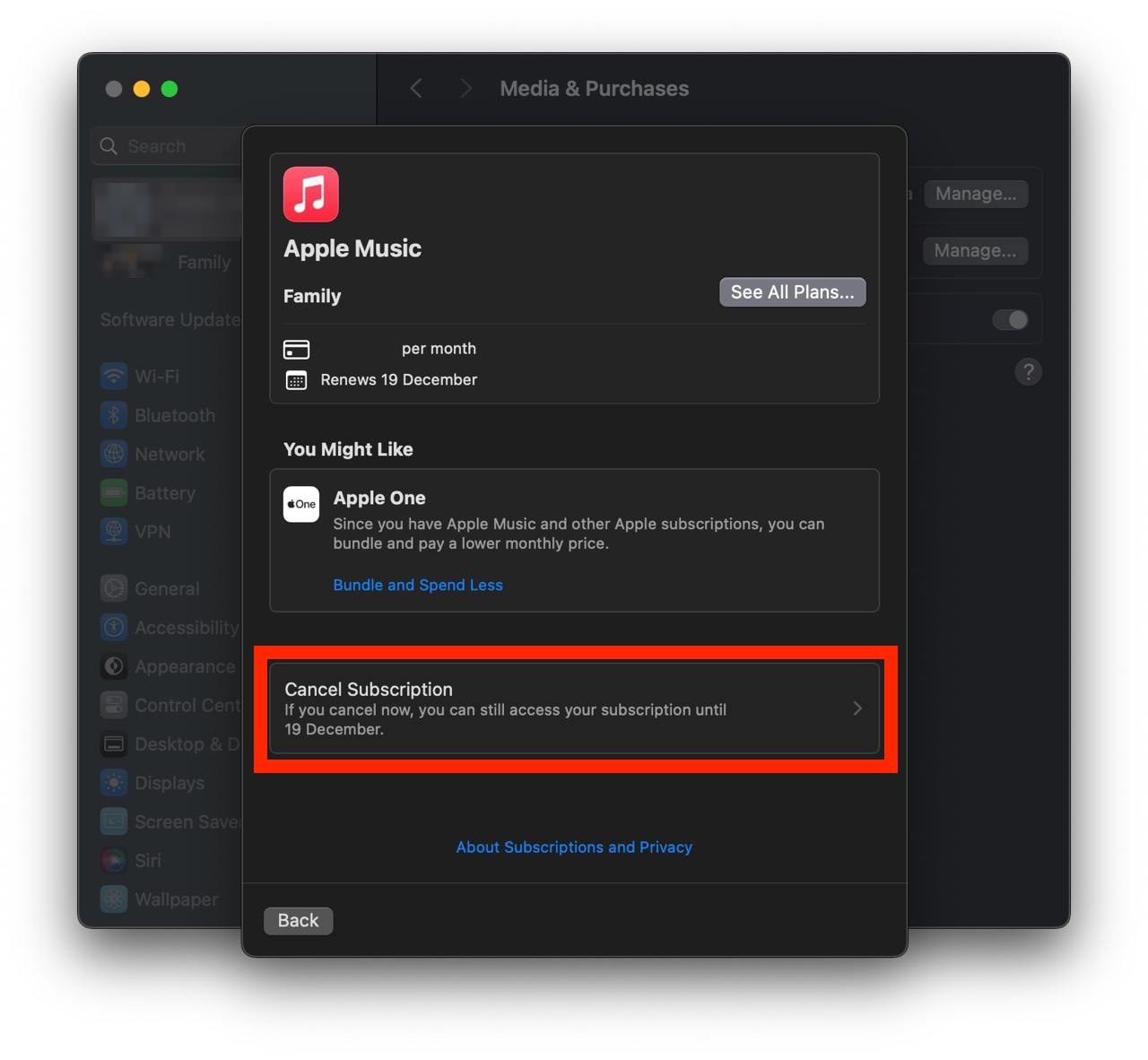
Show screenshot.Click the "Cancel Subscription" button.
Show screenshot.
Unable to find the subscription you want to cancel?
If you member of family account, you need to contact your Parent or family account owner to cancel the subscription by following the steps above.
If the receipt lists another Apple Account you use, sign in to that account and follow the steps in this guide to cancel the subscription.
Consider contacting app support or visiting the developer's website for assistance.
Follow by this link to discover the 競馬予想のウマニティ in the App Store.
競馬予想のウマニティ subscriptions
スガダイ_初ダート診断
予想神スガダイが初ダート馬を5つ項目でジャッジ!特注馬をはじめ、買いな馬がまるわかりに!
ウマニティVIPプラス会員(VIP特典+3000G)
ウマニティVIP特典に加えて毎月300Gがプレゼントされるプランです。
嵐山出馬表_プロ出馬表
導師嵐山プロのレース毎の馬運気、騎手運気を全レース提供!あなたの勝利をグッと引き寄せます!
くりーく_プロ出馬表
くりーくプロ最速予想!当出馬表では全馬の調教評価、レースコメント、オススメ度も見放題!
マカロニスタンダーズ_プロ出馬表
マカロニプロ最速予想!さらにオススメ度、コメント、当出馬表限定の準勝負レースも特別提供!