
How to cancel a subscription on 东方财富
How to cancel a subscription on your iPhone
Discover how to cancel a subscription through Apple or one purchased via an app on the App Store.
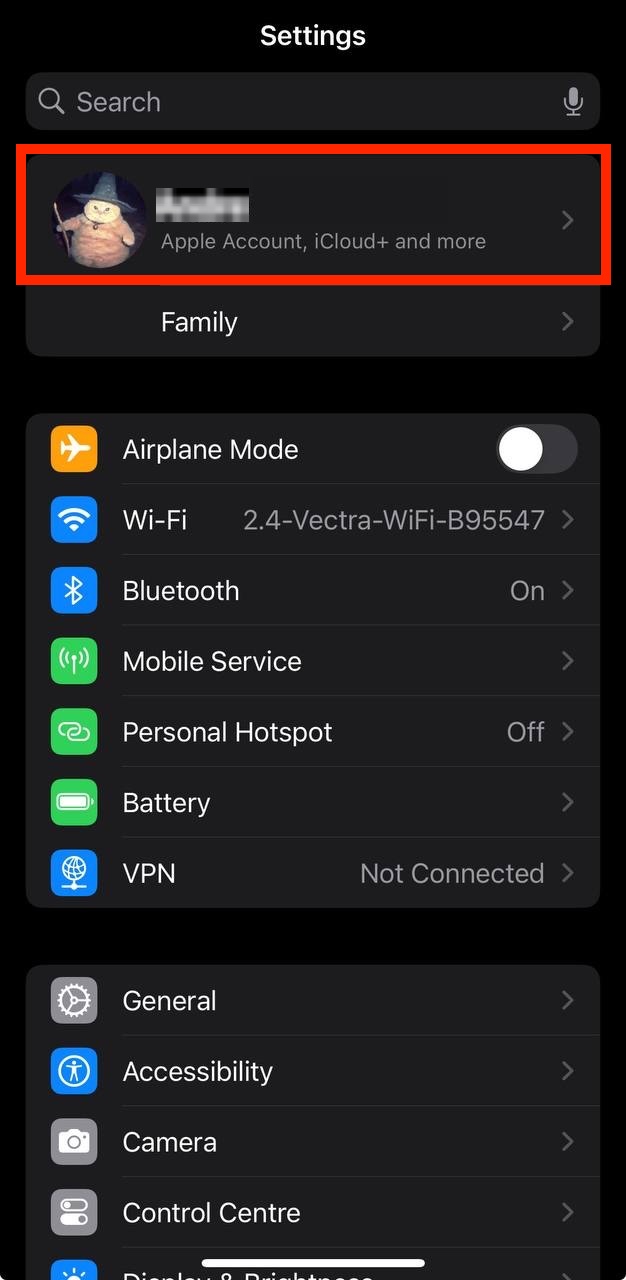
- Open the Settings app.
- Tap your name - "Apple Account, iCloud and more"
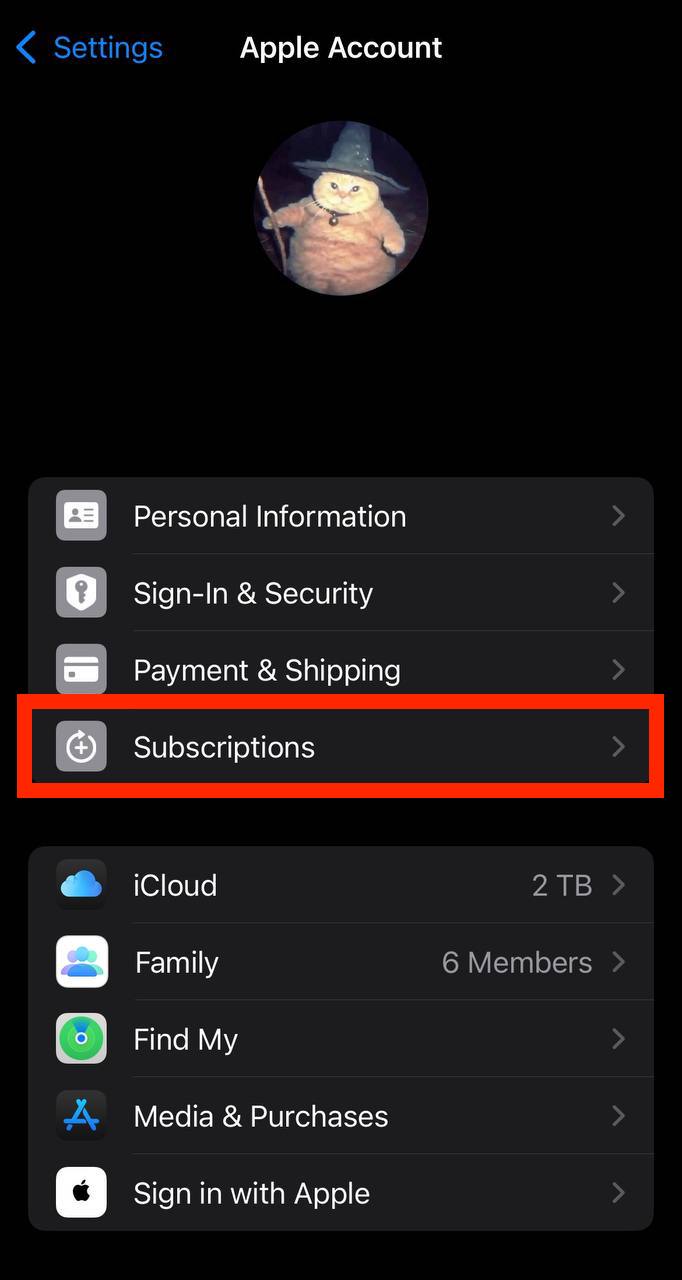
In the first section, tap Subscriptions.
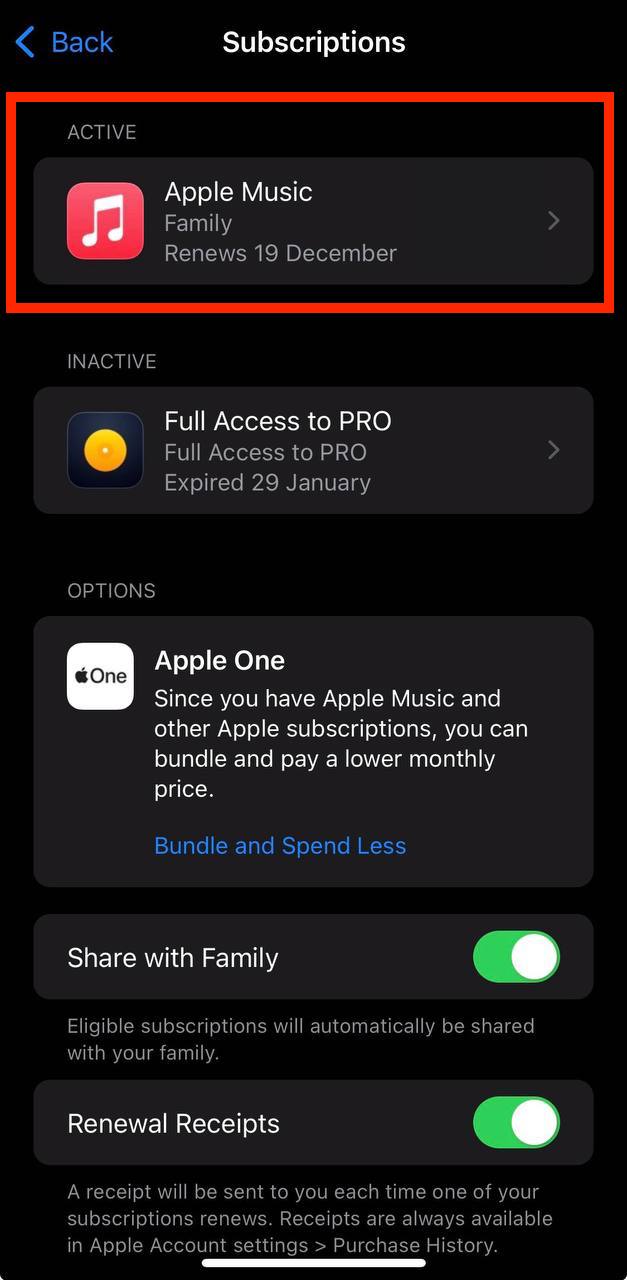
Show screenshot.Select the 东方财富 subscription you want to cancel.
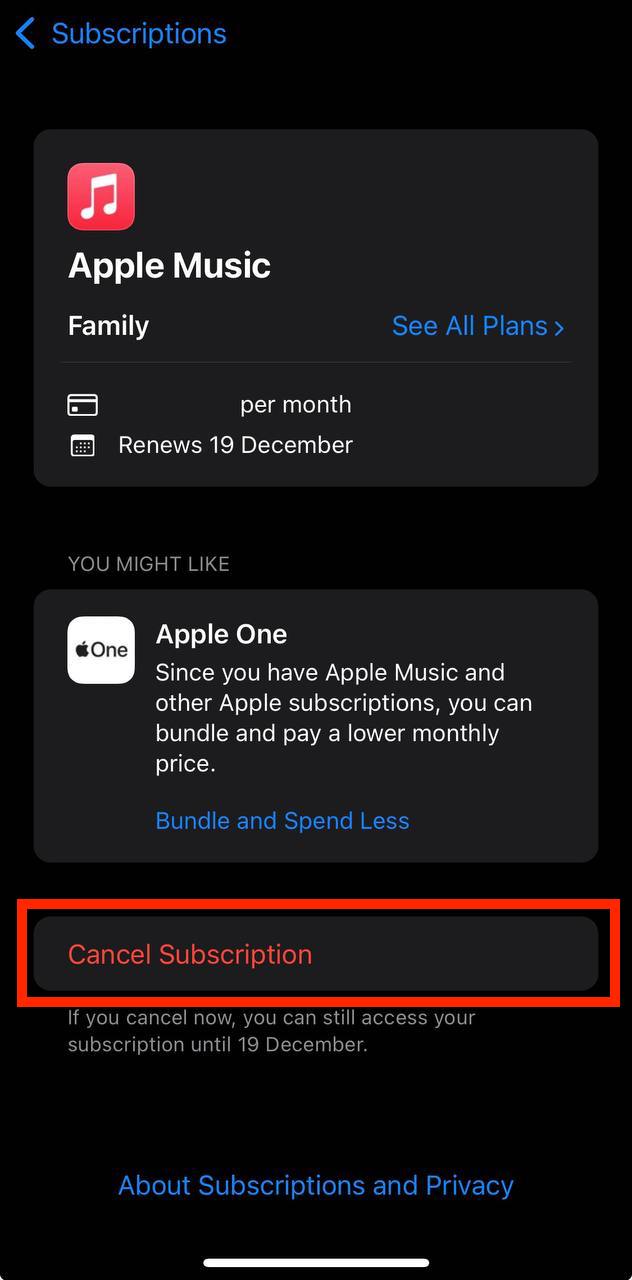
Show screenshot.Tap to Cancel Subscription. You may need to scroll down to locate the Cancel Subscription button. If the button is missing or a red expiration message appears, the subscription has already been canceled.
Show screenshot.
Cancel a subscription on your Mac
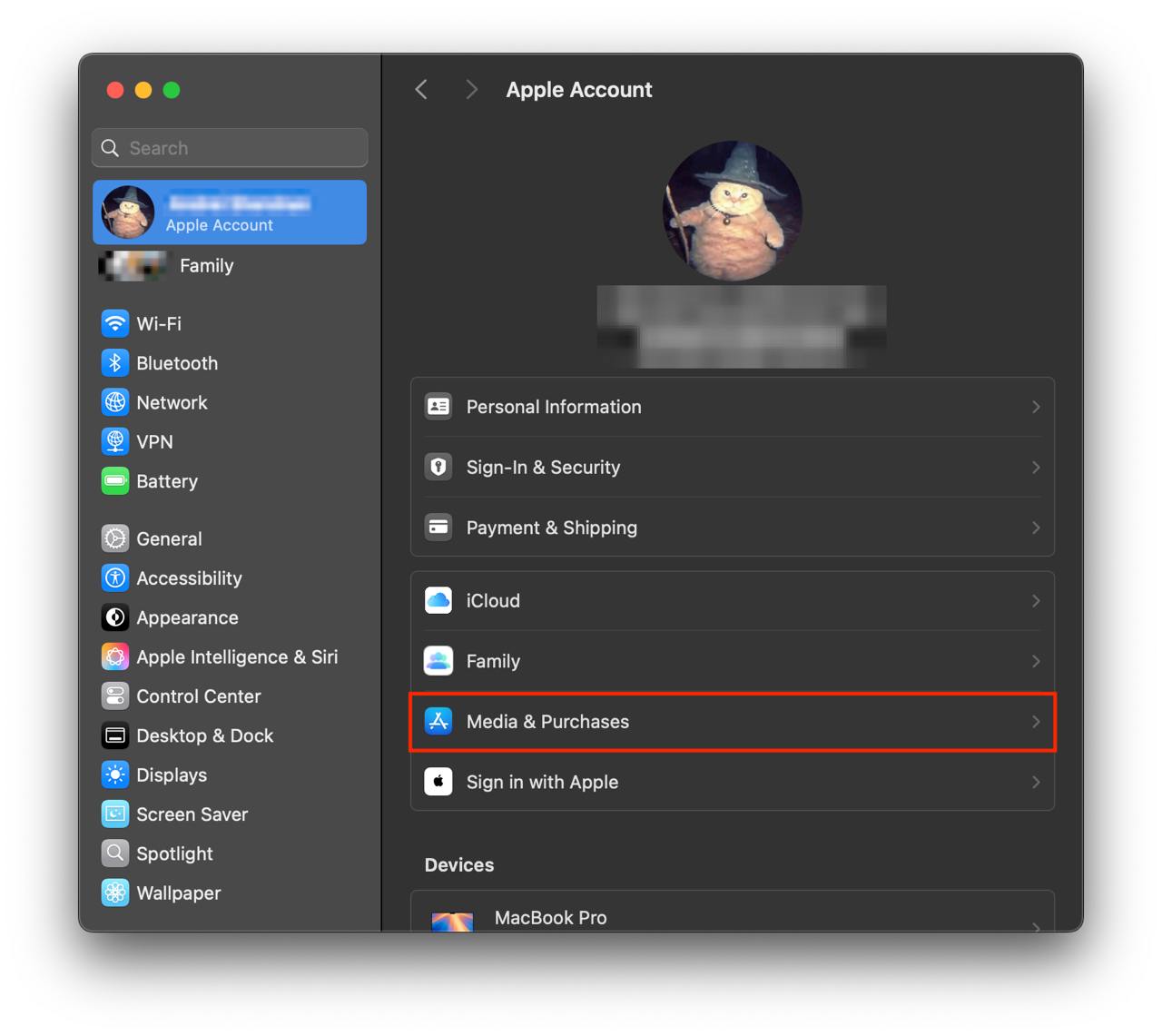
- Open the System Settings app.
- Click your name - "Apple Account" in the top-right corner.
Click to "Media & Purchases" in the left-hand menu.
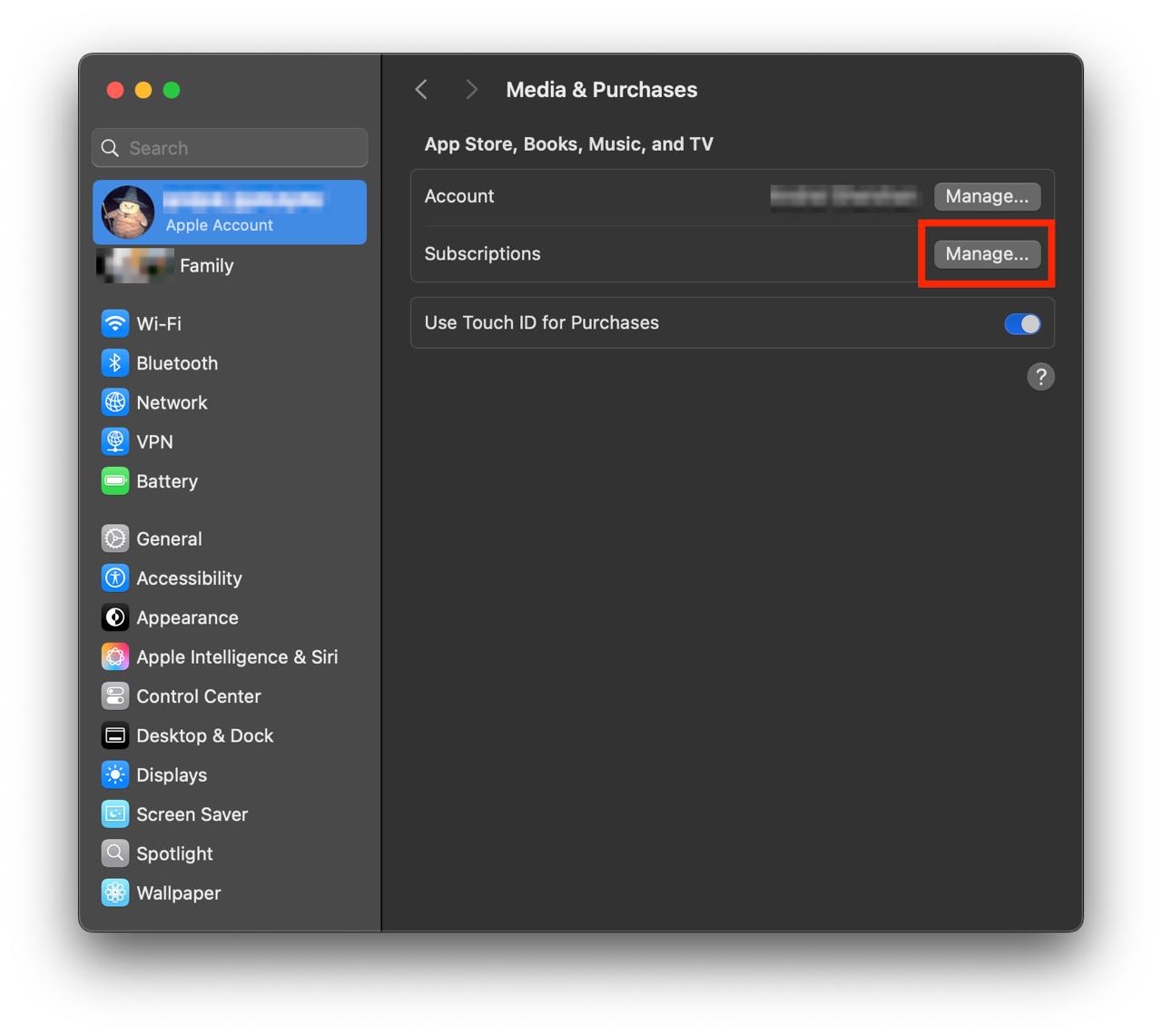
Show screenshot.Click to the "Manage..." button next to "Subscriptions" in the left-hand menu.
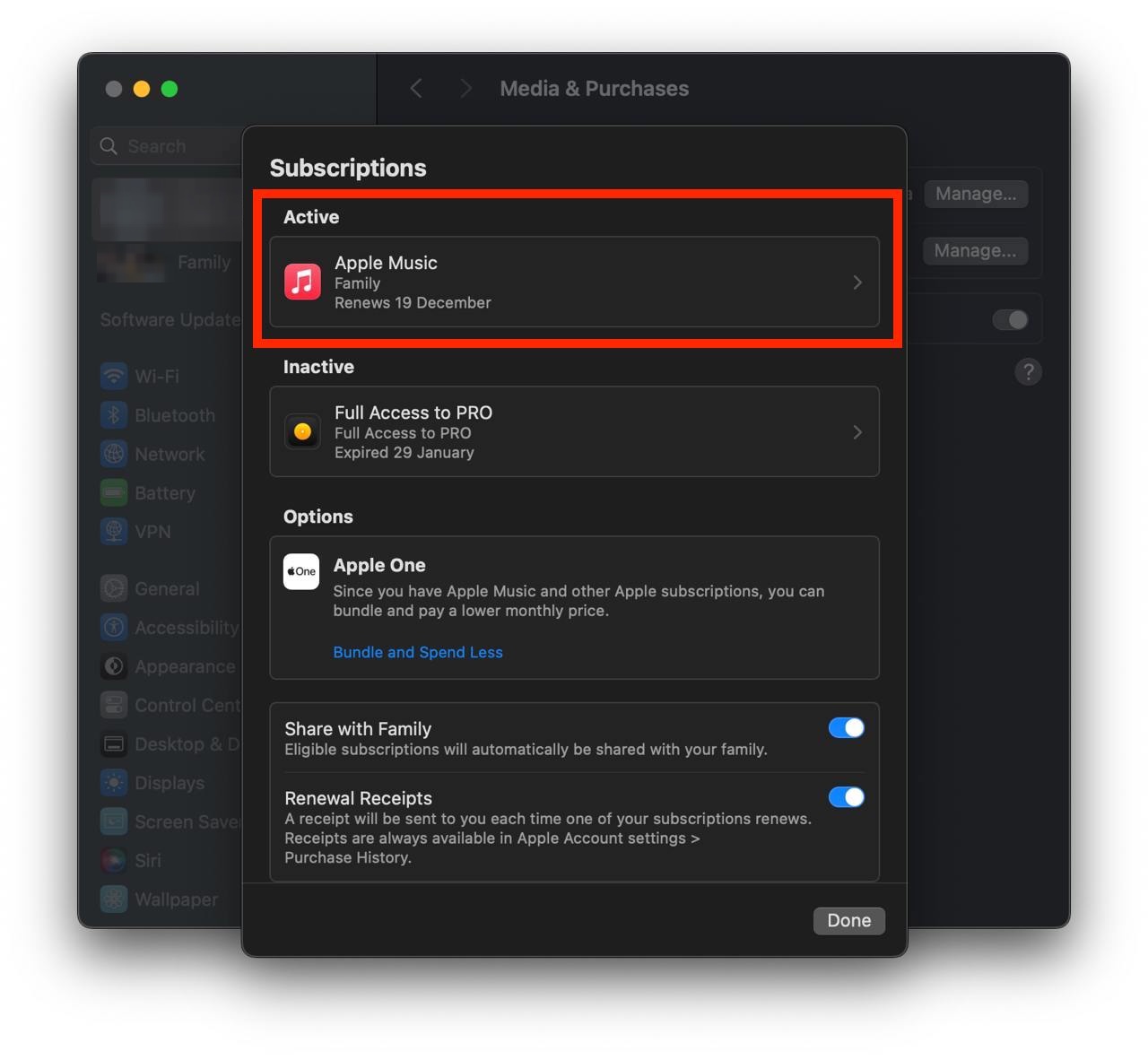
Show screenshot.Select the subscription you want to cancel. You may need to scroll down to locate the Cancel Subscription button. If the button is missing or a red expiration message appears, the subscription has already been canceled.
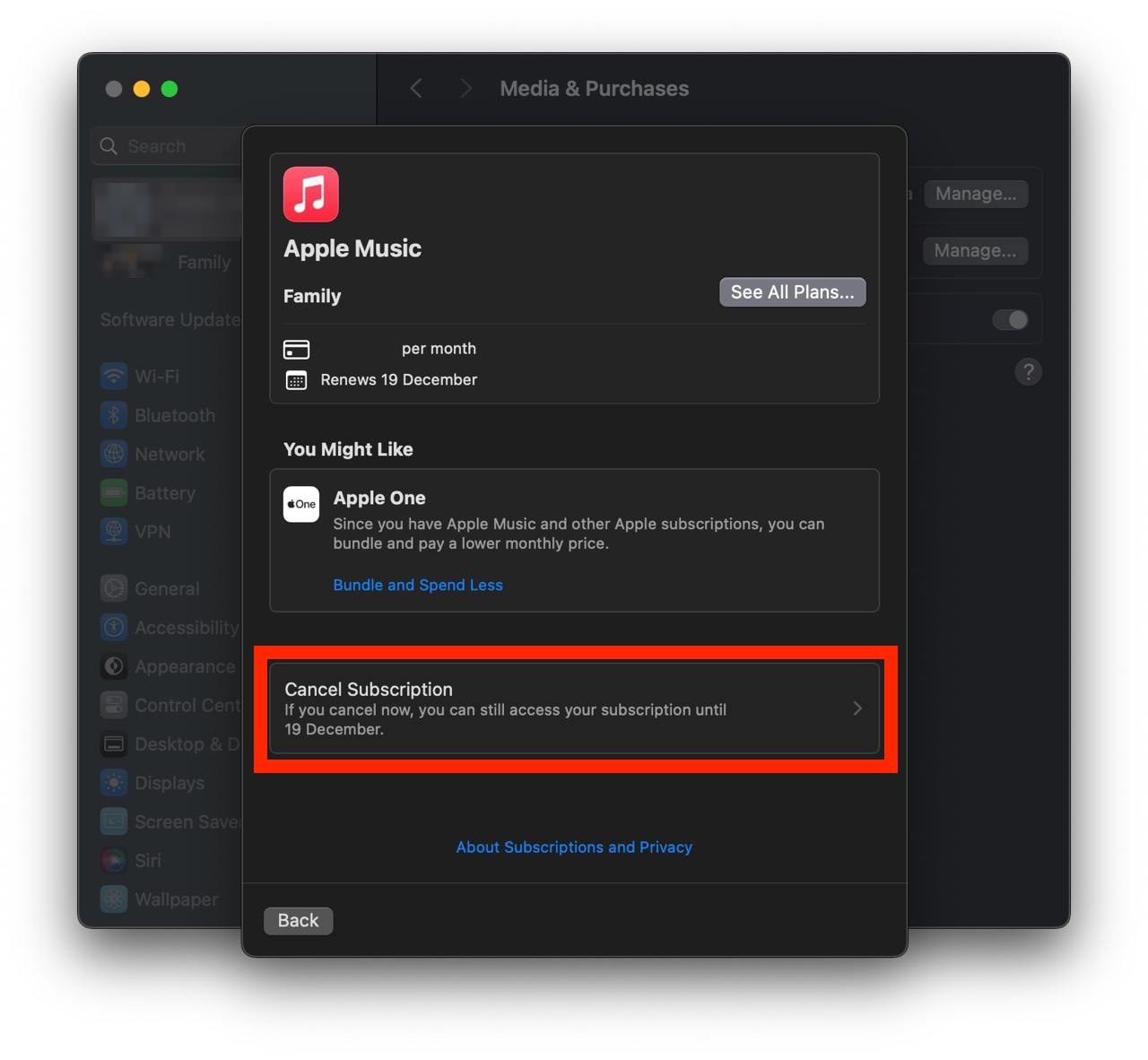
Show screenshot.Click the "Cancel Subscription" button.
Show screenshot.
Unable to find the subscription you want to cancel?
If you member of family account, you need to contact your Parent or family account owner to cancel the subscription by following the steps above.
If the receipt lists another Apple Account you use, sign in to that account and follow the steps in this guide to cancel the subscription.
Consider contacting app support or visiting the developer's website for assistance.
Follow by this link to discover the 东方财富 in the App Store.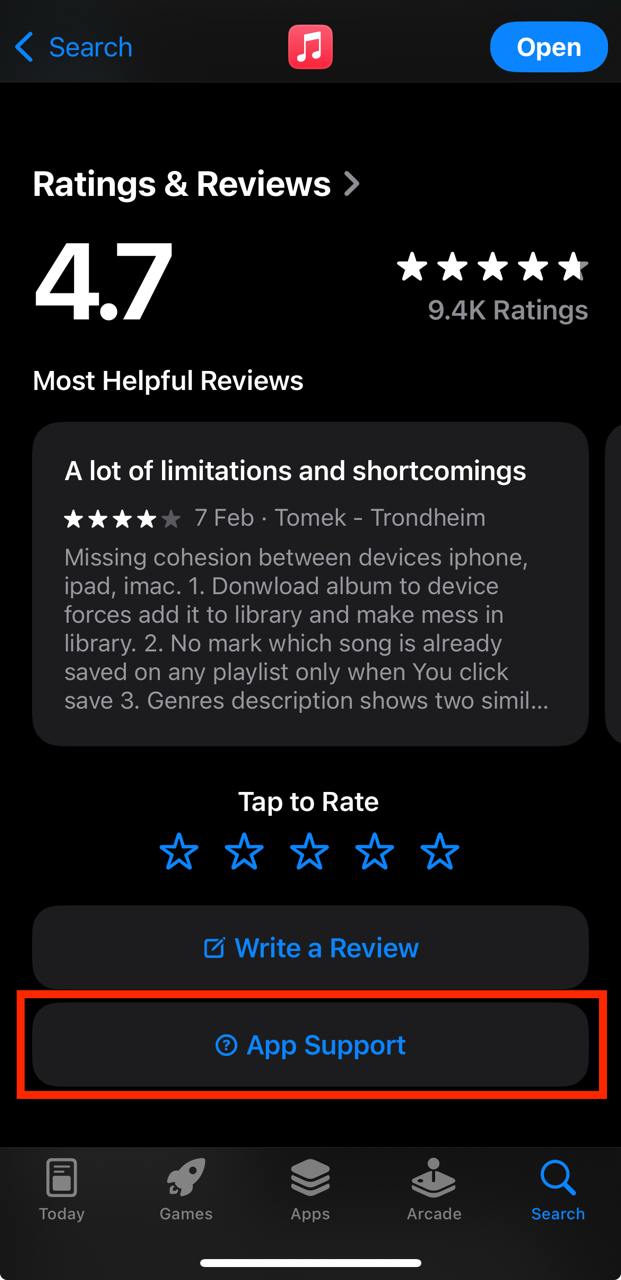
东方财富 subscriptions
VIP资讯
精选重要资讯,分析主力资金动向,复盘今日热点,前瞻明日机会,资深投资者都在用!
神奇九转
发现走势拐点,提高抄底/逃顶成功率
尾盘狙击
挖掘强势股,捕捉下一个市场热点!
智能参数月度订阅
展示个股特性,共振择时更科学
竞价狙击
每日精选好股,狙击竞价机会。
日内高低点
实时提醒日内高低点,为交易提供参考
自适应均线
一键解锁美国大师经典技术指标
操盘密码·经典版
胜”指“在握,高效交易不迷茫
T+0主力监控
资金流向实时监控,个股趋势一目了然!