
How to cancel a subscription on 愛料理
How to cancel a subscription on your iPhone
Discover how to cancel a subscription through Apple or one purchased via an app on the App Store.
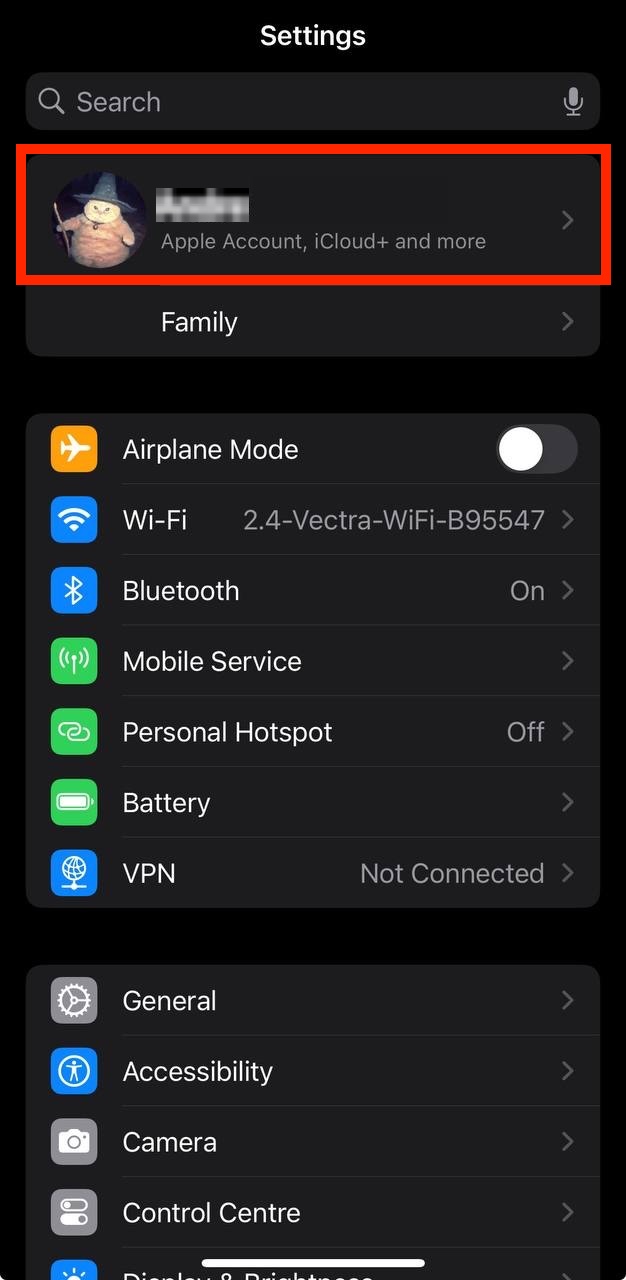
- Open the Settings app.
- Tap your name - "Apple Account, iCloud and more"
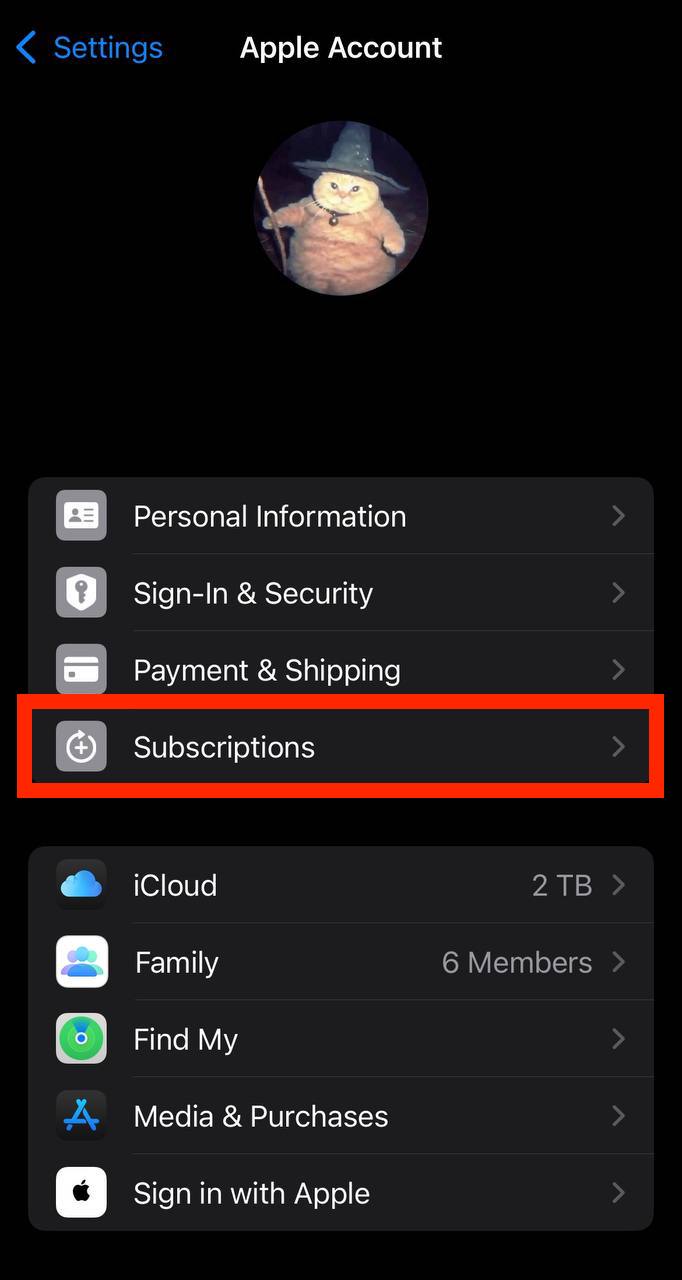
In the first section, tap Subscriptions.
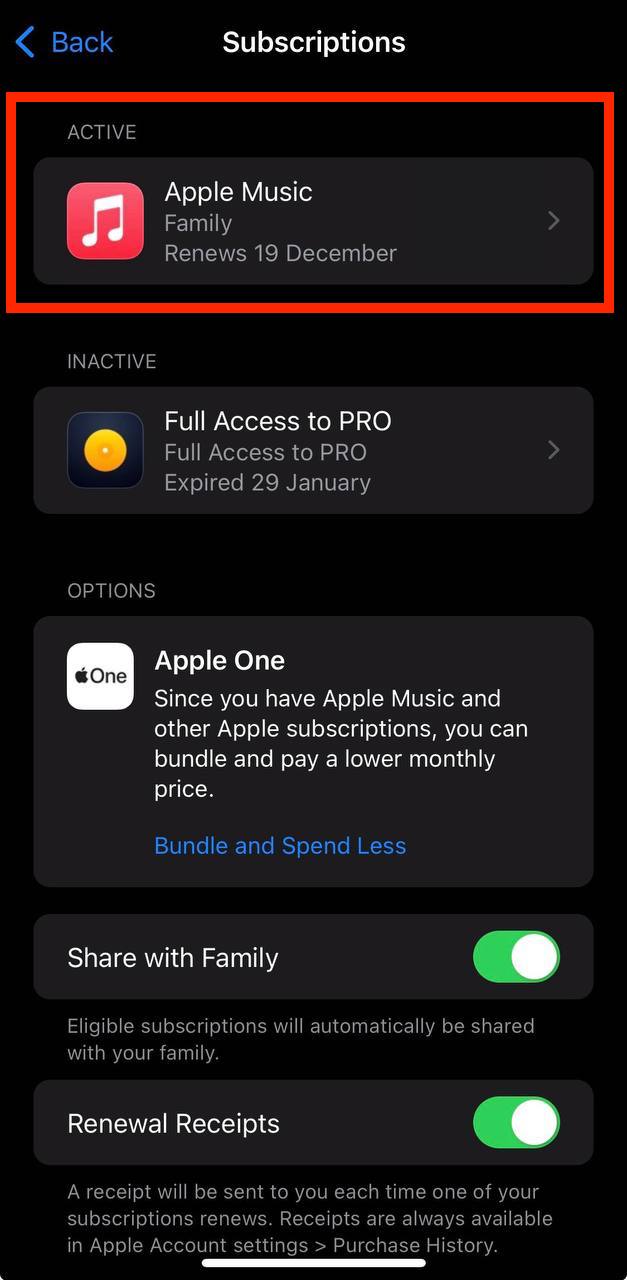
Show screenshot.Select the 愛料理 subscription you want to cancel.
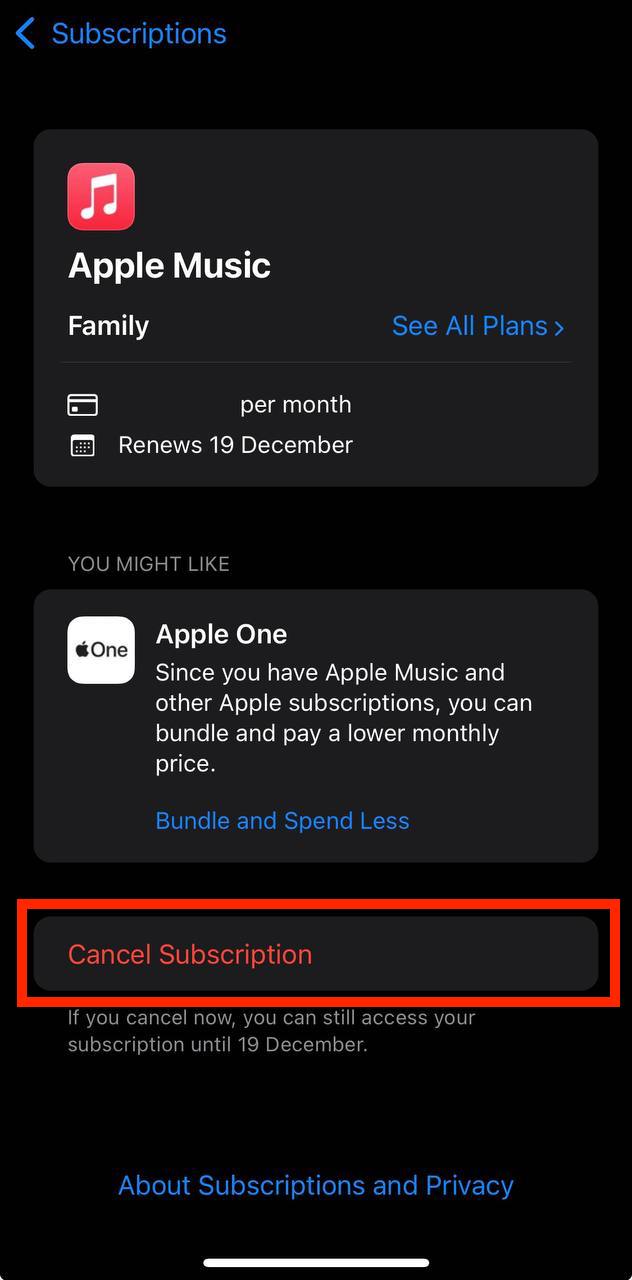
Show screenshot.Tap to Cancel Subscription. You may need to scroll down to locate the Cancel Subscription button. If the button is missing or a red expiration message appears, the subscription has already been canceled.
Show screenshot.
Cancel a subscription on your Mac
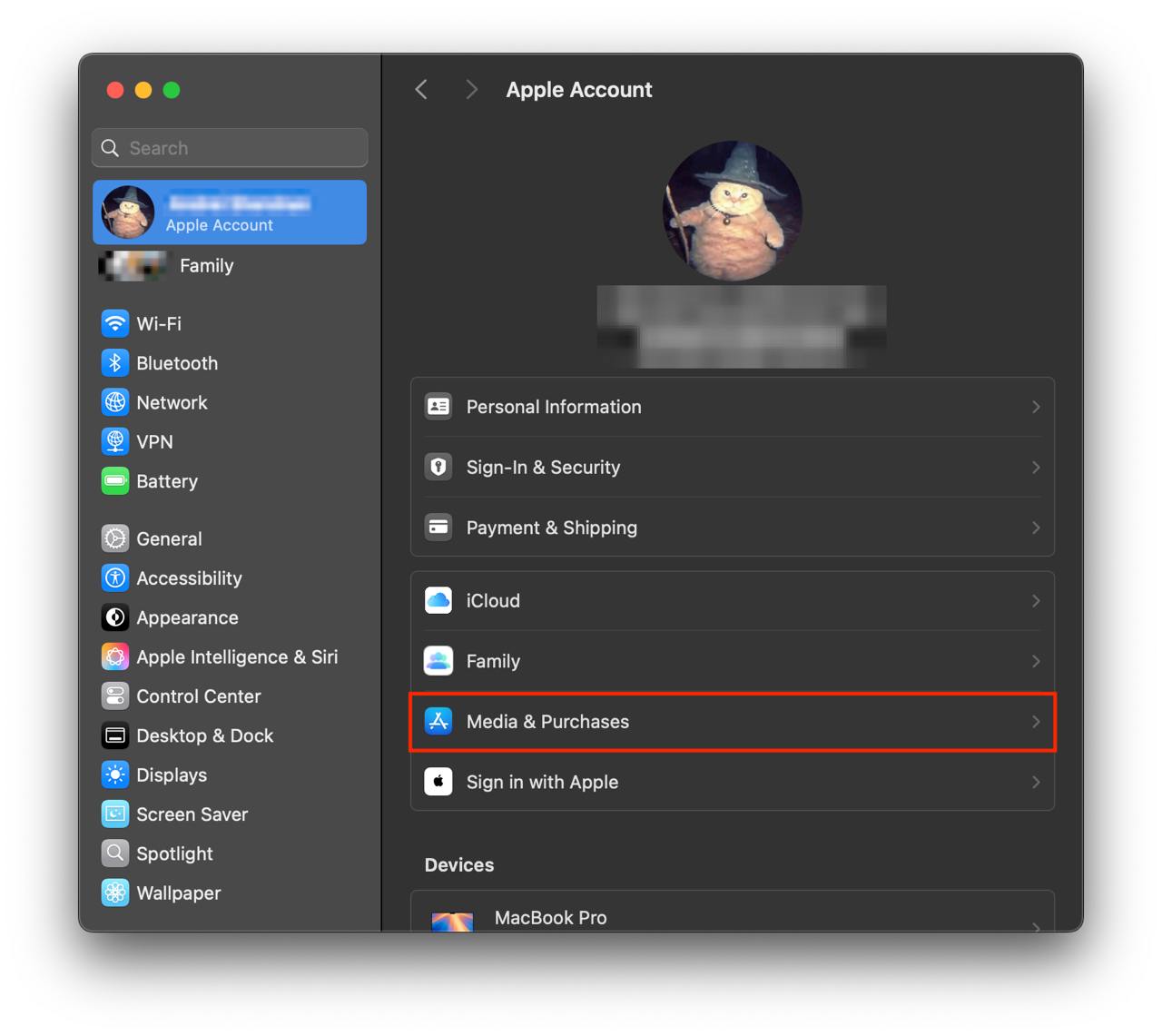
- Open the System Settings app.
- Click your name - "Apple Account" in the top-right corner.
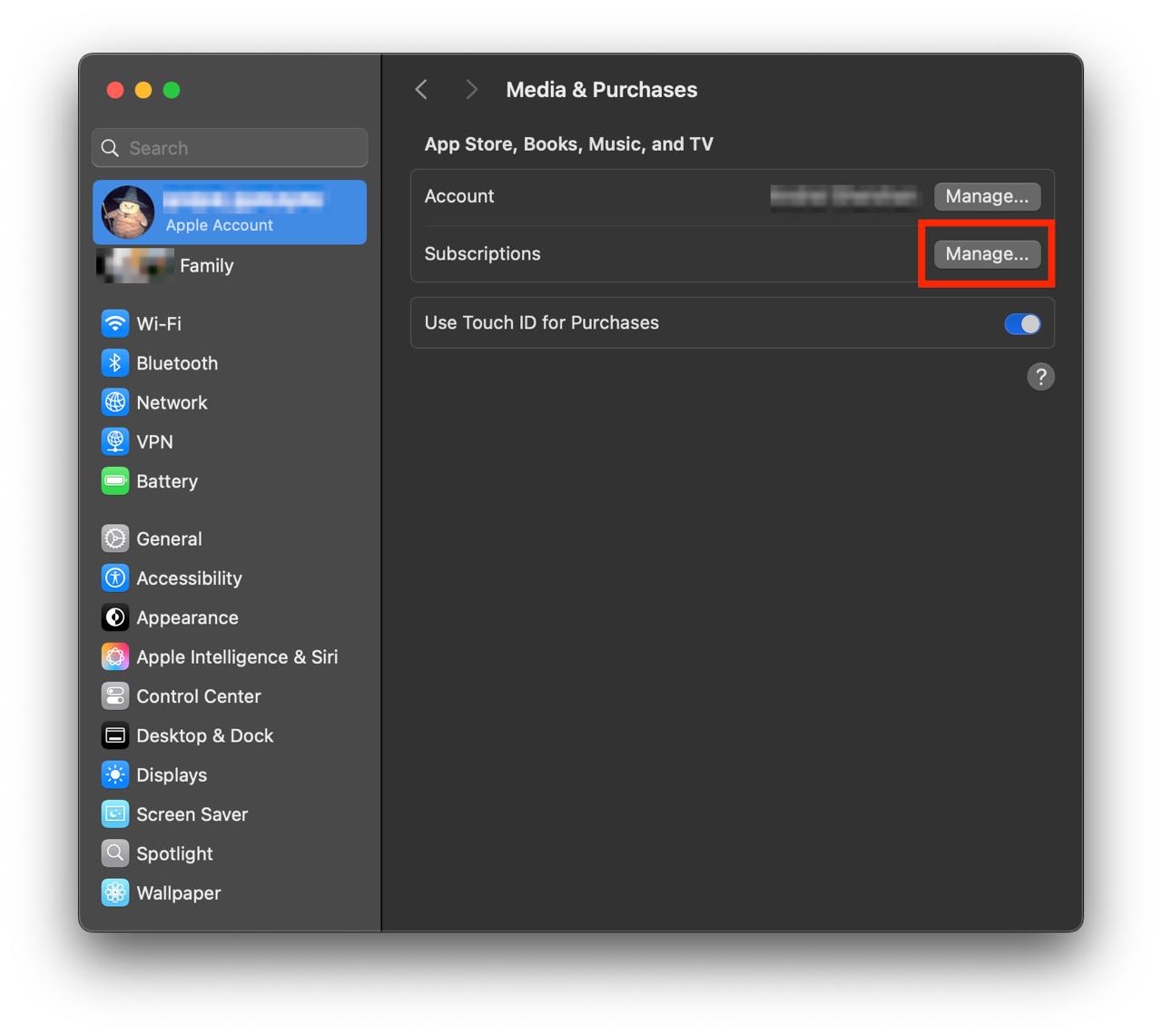
Click to "Media & Purchases" in the left-hand menu.
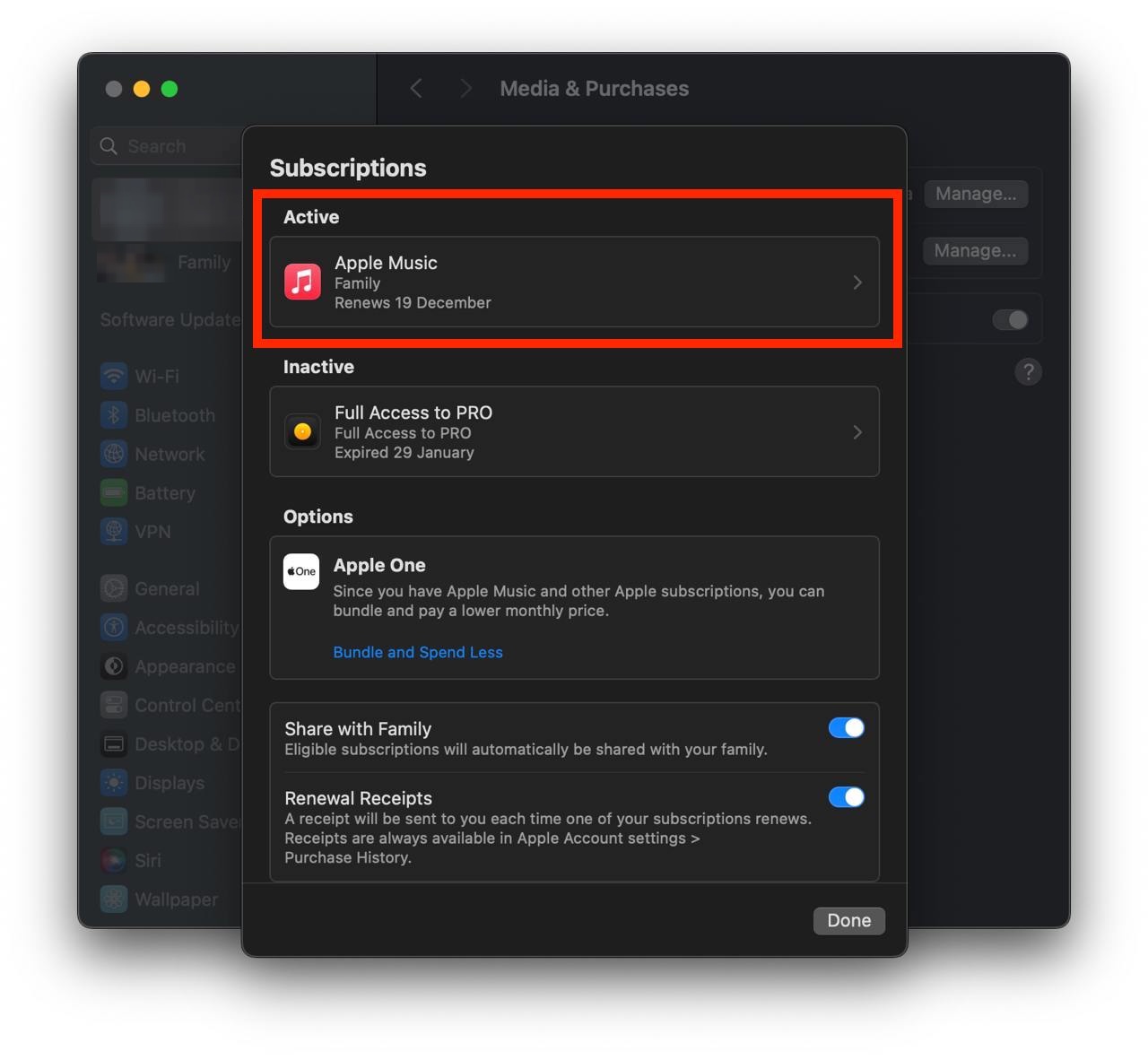
Show screenshot.Click to the "Manage..." button next to "Subscriptions" in the left-hand menu.
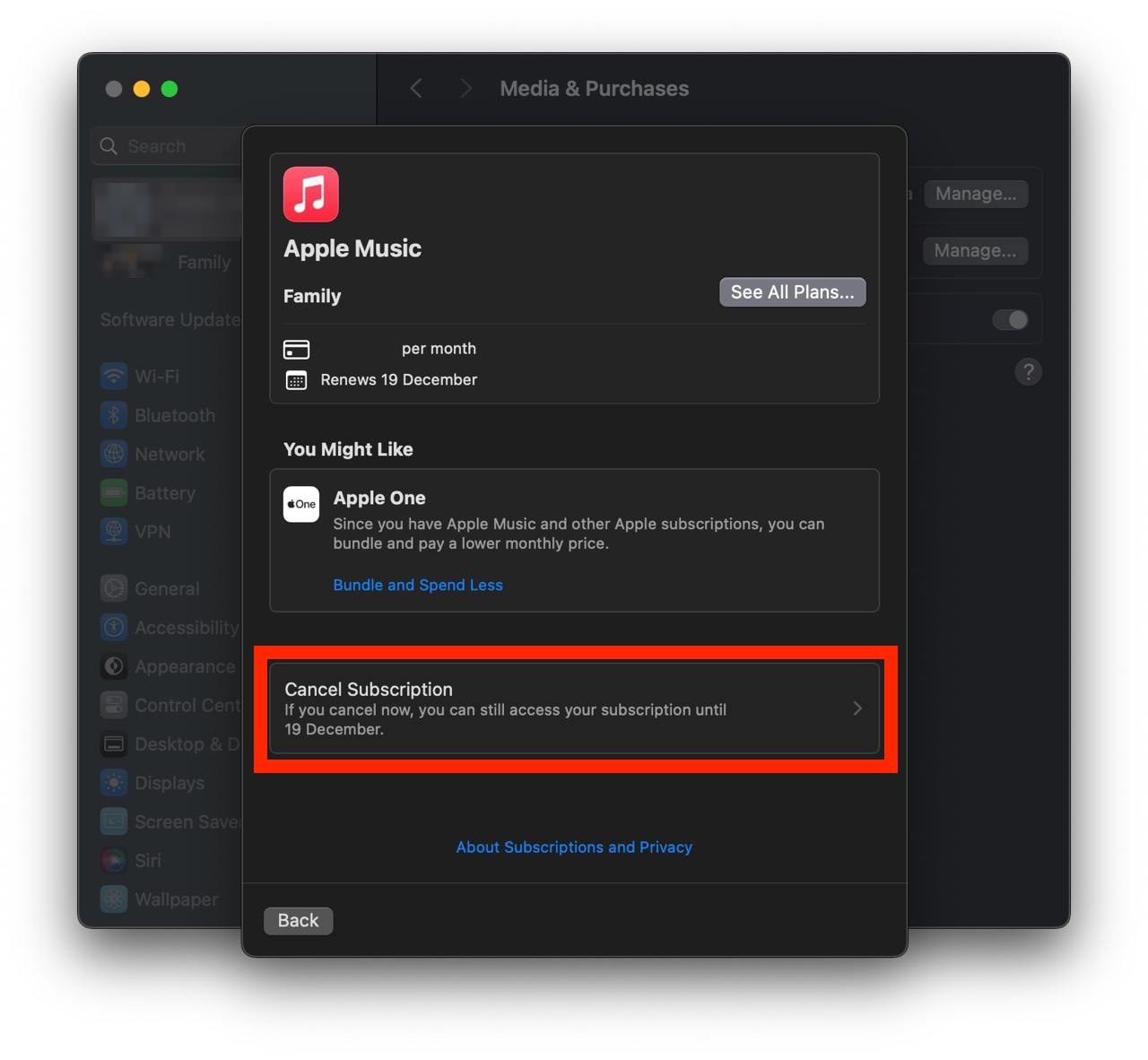
Show screenshot.Select the subscription you want to cancel. You may need to scroll down to locate the Cancel Subscription button. If the button is missing or a red expiration message appears, the subscription has already been canceled.
Show screenshot.Click the "Cancel Subscription" button.
Show screenshot.
Unable to find the subscription you want to cancel?
If you member of family account, you need to contact your Parent or family account owner to cancel the subscription by following the steps above.
If the receipt lists another Apple Account you use, sign in to that account and follow the steps in this guide to cancel the subscription.
Consider contacting app support or visiting the developer's website for assistance.
Follow by this link to discover the 愛料理 in the App Store.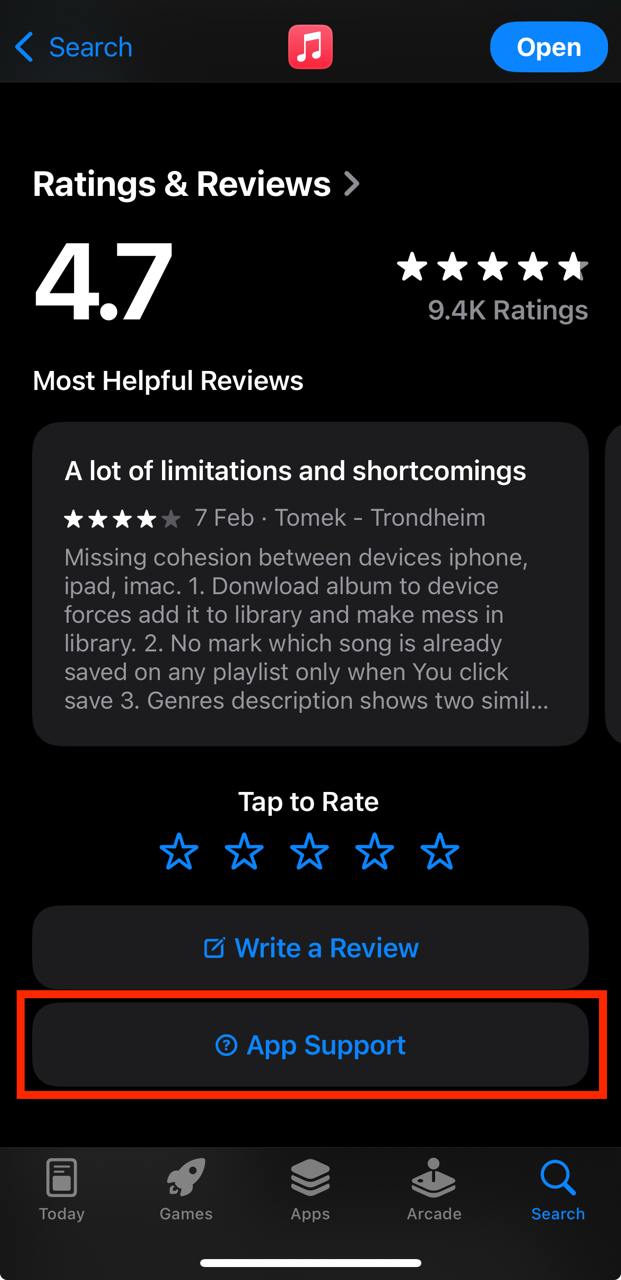
愛料理 subscriptions
愛料理 VIP 月繳
新用戶限定免費 1 個月。月繳懶人包,精選搜尋、每日菜單助你料理更順利!
愛料理 VIP 月繳
7 天免費試用。月繳懶人包,精選搜尋、每日菜單助你料理更順利!
愛料理 VIP 季繳
小資季繳更划算!輕鬆解鎖三個月料理靈感,人氣搜尋、專屬食譜陪你度過美味日常!
愛料理 VIP 兔年新春方案
兔年新春超值方案,52 週每日菜單和 VIP 限定功能一次擁有!陪妳一起兔躍新程過好年!
愛料理 VIP 老客戶方案
月繳忠實用戶升級年繳,再加碼優惠讓你省更多,52 週每日菜單、獨家食譜一次擁有!
愛料理 VIP 年繳
一次訂閱一整年省更多,52 週每日菜單、獨家食譜一次擁有!
愛料理 VIP 年繳
一次訂閱一整年省更多,52 週每日菜單、獨家食譜一次擁有!