
How to cancel a subscription on 営業テレアポ支援
How to cancel a subscription on your iPhone
Discover how to cancel a subscription through Apple or one purchased via an app on the App Store.
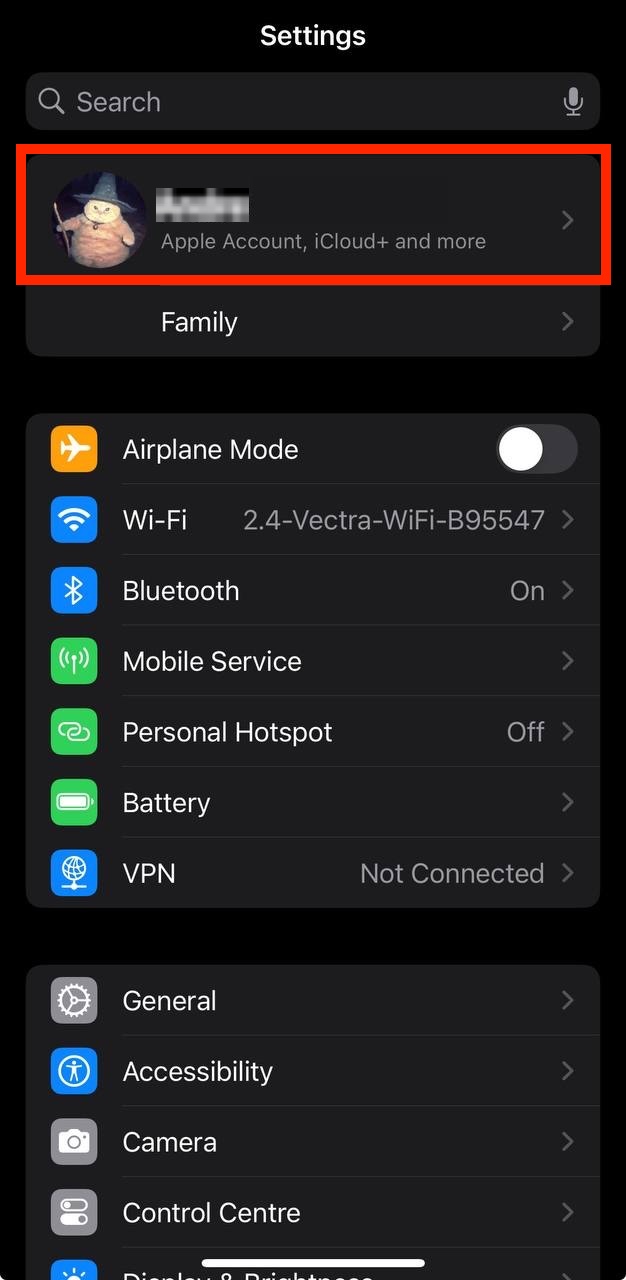
- Open the Settings app.
- Tap your name - "Apple Account, iCloud and more"
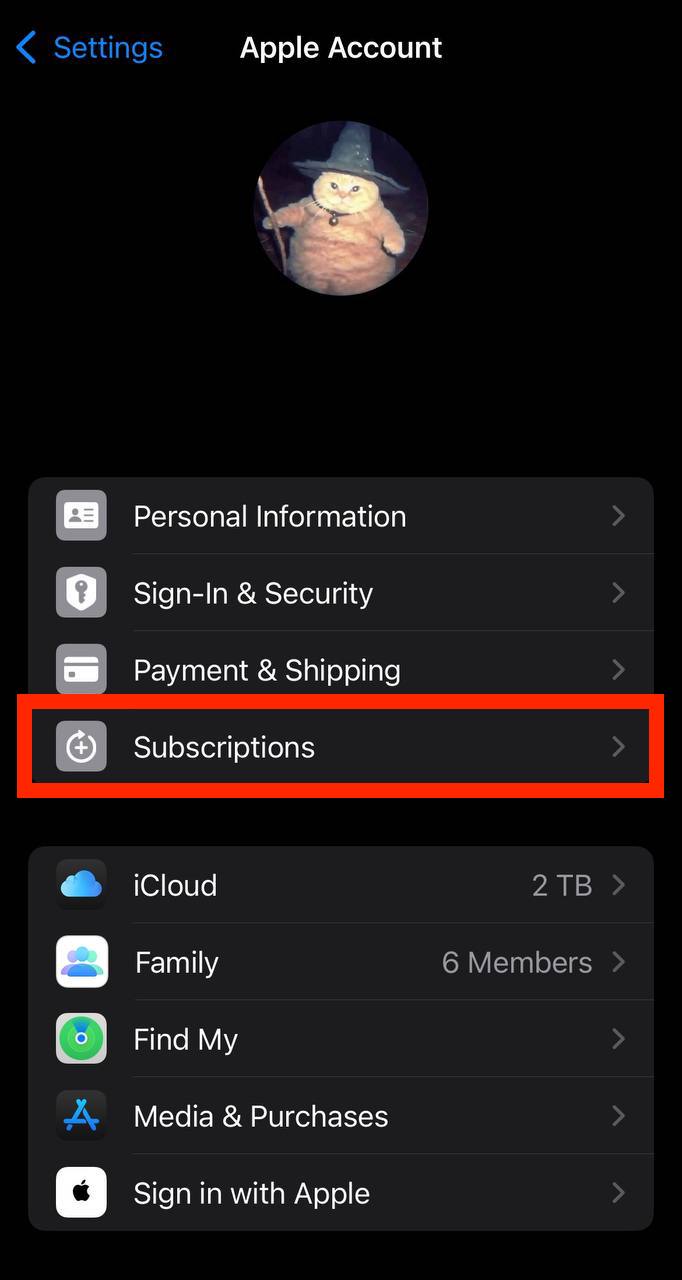
In the first section, tap Subscriptions.
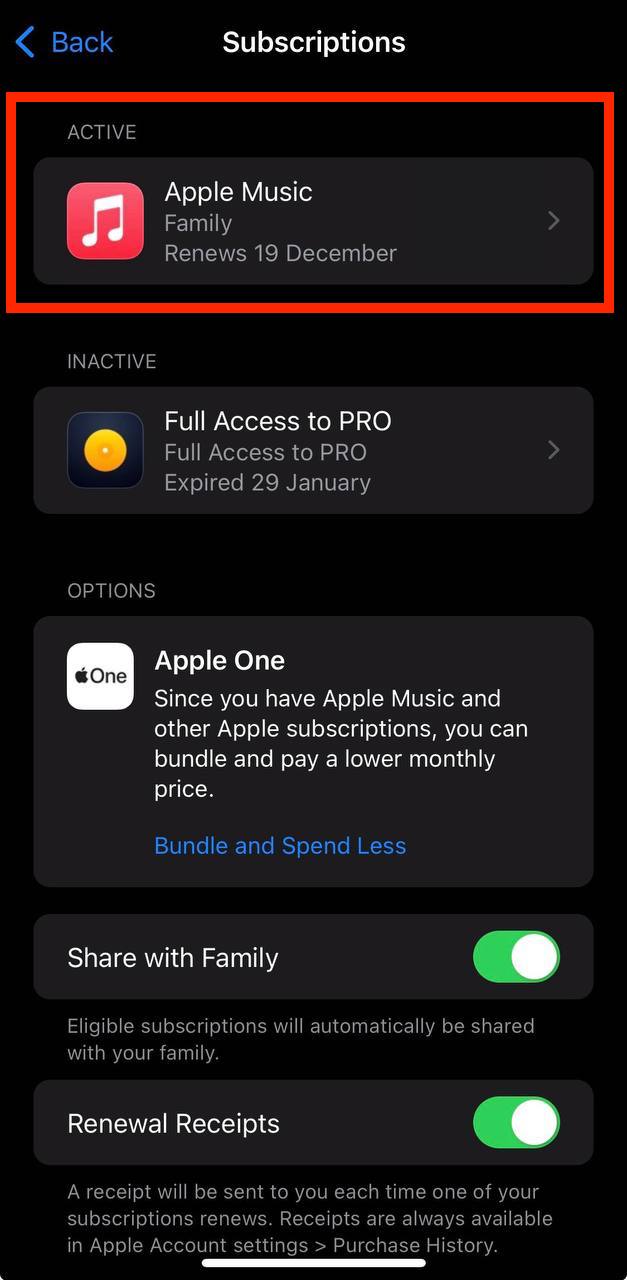
Show screenshot.Select the 営業テレアポ支援 subscription you want to cancel.
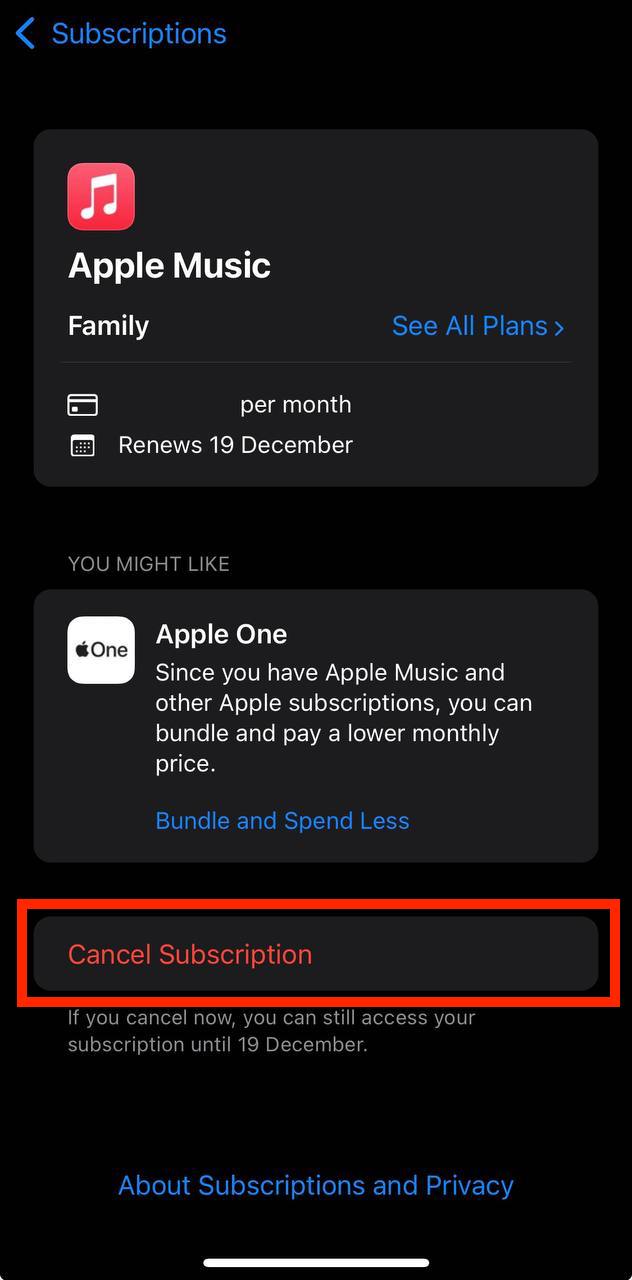
Show screenshot.Tap to Cancel Subscription. You may need to scroll down to locate the Cancel Subscription button. If the button is missing or a red expiration message appears, the subscription has already been canceled.
Show screenshot.
Cancel a subscription on your Mac
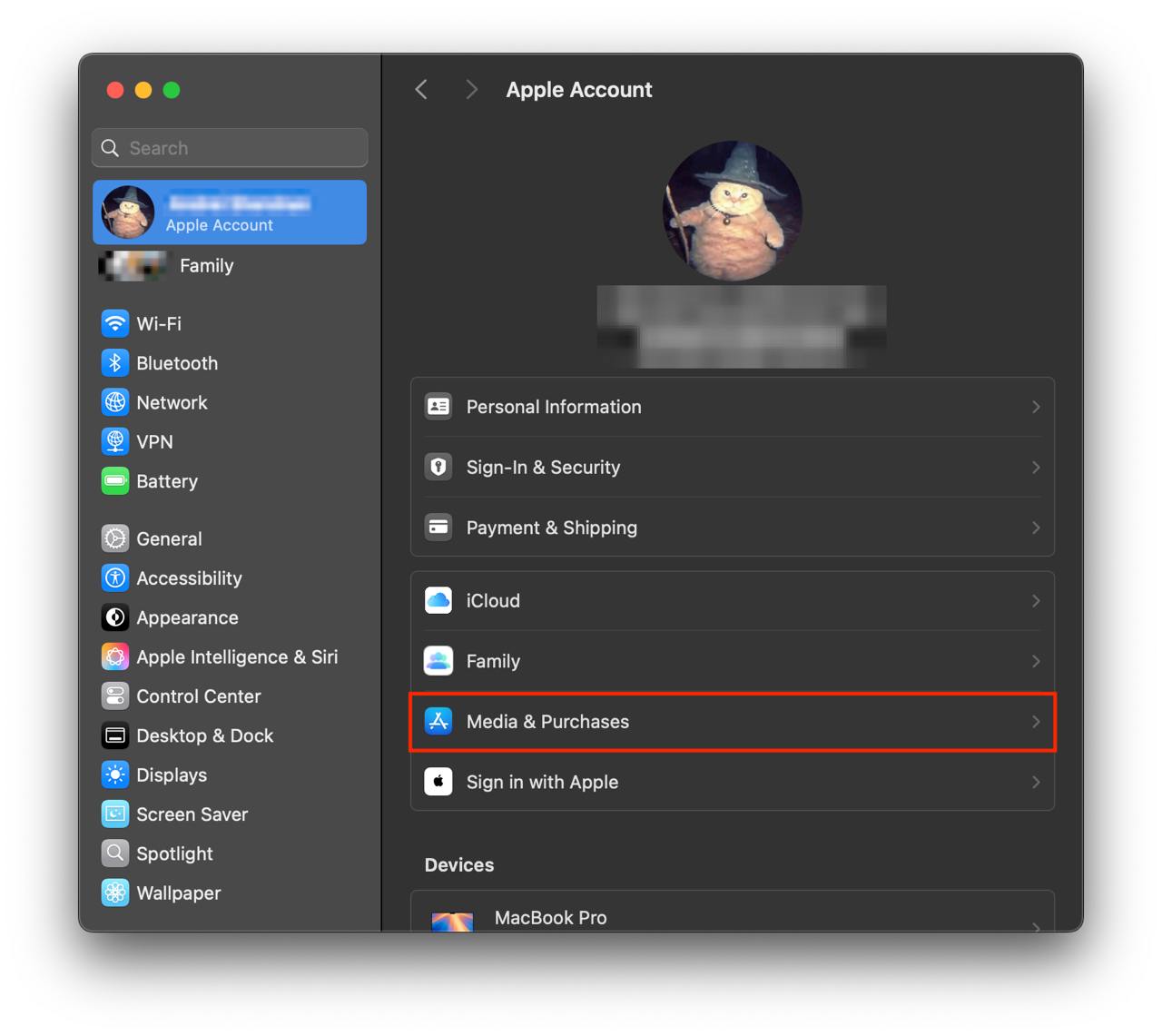
- Open the System Settings app.
- Click your name - "Apple Account" in the top-right corner.
Click to "Media & Purchases" in the left-hand menu.
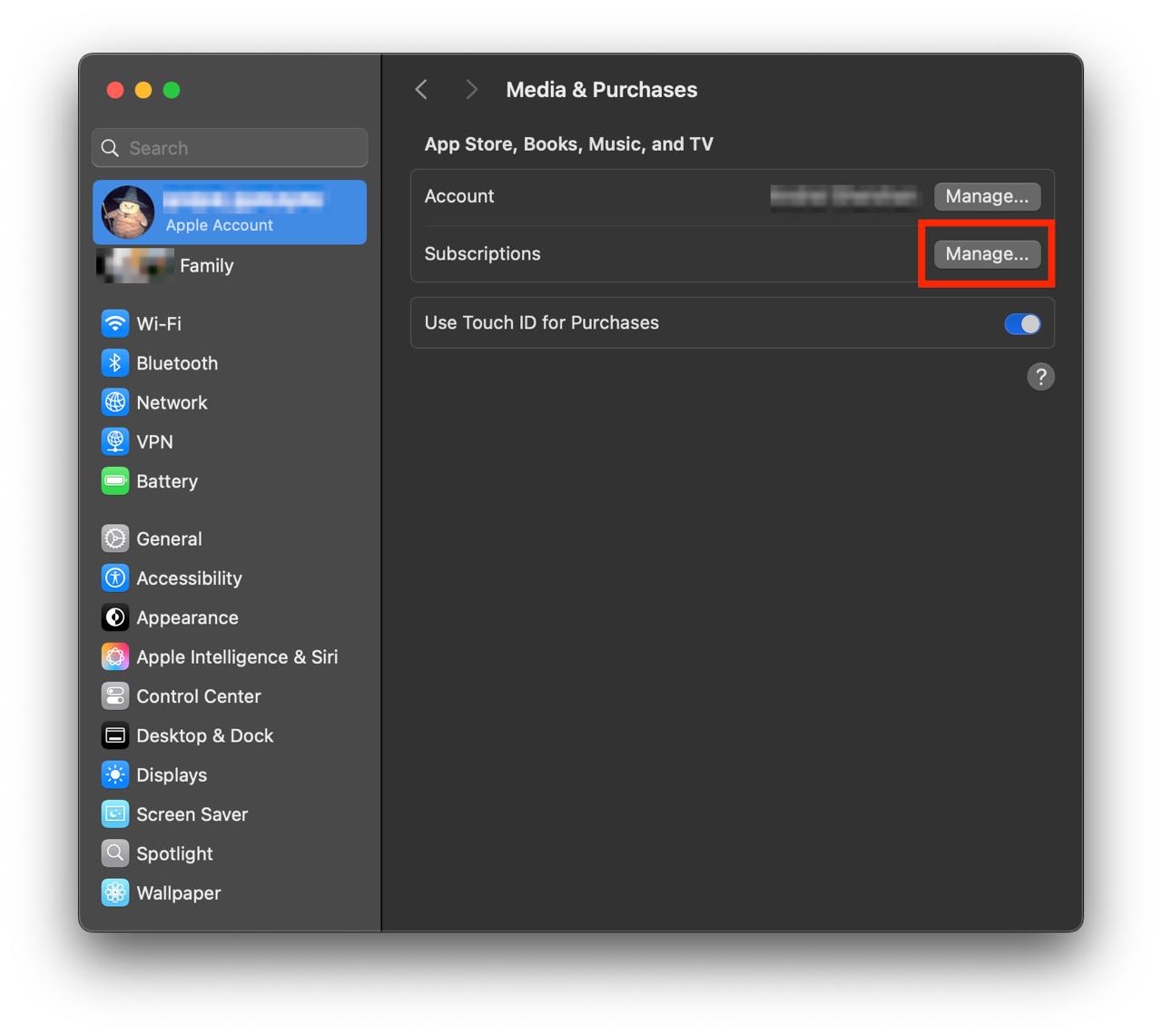
Show screenshot.Click to the "Manage..." button next to "Subscriptions" in the left-hand menu.
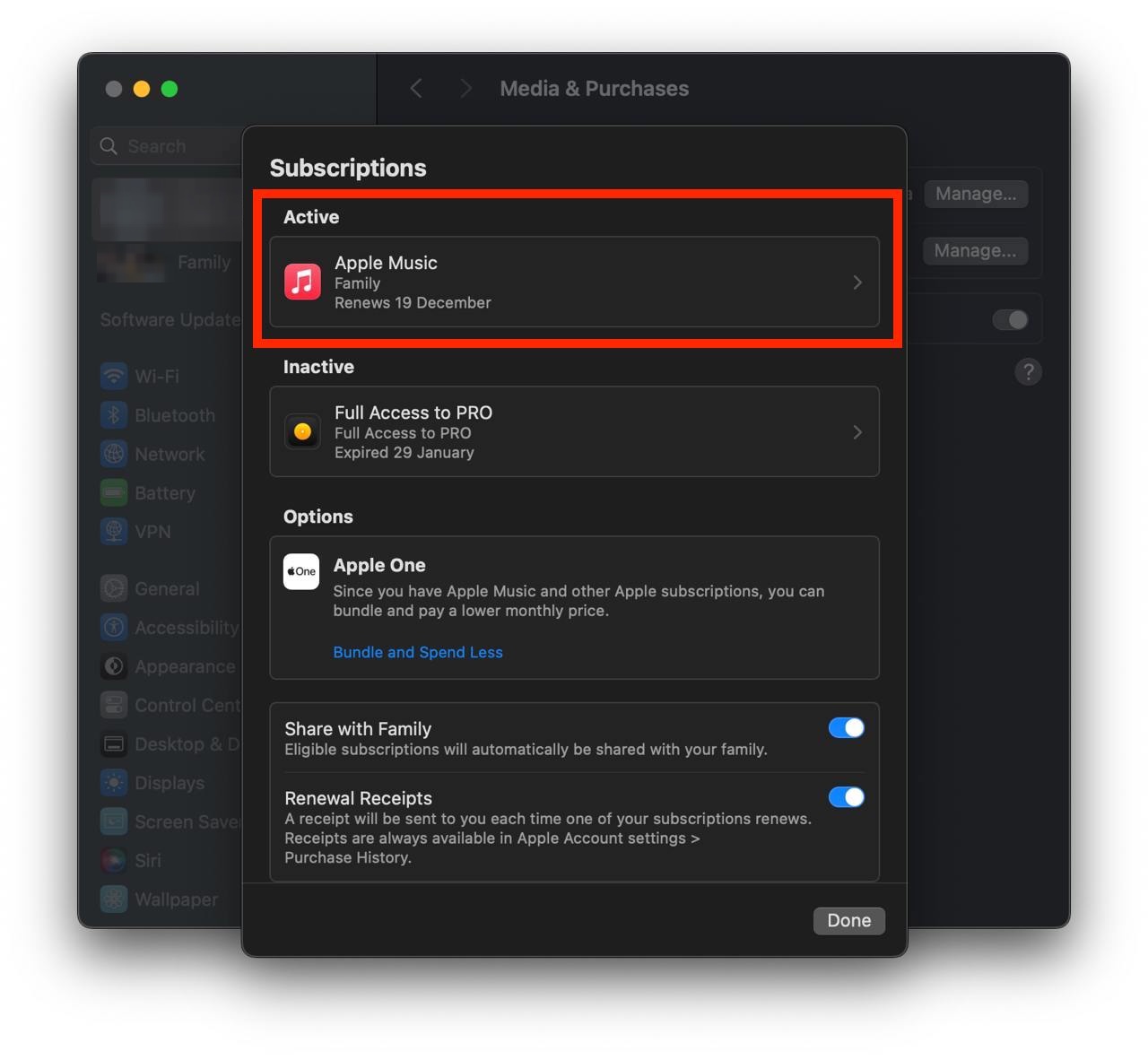
Show screenshot.Select the subscription you want to cancel. You may need to scroll down to locate the Cancel Subscription button. If the button is missing or a red expiration message appears, the subscription has already been canceled.
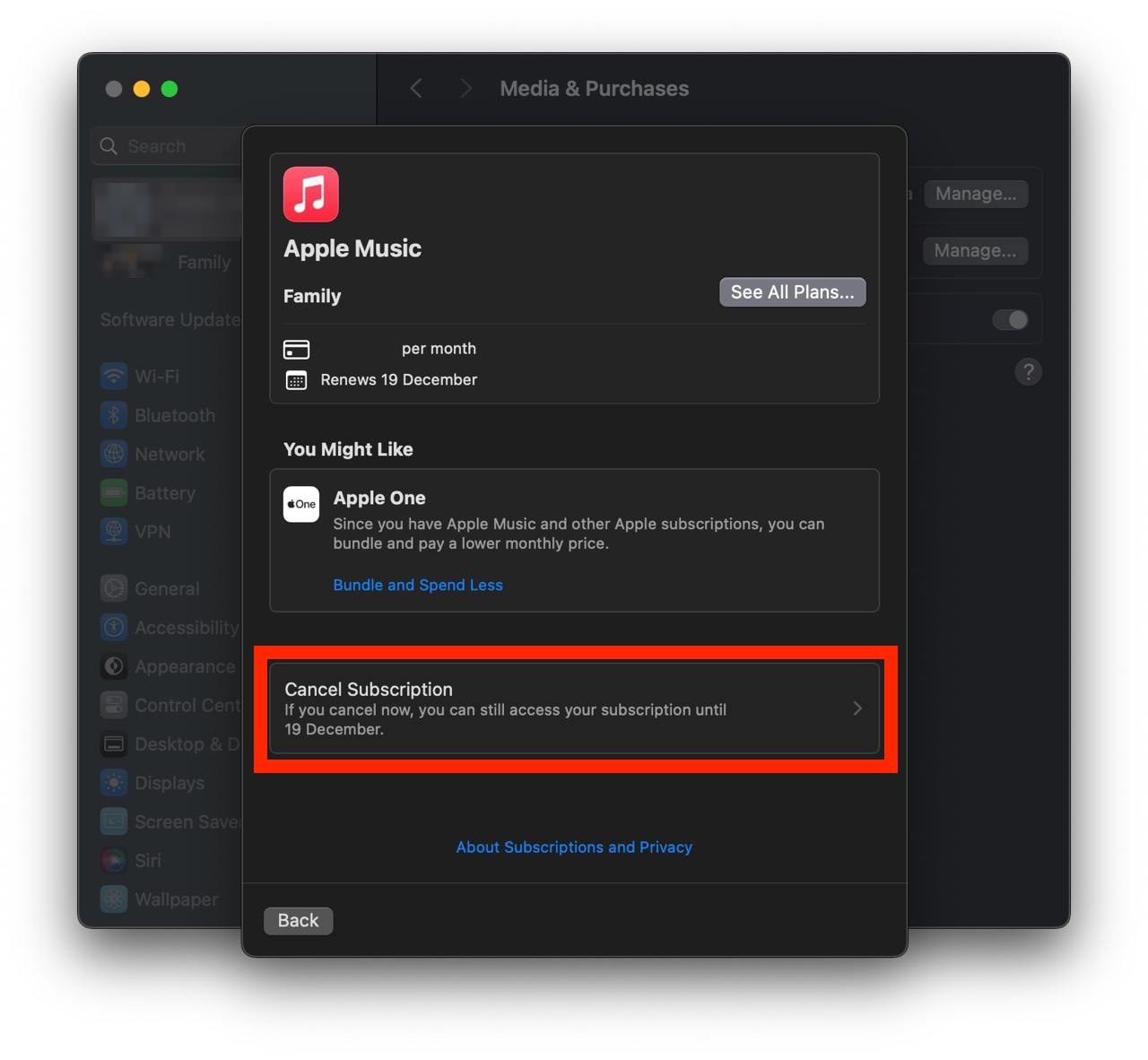
Show screenshot.Click the "Cancel Subscription" button.
Show screenshot.
Unable to find the subscription you want to cancel?
If you member of family account, you need to contact your Parent or family account owner to cancel the subscription by following the steps above.
If the receipt lists another Apple Account you use, sign in to that account and follow the steps in this guide to cancel the subscription.
Consider contacting app support or visiting the developer's website for assistance.
Follow by this link to discover the 営業テレアポ支援 in the App Store.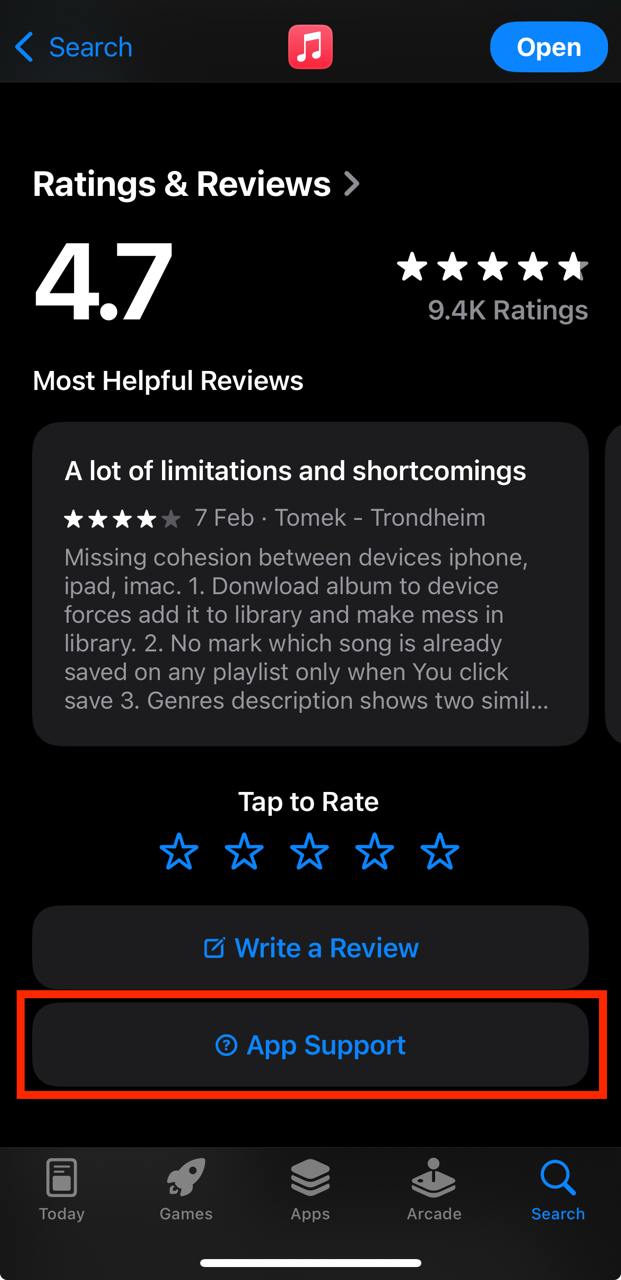
営業テレアポ支援 subscriptions
個人モード
一人で高速に架電リストを回したい営業マン向け。架電リスト無制限かつシンプル機能でコスパ重視。
グループモード
グループに参加・作成が可能となり、複数店舗やチームで情報を共有ができます。履歴・成績をみんなで見て改善。
プレミアムモード
「アポ×契約率が大幅アップ」プレミアム会員では、グループ作成の上限数が20件にUP!