
How to cancel a subscription on 延遲通-懷舊交友小遊戲
How to cancel a subscription on your iPhone
Discover how to cancel a subscription through Apple or one purchased via an app on the App Store.
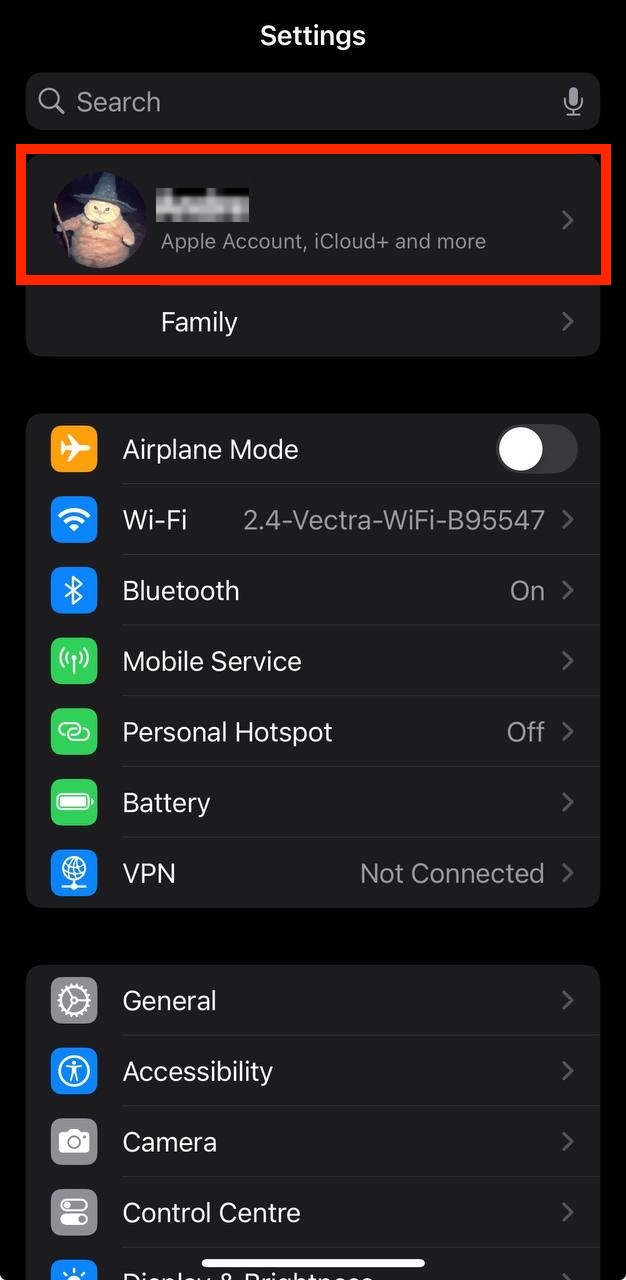
- Open the Settings app.
- Tap your name - "Apple Account, iCloud and more"
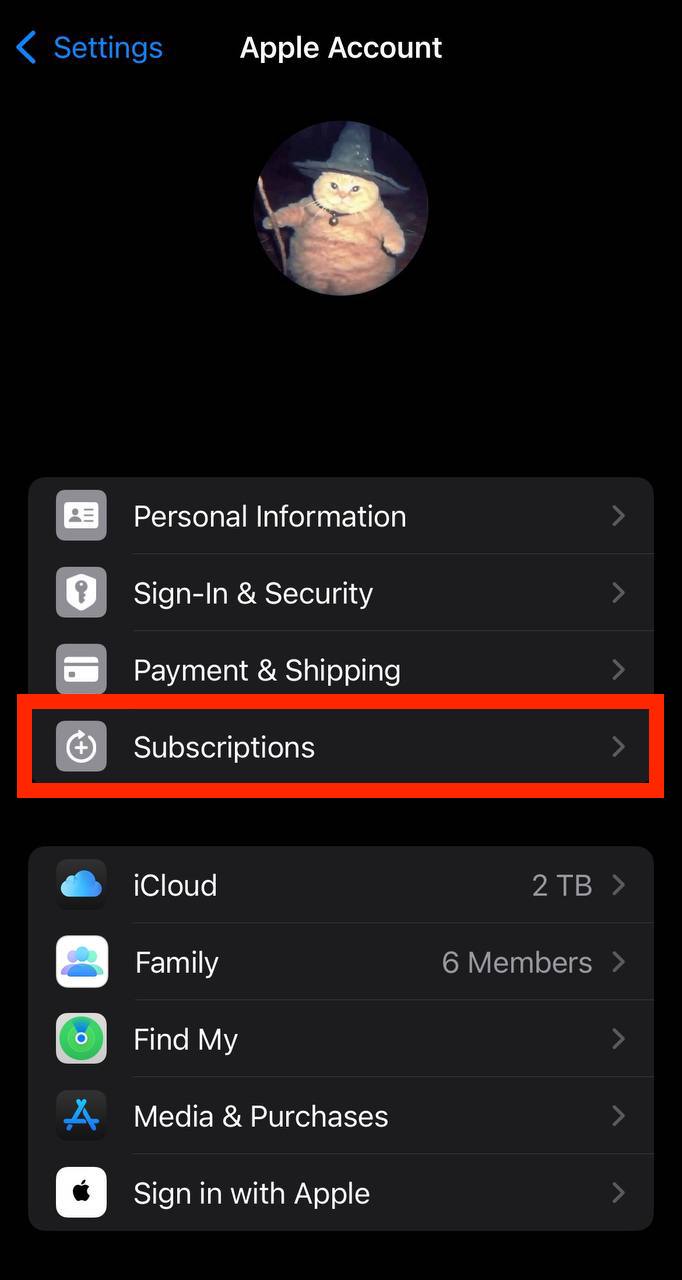
In the first section, tap Subscriptions.
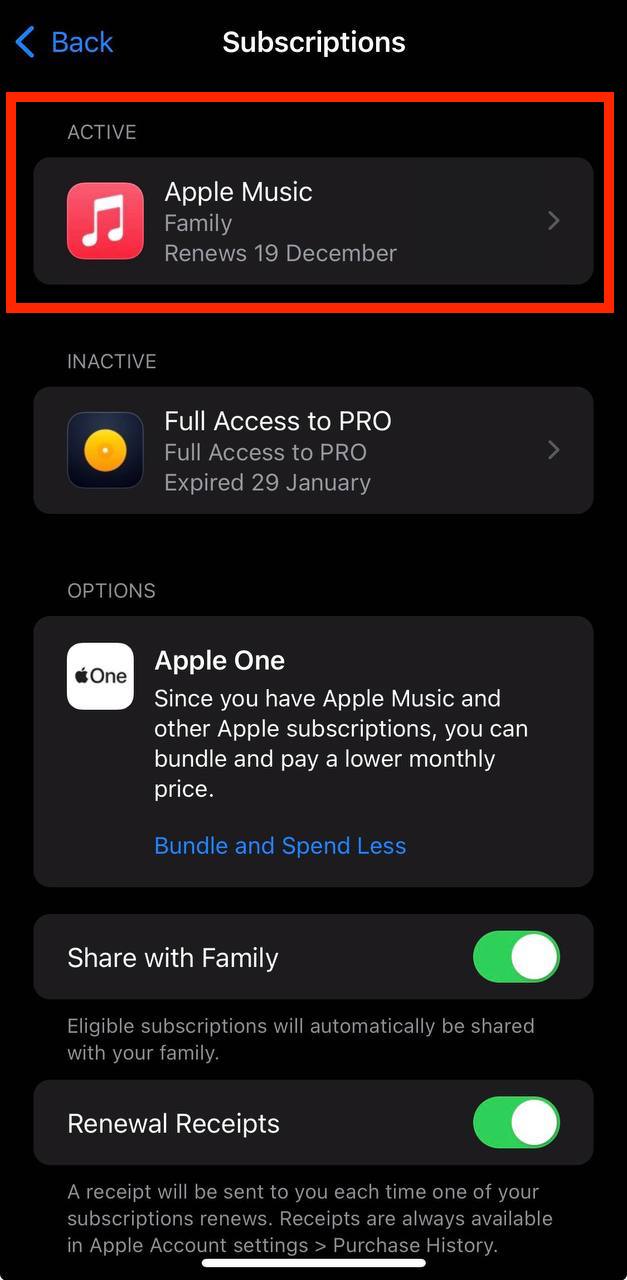
Show screenshot.Select the 延遲通-懷舊交友小遊戲 subscription you want to cancel.
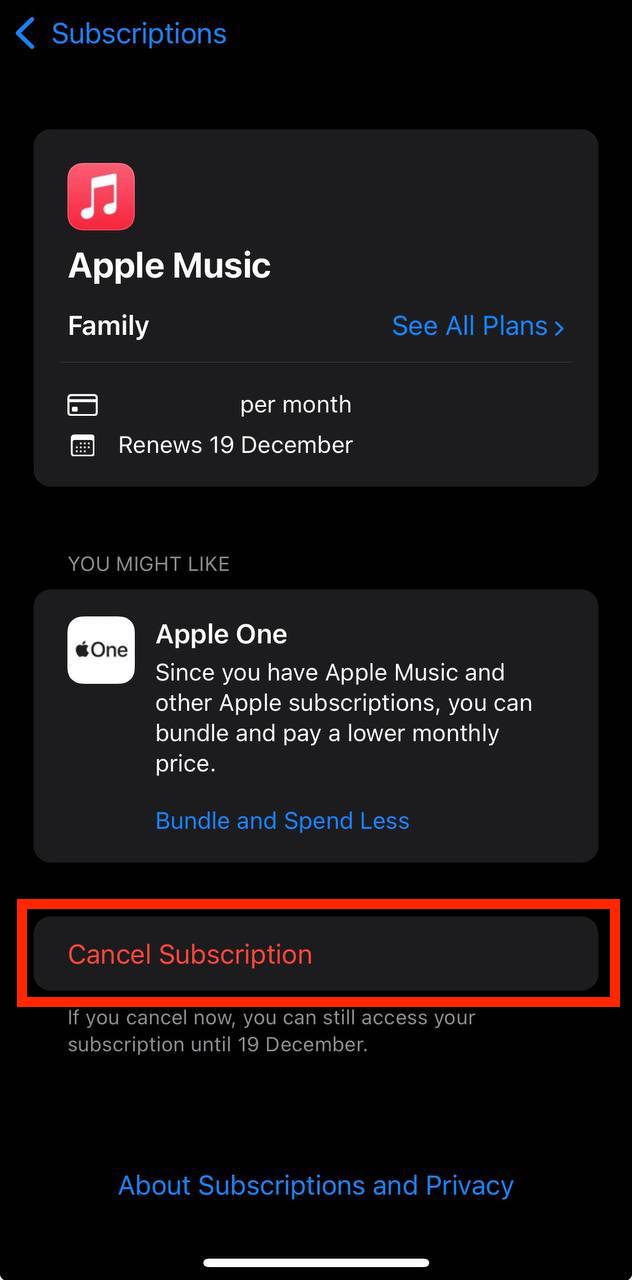
Show screenshot.Tap to Cancel Subscription. You may need to scroll down to locate the Cancel Subscription button. If the button is missing or a red expiration message appears, the subscription has already been canceled.
Show screenshot.
Cancel a subscription on your Mac
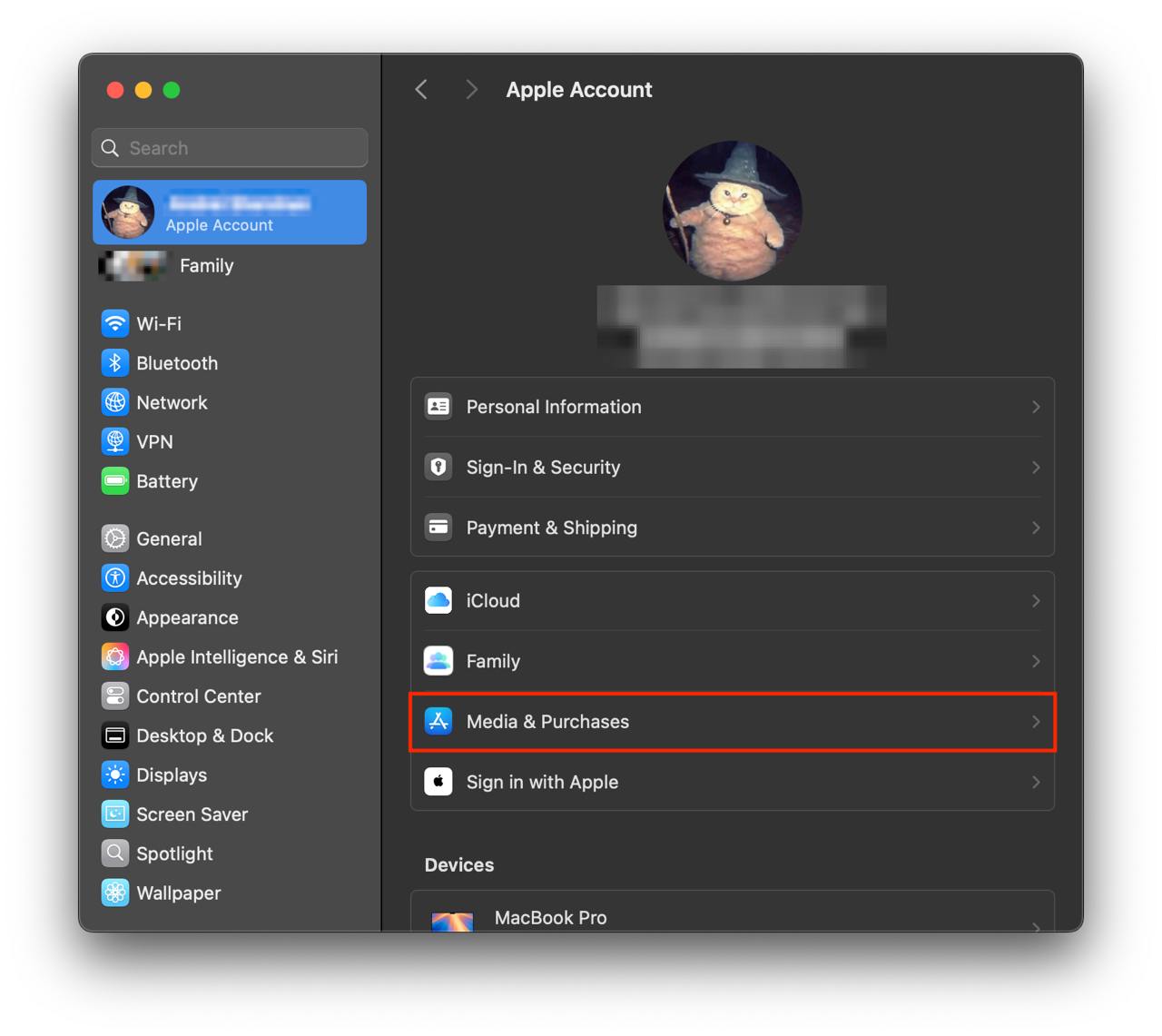
- Open the System Settings app.
- Click your name - "Apple Account" in the top-right corner.
Click to "Media & Purchases" in the left-hand menu.
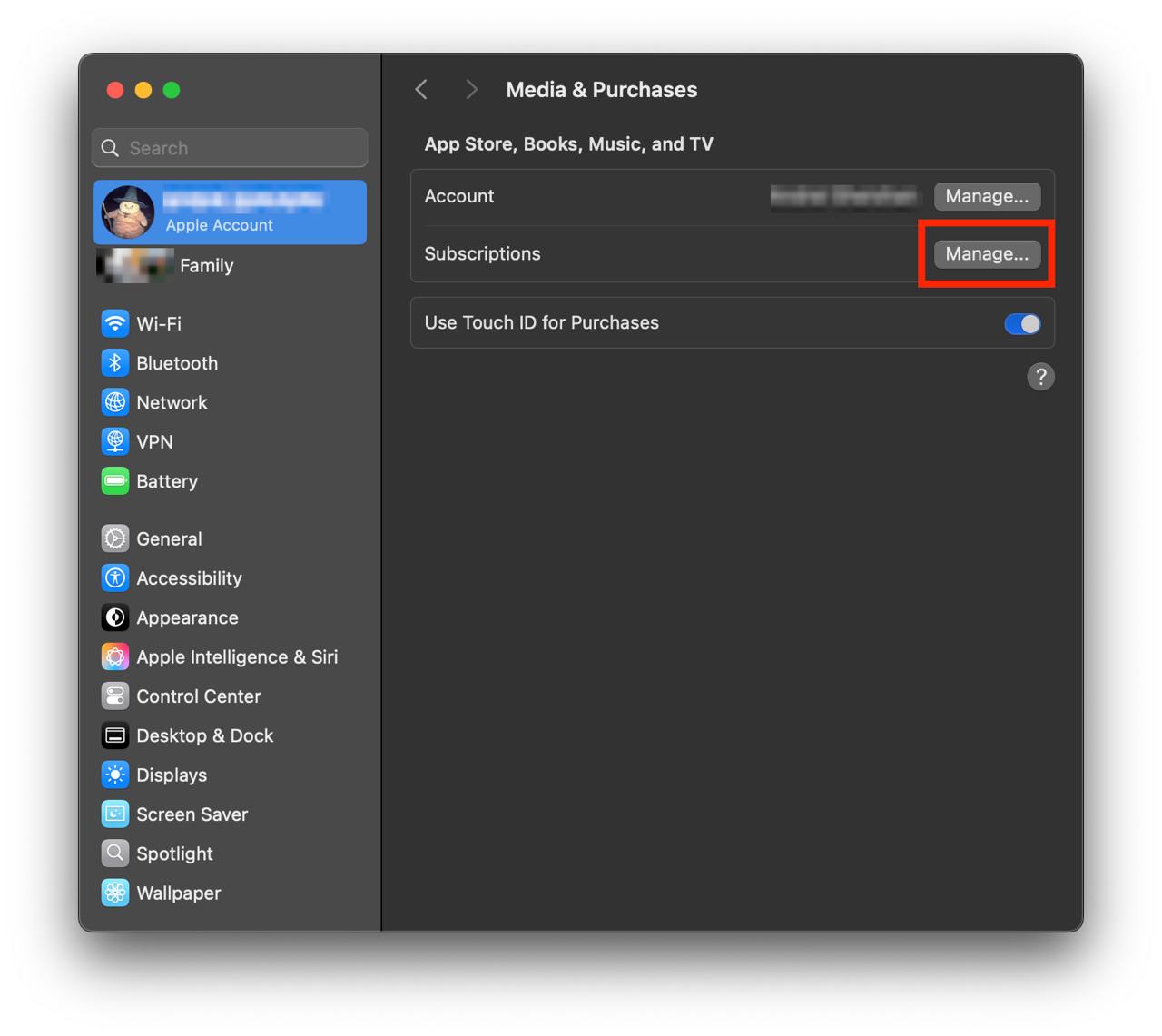
Show screenshot.Click to the "Manage..." button next to "Subscriptions" in the left-hand menu.
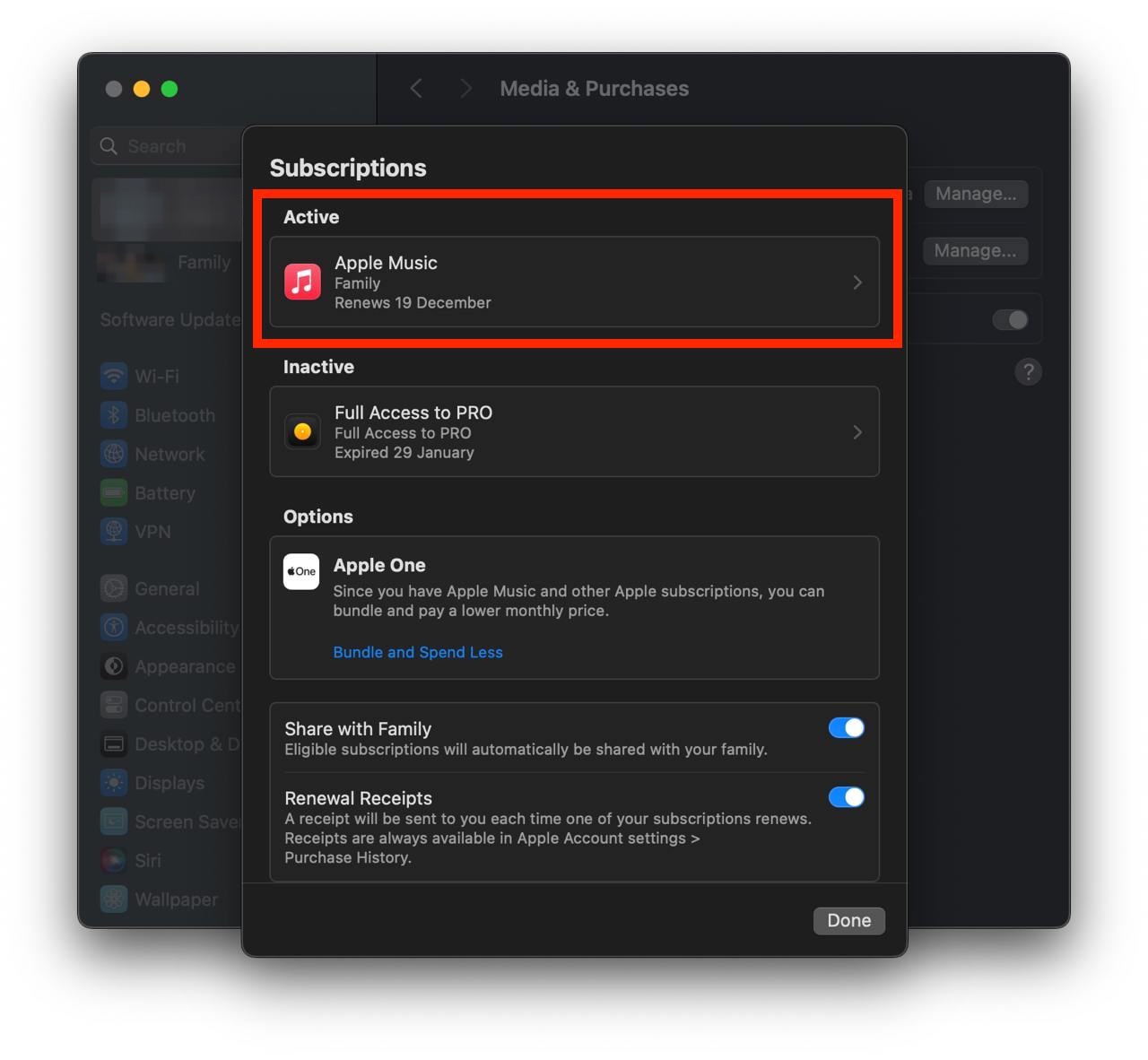
Show screenshot.Select the subscription you want to cancel. You may need to scroll down to locate the Cancel Subscription button. If the button is missing or a red expiration message appears, the subscription has already been canceled.
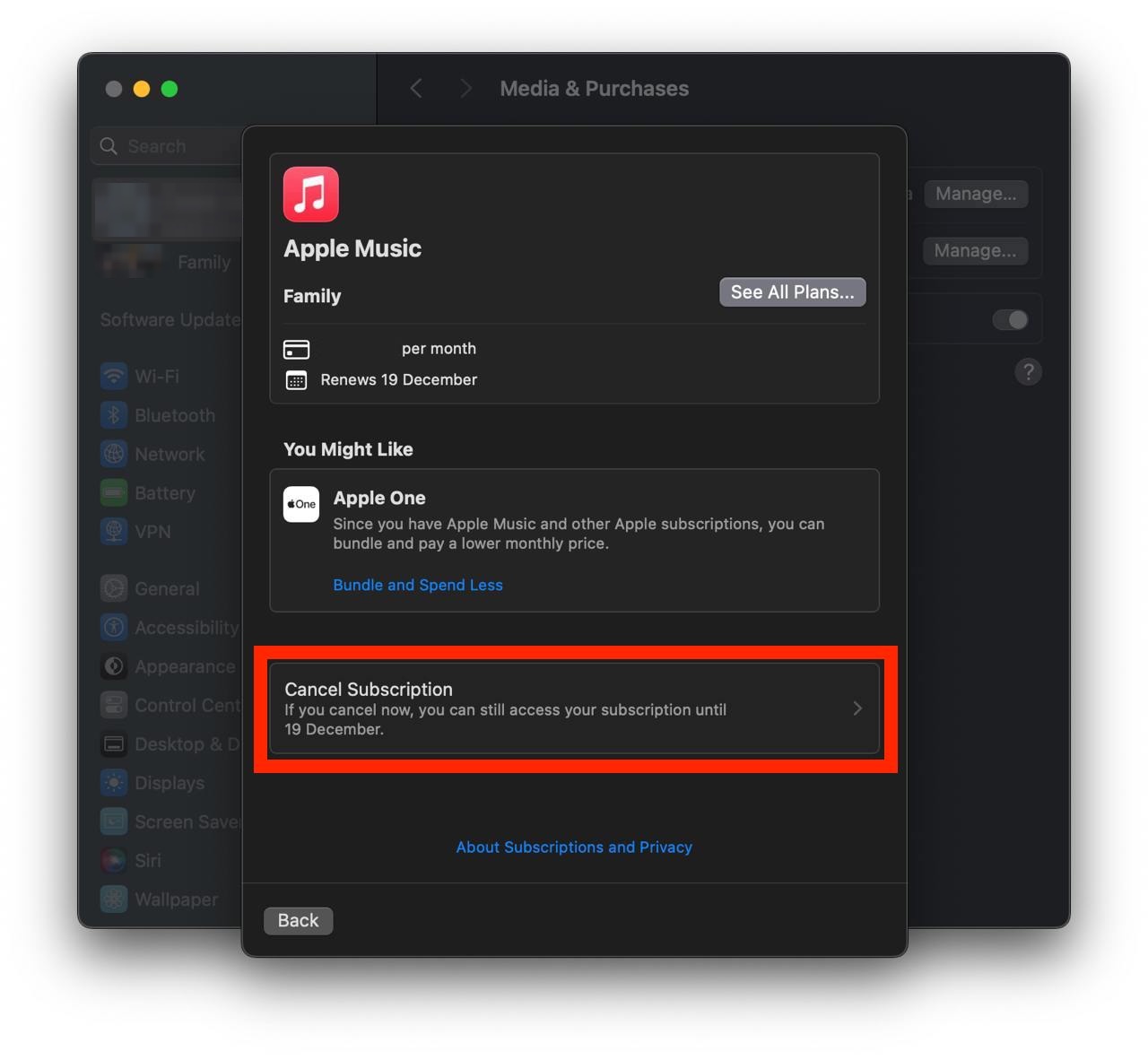
Show screenshot.Click the "Cancel Subscription" button.
Show screenshot.
Unable to find the subscription you want to cancel?
If you member of family account, you need to contact your Parent or family account owner to cancel the subscription by following the steps above.
If the receipt lists another Apple Account you use, sign in to that account and follow the steps in this guide to cancel the subscription.
Consider contacting app support or visiting the developer's website for assistance.
Follow by this link to discover the 延遲通-懷舊交友小遊戲 in the App Store.
延遲通-懷舊交友小遊戲 subscriptions
去廣告(月費)
訂閱期間不顯示廣告,同時支持延遲通的伺服器費用
相簿加大
一個家族或多人對話的相簿加大到 10GB
延遲通 VIP
豪華包全部內容+名字旁的 VIP 徽章
VIP 火箭(月費)
VIP 全部內容+進聊天室火箭進場特效
支持者會員
VIP 全部內容+支持者徽章,每月支持伺服器費用
去廣告(年費)
一整年不顯示廣告,比月費省兩成,同時支持伺服器費用