
How to cancel a subscription on KcalVoice(カロリーボイス) AI音声カロリー計算
How to cancel a subscription on your iPhone
Discover how to cancel a subscription through Apple or one purchased via an app on the App Store.
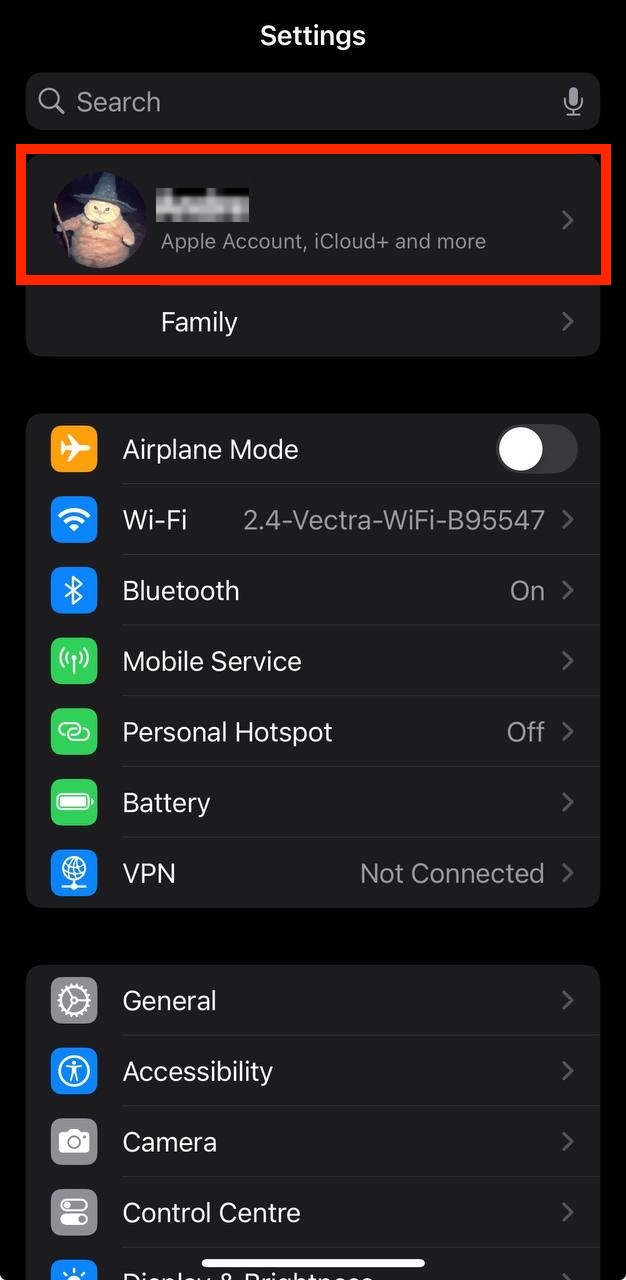
- Open the Settings app.
- Tap your name - "Apple Account, iCloud and more"
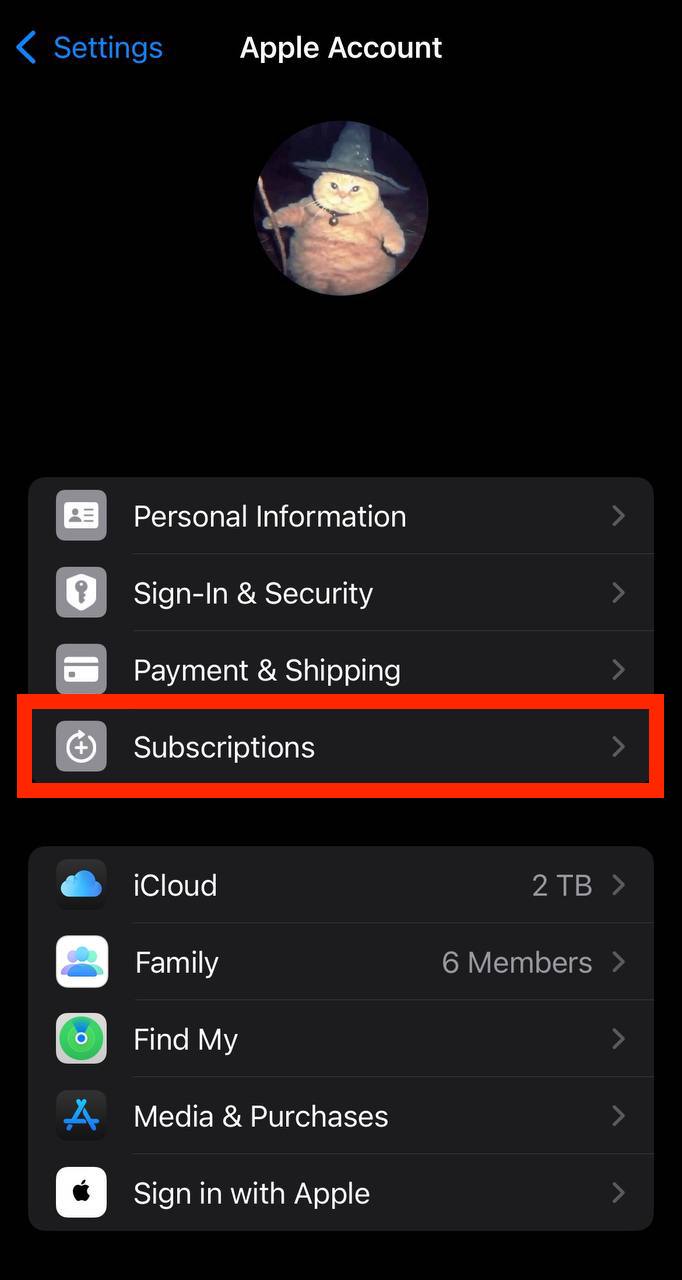
In the first section, tap Subscriptions.
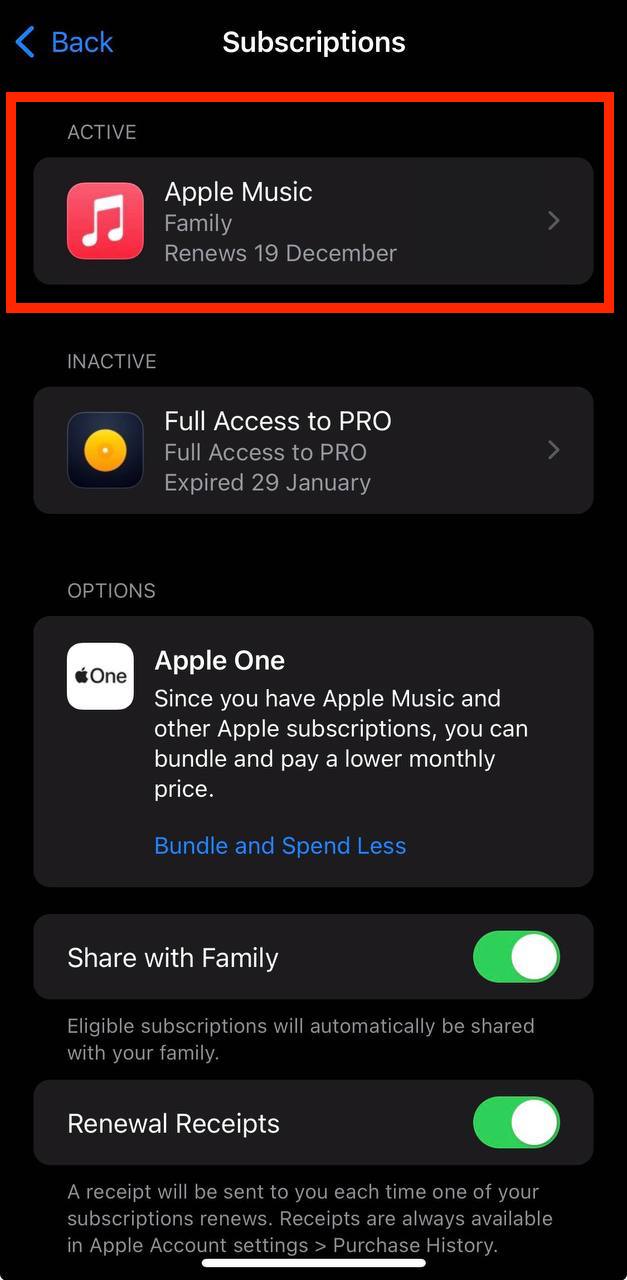
Show screenshot.Select the KcalVoice(カロリーボイス) AI音声カロリー計算 subscription you want to cancel.
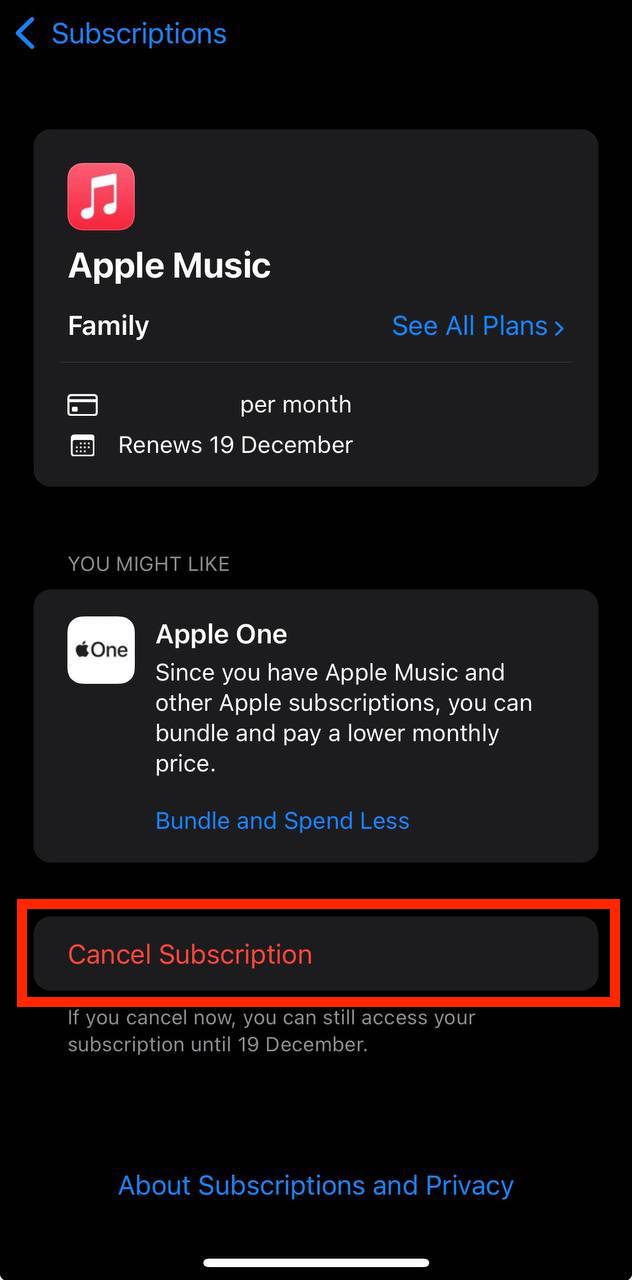
Show screenshot.Tap to Cancel Subscription. You may need to scroll down to locate the Cancel Subscription button. If the button is missing or a red expiration message appears, the subscription has already been canceled.
Show screenshot.
Cancel a subscription on your Mac
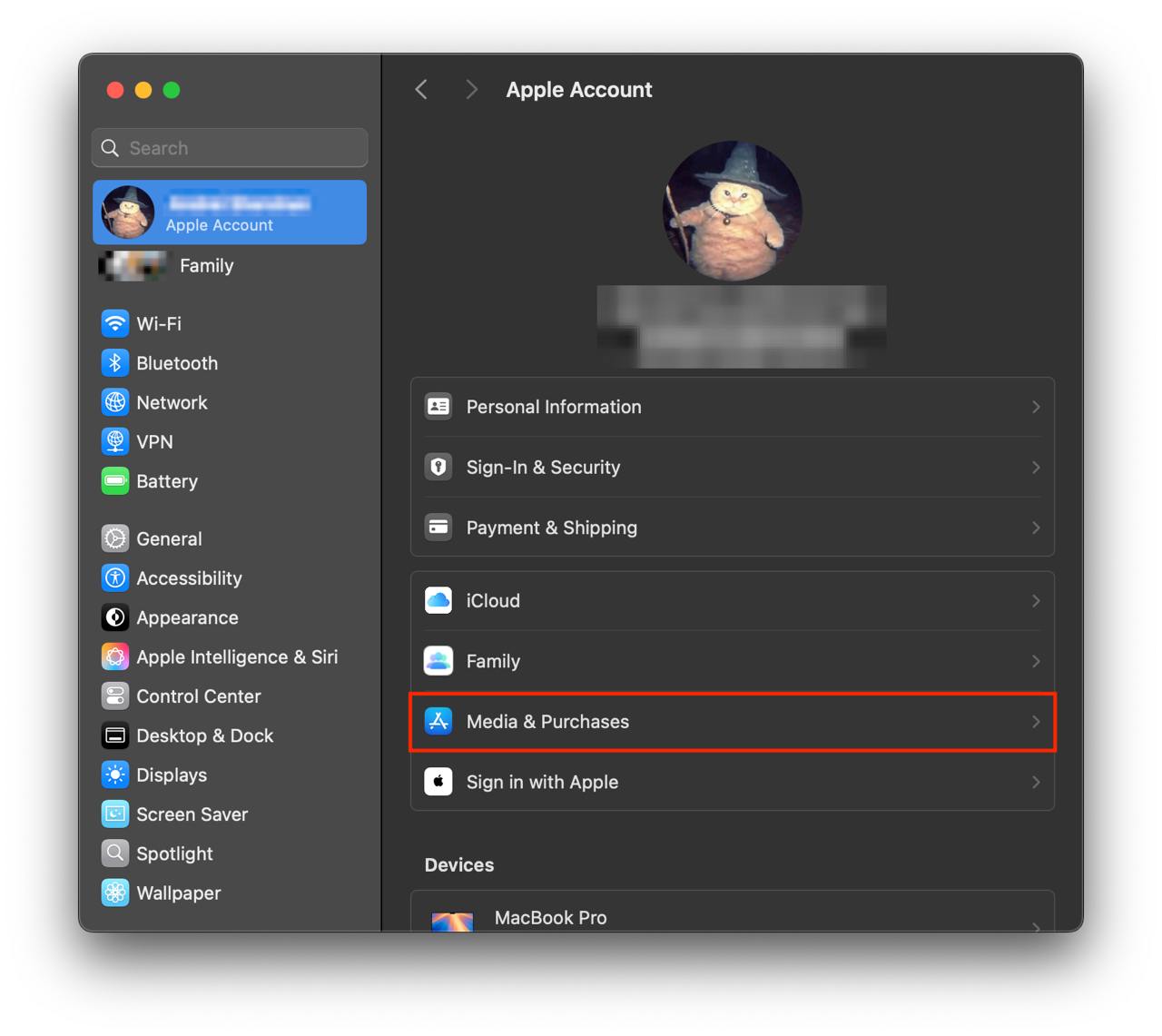
- Open the System Settings app.
- Click your name - "Apple Account" in the top-right corner.
Click to "Media & Purchases" in the left-hand menu.
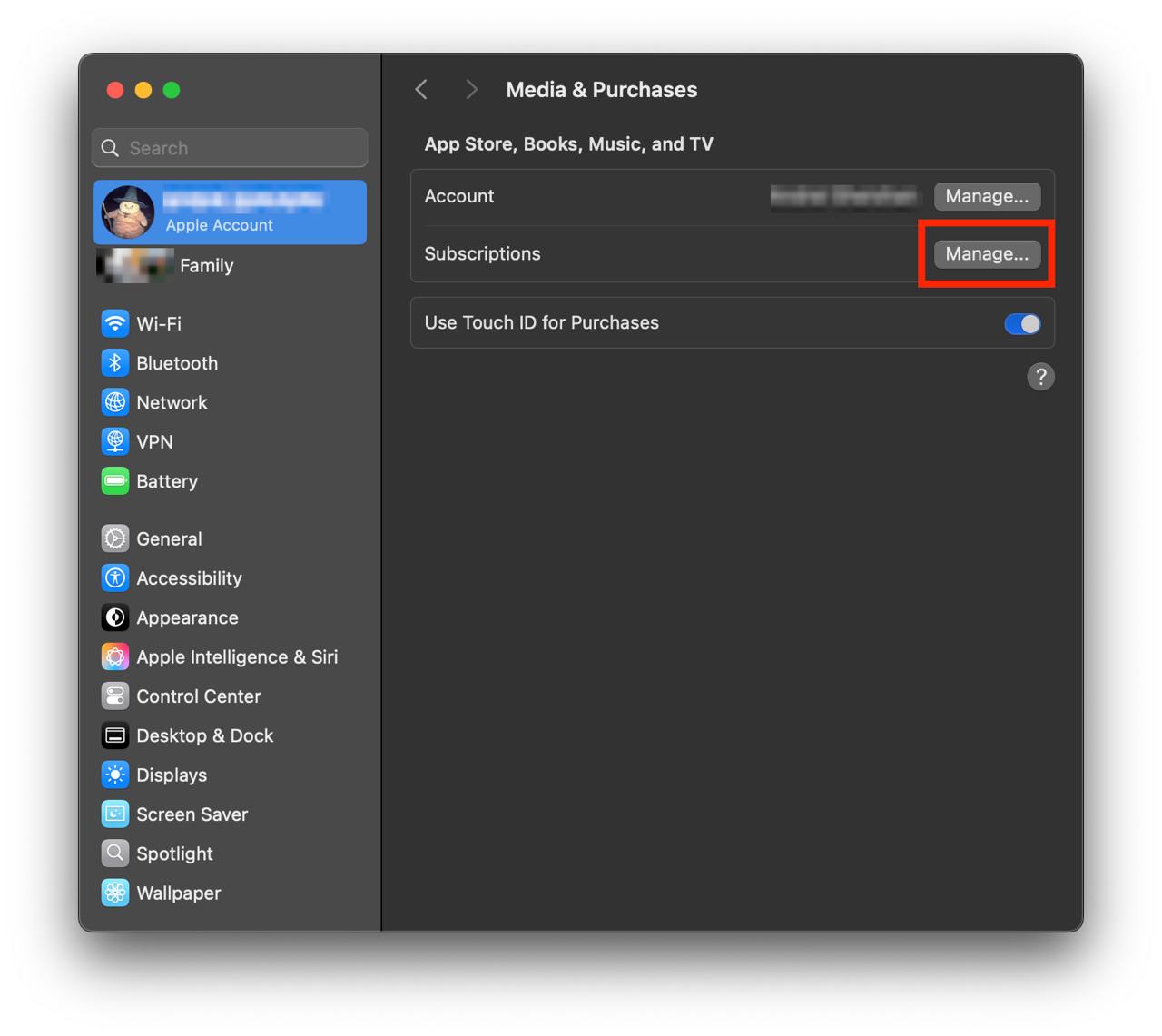
Show screenshot.Click to the "Manage..." button next to "Subscriptions" in the left-hand menu.
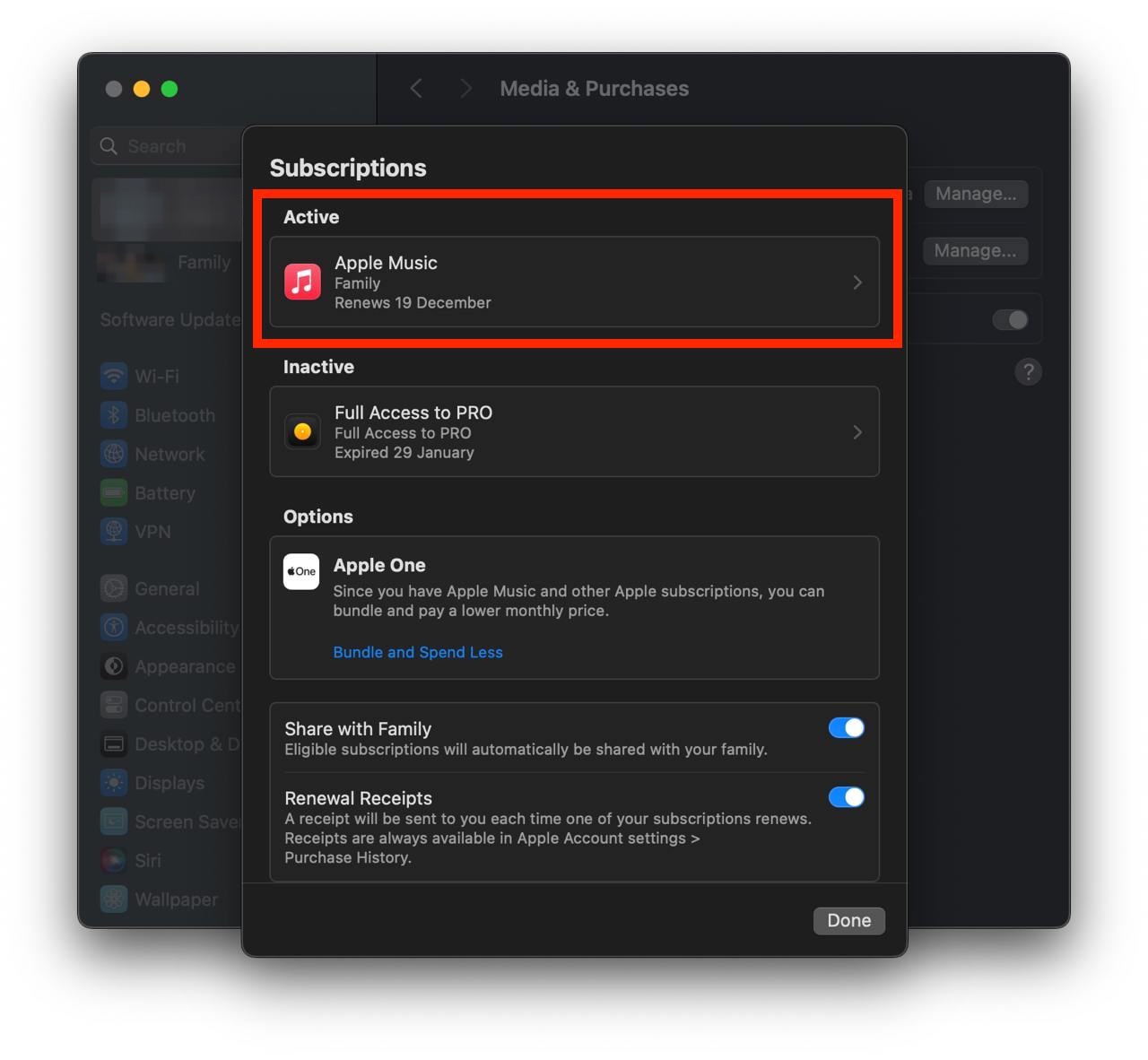
Show screenshot.Select the subscription you want to cancel. You may need to scroll down to locate the Cancel Subscription button. If the button is missing or a red expiration message appears, the subscription has already been canceled.
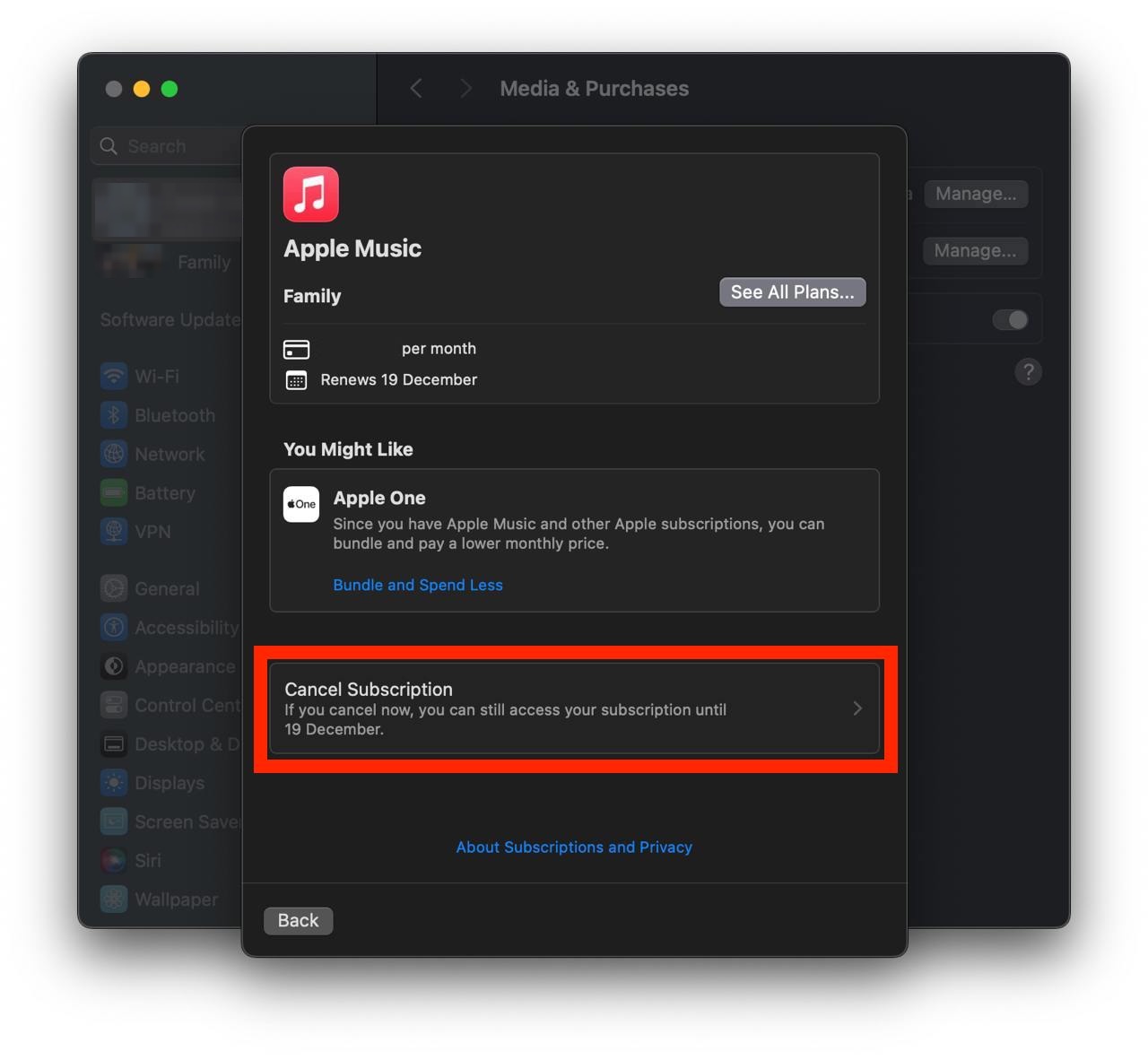
Show screenshot.Click the "Cancel Subscription" button.
Show screenshot.
Unable to find the subscription you want to cancel?
If you member of family account, you need to contact your Parent or family account owner to cancel the subscription by following the steps above.
If the receipt lists another Apple Account you use, sign in to that account and follow the steps in this guide to cancel the subscription.
Consider contacting app support or visiting the developer's website for assistance.
Follow by this link to discover the KcalVoice(カロリーボイス) AI音声カロリー計算 in the App Store.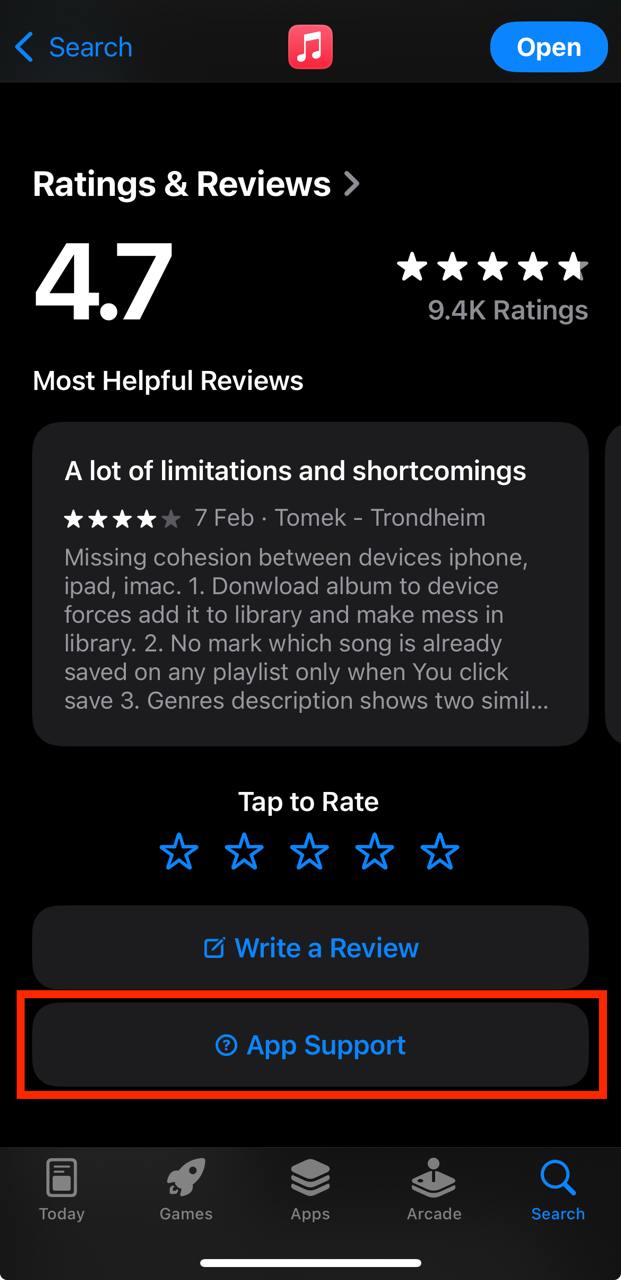
KcalVoice(カロリーボイス) AI音声カロリー計算 subscriptions
Plus 月額プラン
広告非表示・簡単データバックアップ・マルチデバイス同期・あとで食べる機能が使えます
Pro 月額プラン
Plusプランの全機能に加えて、運動記録と消費カロリー計算ツールが利用できます。
Plus 年額プラン
年額でお得に。広告非表示・簡単データバックアップ・マルチデバイス同期・あとで食べる機能が使えます
Pro 年額プラン
年額でお得に。Plusプランの全機能に加えて、運動記録と消費カロリー計算ツールが利用できます。