
How to cancel a subscription on Live TV IPTV Stream
How to cancel a subscription on your iPhone
Discover how to cancel a subscription through Apple or one purchased via an app on the App Store.
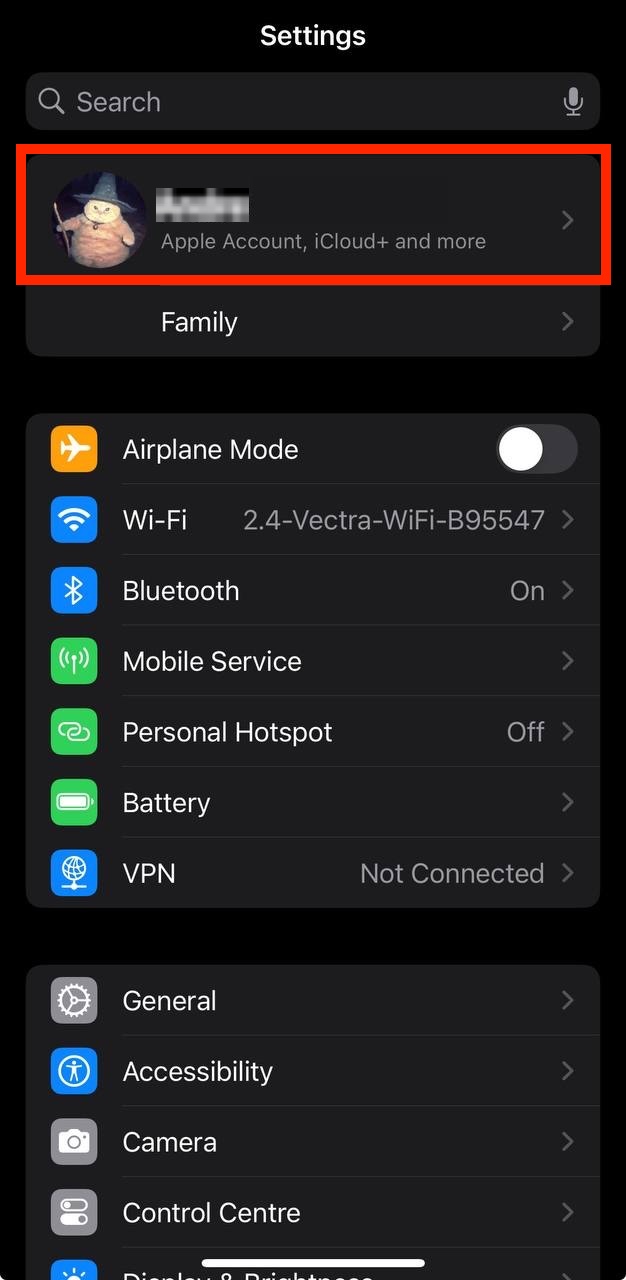
- Open the Settings app.
- Tap your name - "Apple Account, iCloud and more"
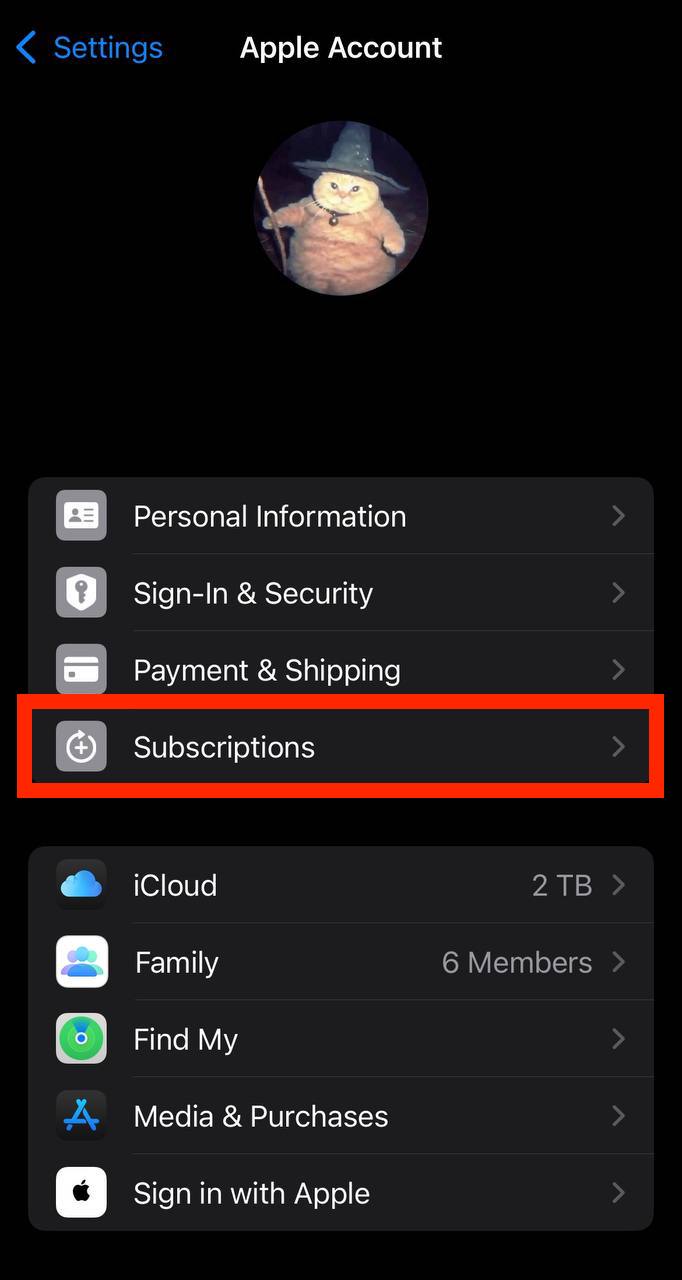
In the first section, tap Subscriptions.
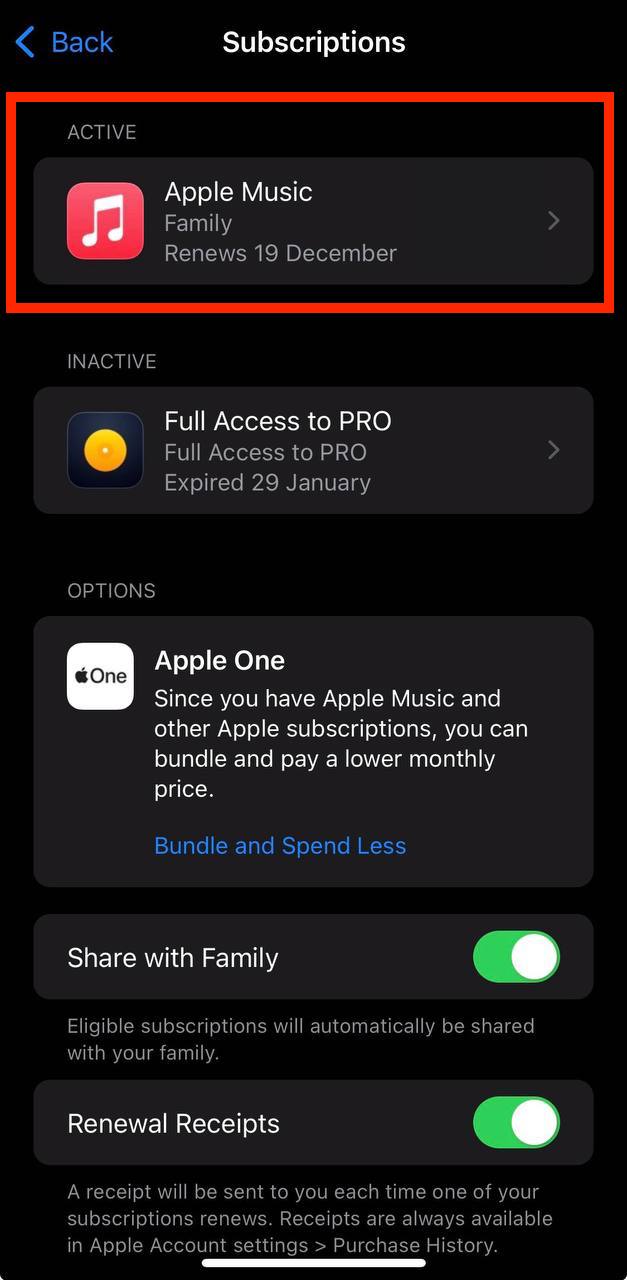
Show screenshot.Select the Live TV IPTV Stream subscription you want to cancel.
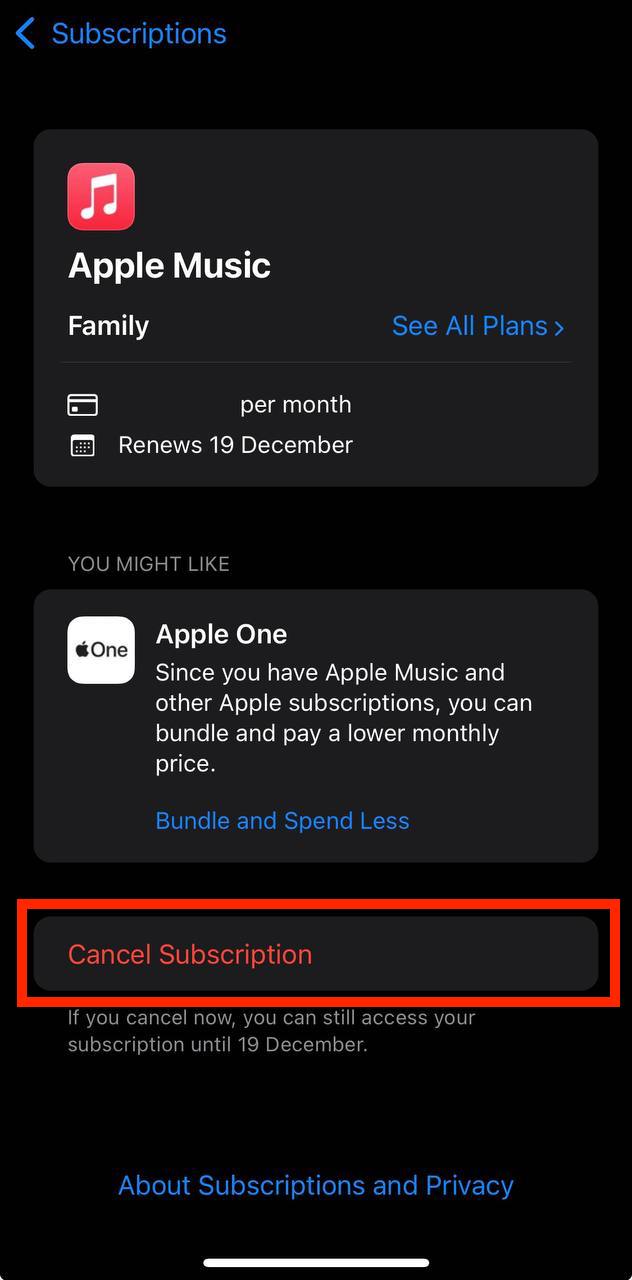
Show screenshot.Tap to Cancel Subscription. You may need to scroll down to locate the Cancel Subscription button. If the button is missing or a red expiration message appears, the subscription has already been canceled.
Show screenshot.
Cancel a subscription on your Mac
- Open the System Settings app.
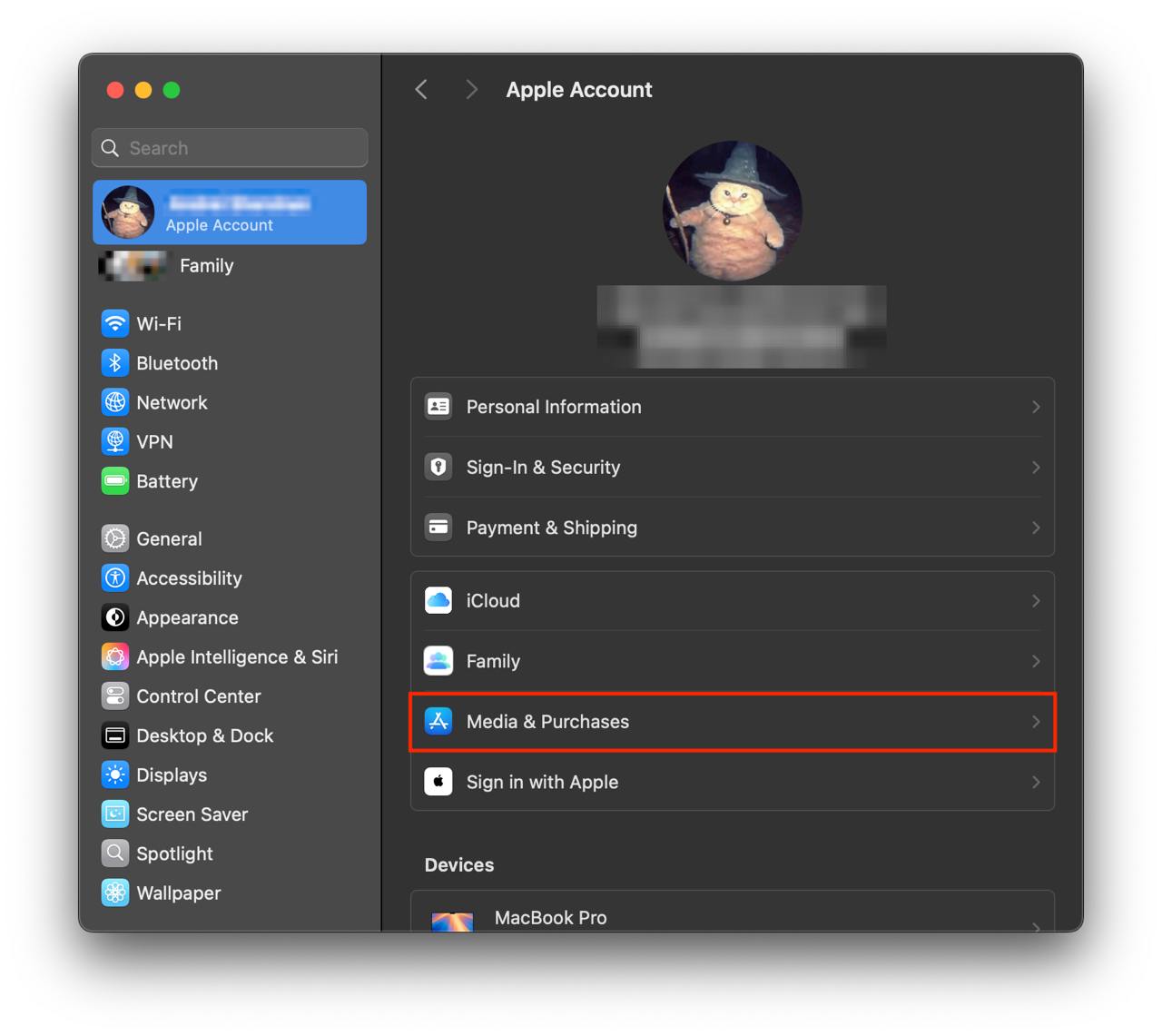
- Click your name - "Apple Account" in the top-right corner.
Click to "Media & Purchases" in the left-hand menu.
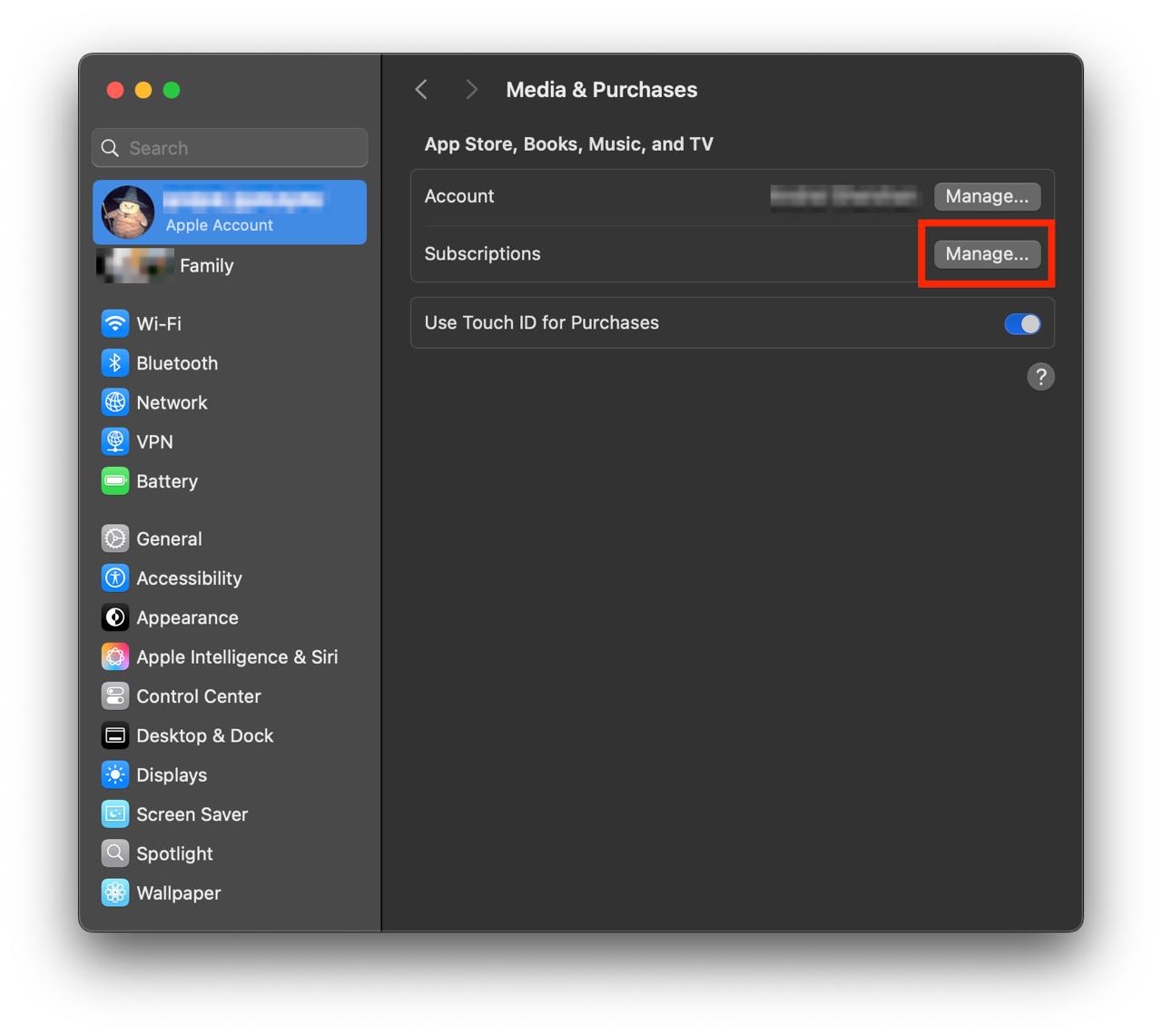
Show screenshot.Click to the "Manage..." button next to "Subscriptions" in the left-hand menu.
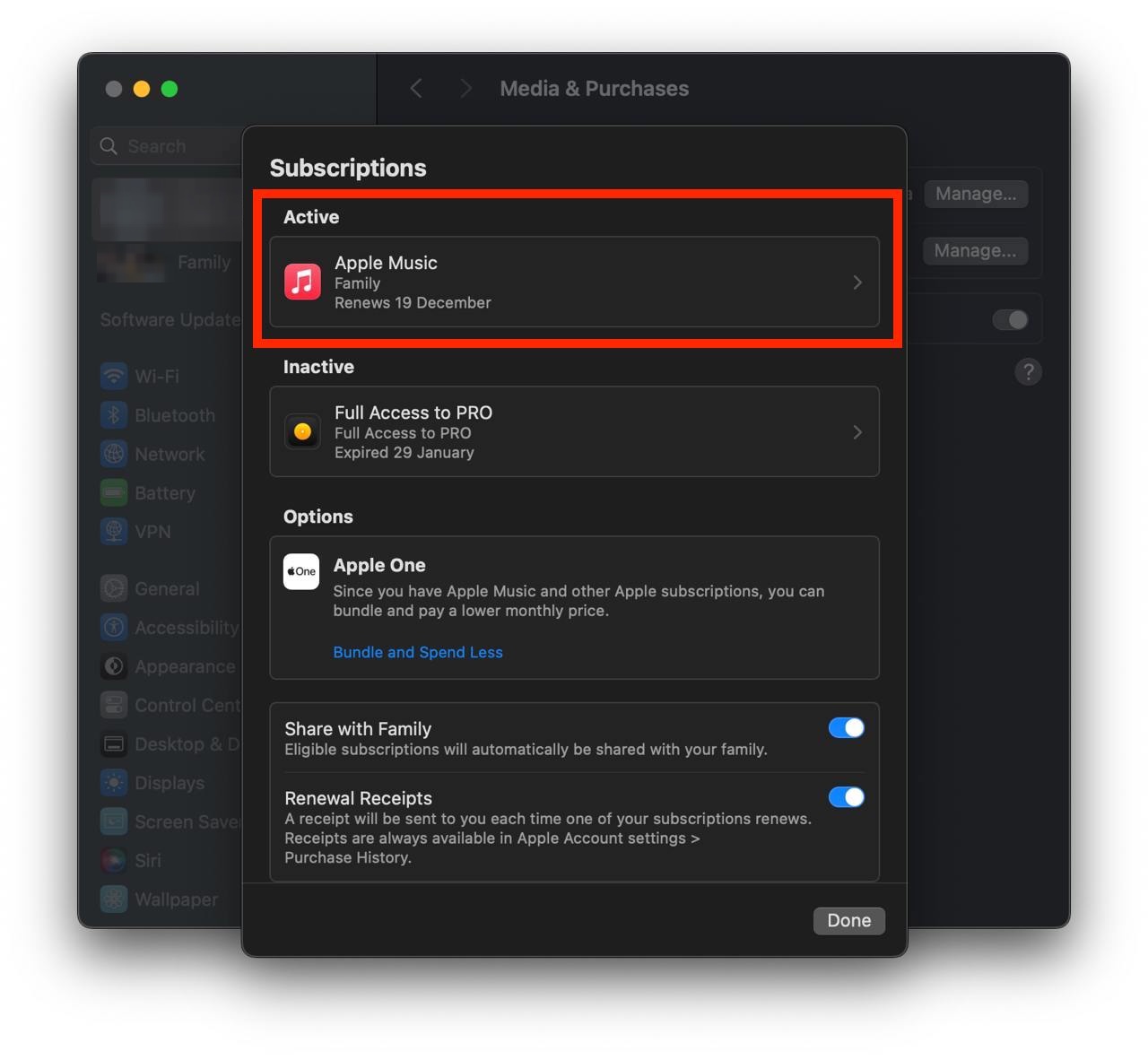
Show screenshot.Select the subscription you want to cancel. You may need to scroll down to locate the Cancel Subscription button. If the button is missing or a red expiration message appears, the subscription has already been canceled.
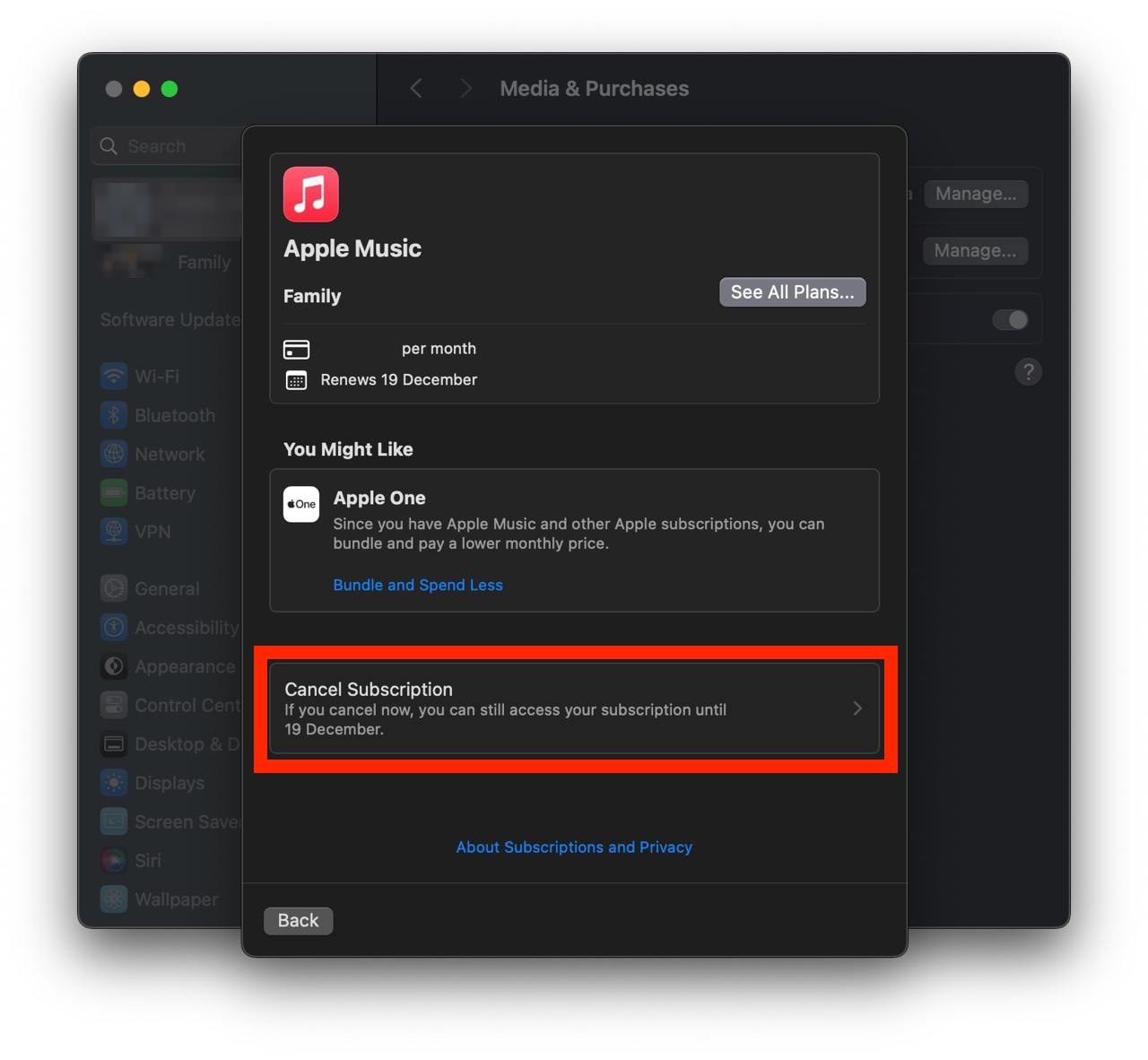
Show screenshot.Click the "Cancel Subscription" button.
Show screenshot.
Unable to find the subscription you want to cancel?
If you member of family account, you need to contact your Parent or family account owner to cancel the subscription by following the steps above.
If the receipt lists another Apple Account you use, sign in to that account and follow the steps in this guide to cancel the subscription.
Consider contacting app support or visiting the developer's website for assistance.
Follow by this link to discover the Live TV IPTV Stream in the App Store.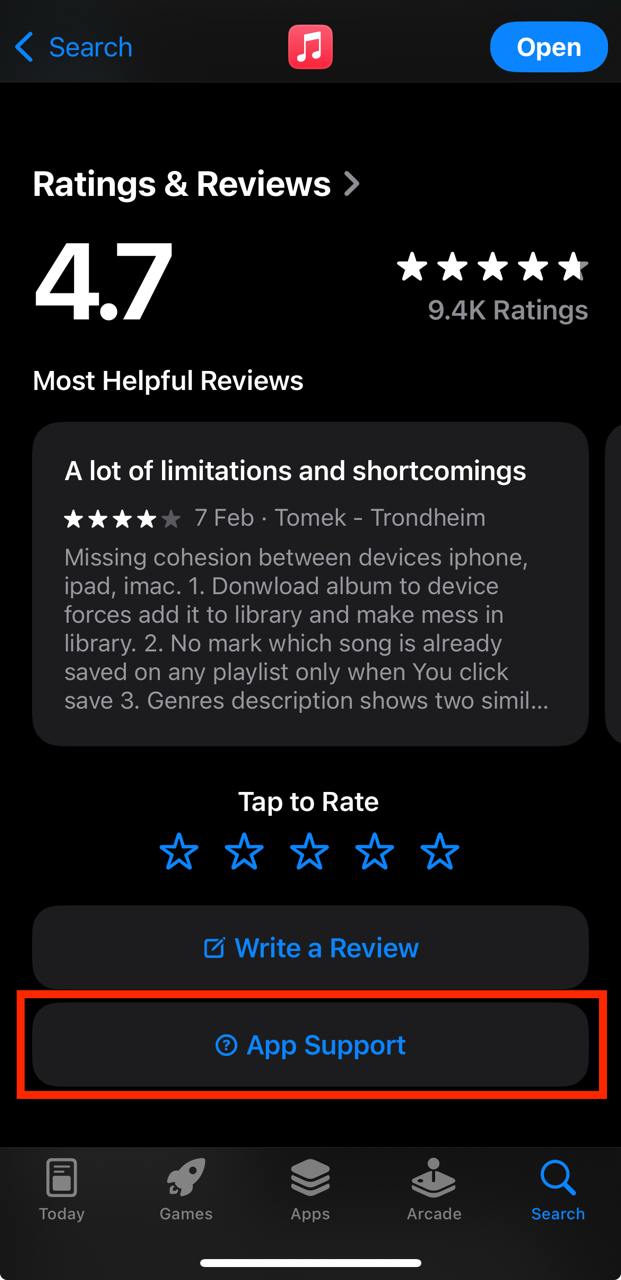
Live TV IPTV Stream subscriptions
Mein Live TV
Alle Sender, inkl. TV Wall 4x
Tagesprogramm: iPhone/iPad
Den ganzen Tag im schnellen Überblick - Dein neues Tagesprogramm in Live TV.
Mein Live TV
Alle Sender, inkl. TV Wall 4x
iPhone/iPad
Beide Pakete zum Aktionspreis
Mein Live TV
Alles sehen
Mein Live TV
Alles sehen
TV Pro Alles Inklusive Paket
Fast wie Urlaub: 3 Apps = 1 Hammer-Preis!
Mein Live TV Jahrespaket
Alle Sender, inkl. TV Wall 4x
Mein Live TV: Universal
· Für iPhone/iPad, Mac & Apple TV! · Zugriff auf Sender mit freiem SD/HD Stream · Mediatheken durchstöbern · Live Zuschauer TV Quote · Abo mit automatischer Verlängerung
Alles-Inklusive-Paket
TV Pro + Live TV + TV Pro Mediathek