
How to cancel a subscription on momoBOOK
How to cancel a subscription on your iPhone
Discover how to cancel a subscription through Apple or one purchased via an app on the App Store.
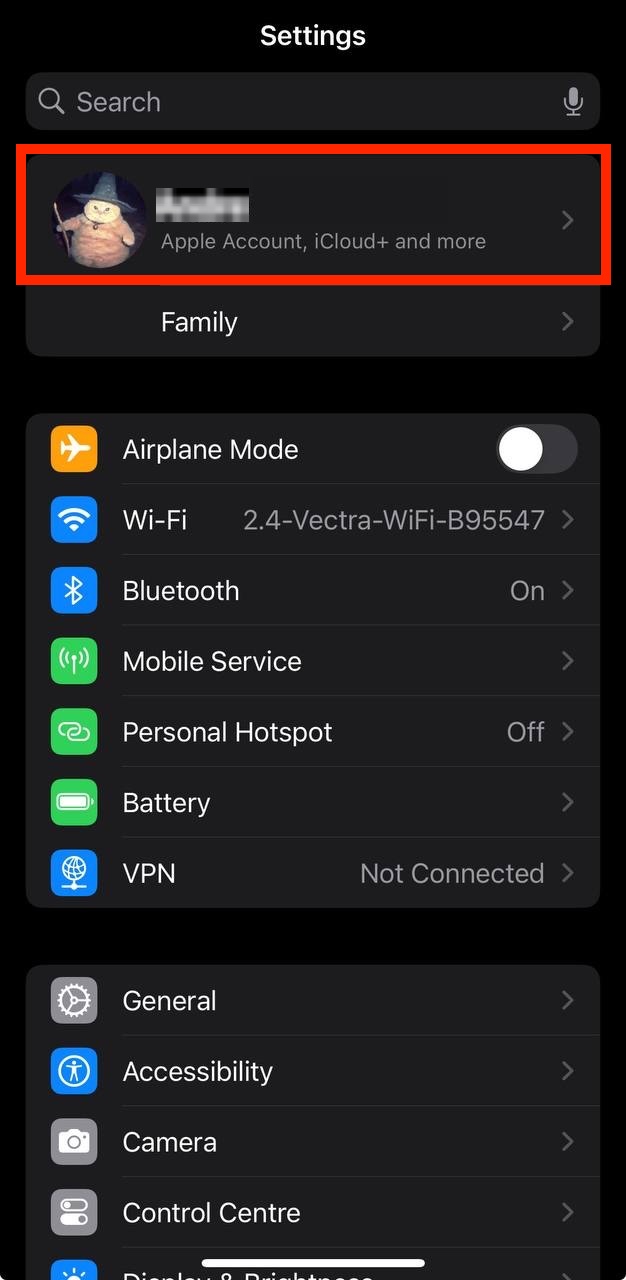
- Open the Settings app.
- Tap your name - "Apple Account, iCloud and more"
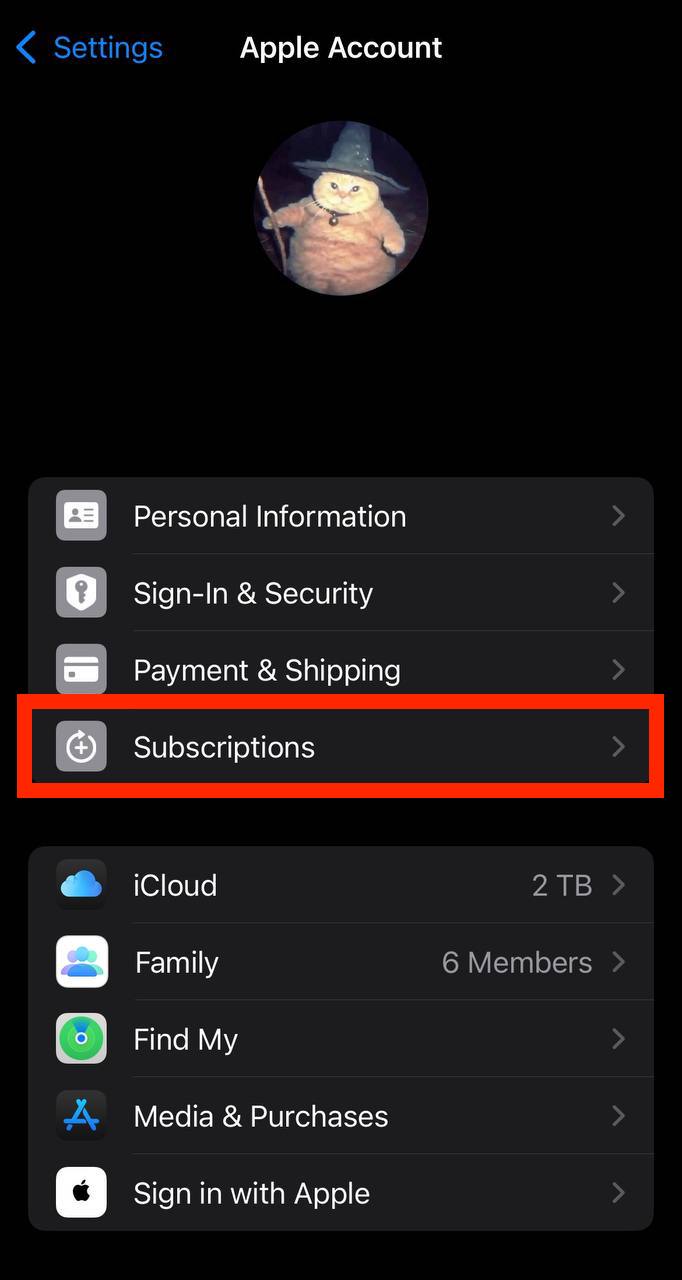
In the first section, tap Subscriptions.
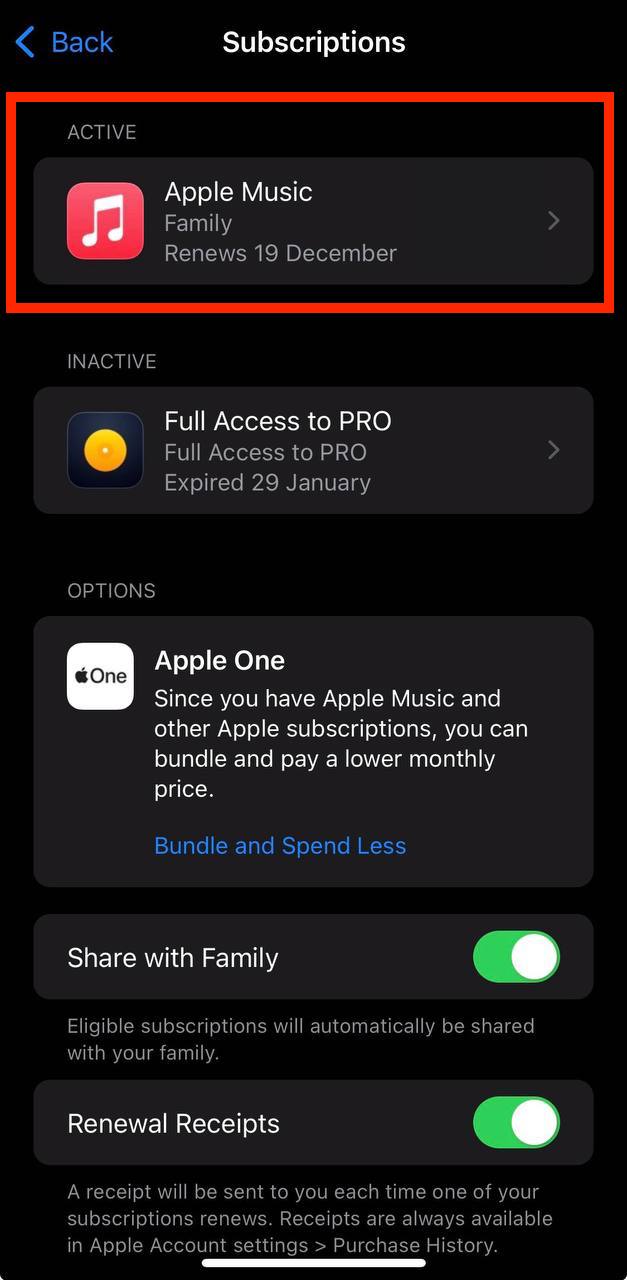
Show screenshot.Select the momoBOOK subscription you want to cancel.
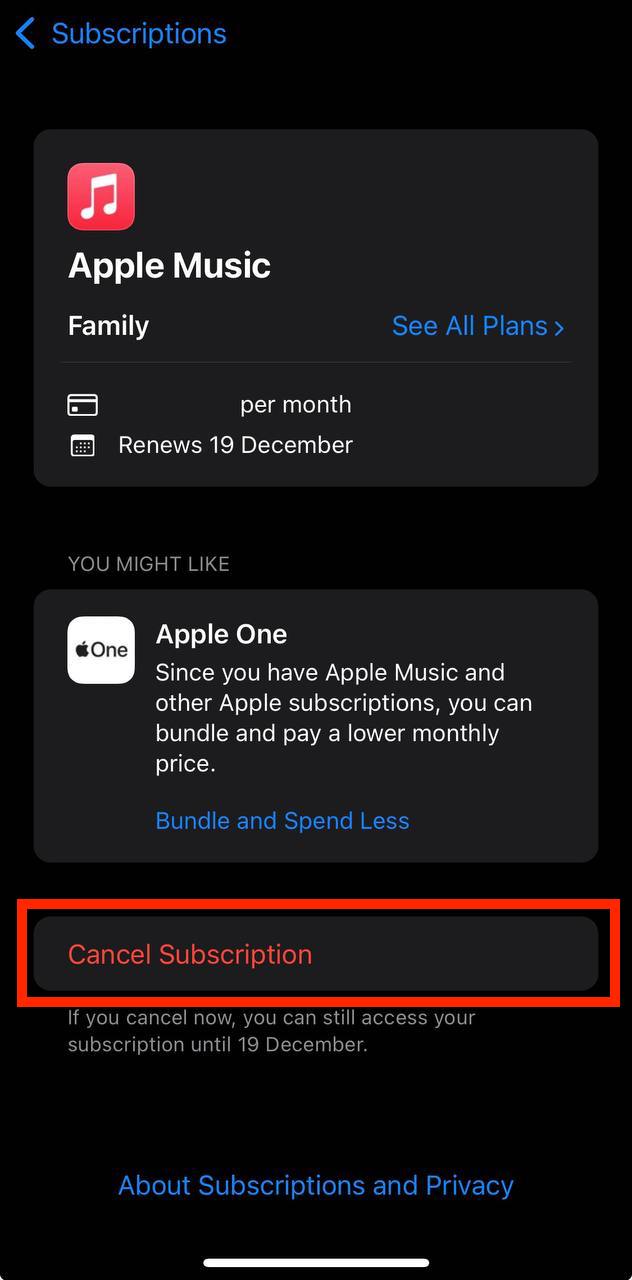
Show screenshot.Tap to Cancel Subscription. You may need to scroll down to locate the Cancel Subscription button. If the button is missing or a red expiration message appears, the subscription has already been canceled.
Show screenshot.
Cancel a subscription on your Mac
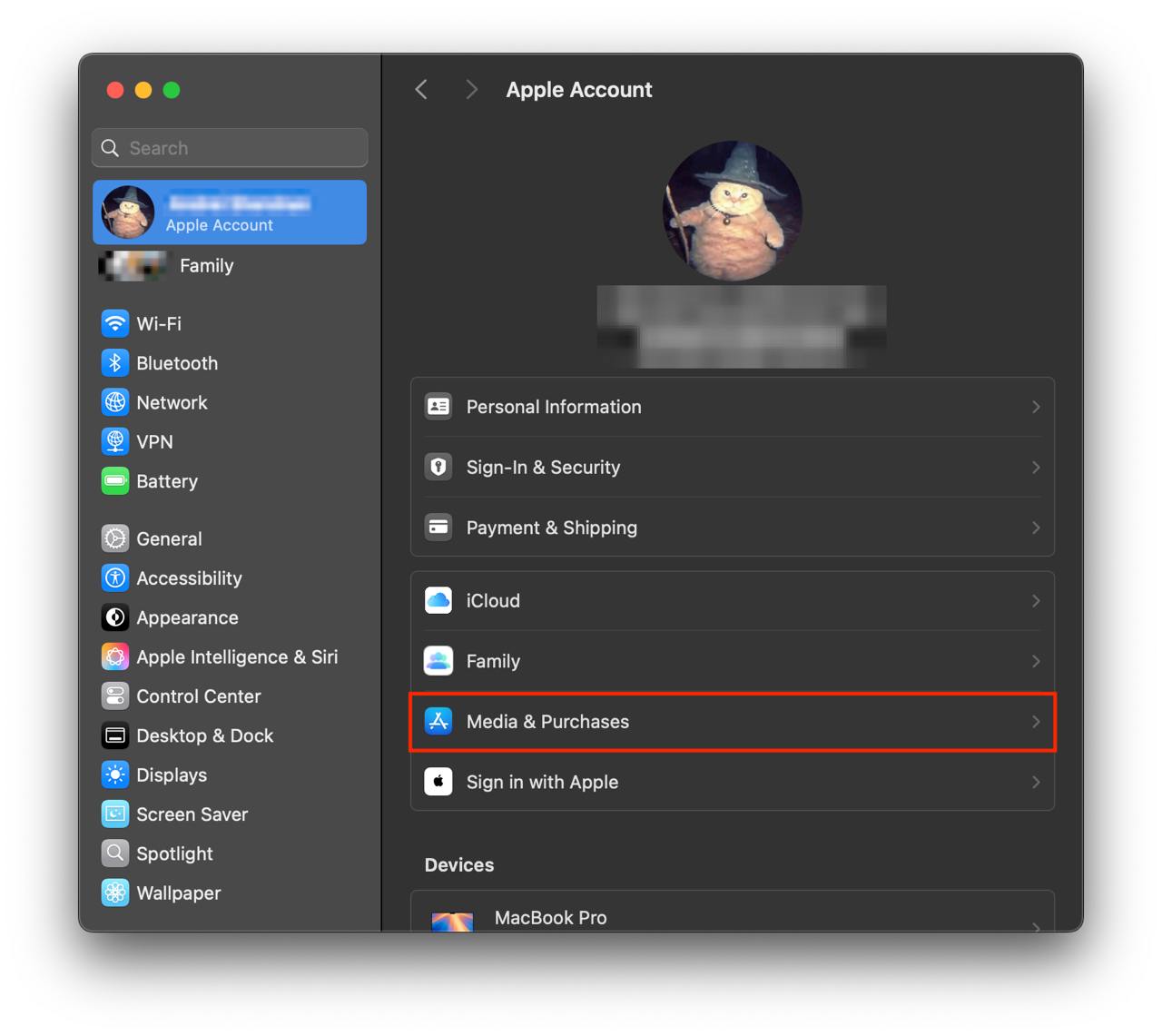
- Open the System Settings app.
- Click your name - "Apple Account" in the top-right corner.
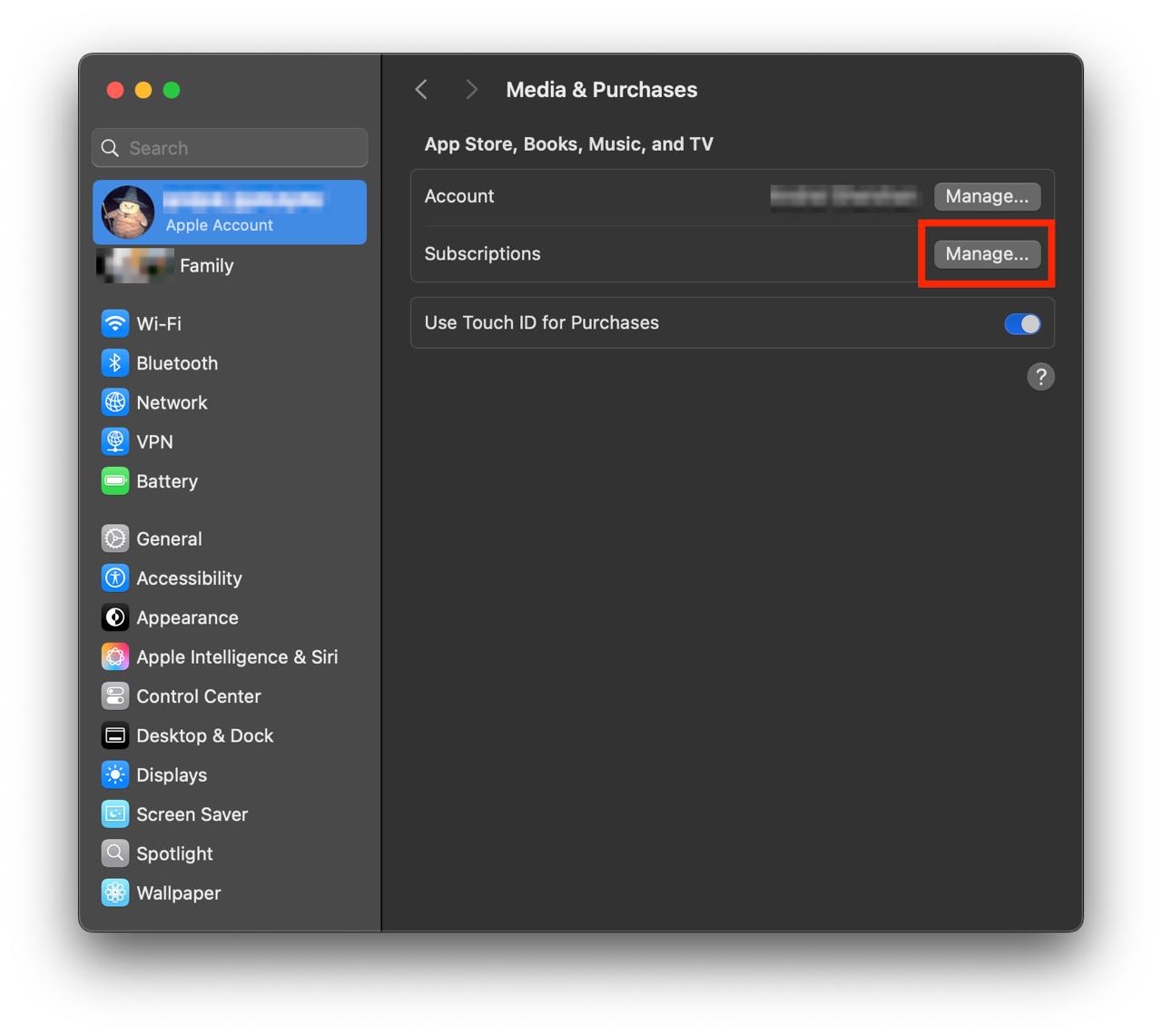
Click to "Media & Purchases" in the left-hand menu.
Show screenshot.Click to the "Manage..." button next to "Subscriptions" in the left-hand menu.
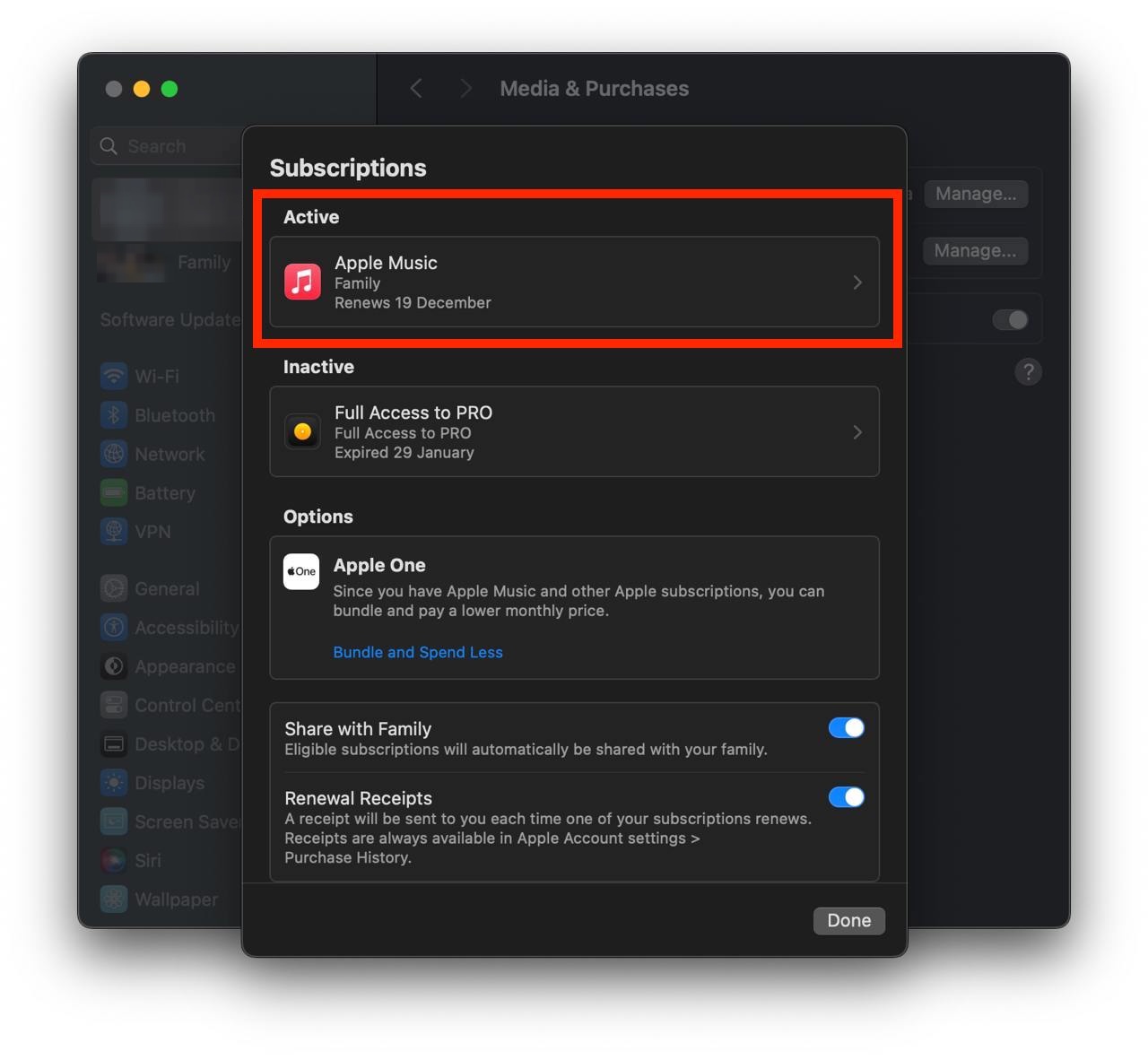
Show screenshot.Select the subscription you want to cancel. You may need to scroll down to locate the Cancel Subscription button. If the button is missing or a red expiration message appears, the subscription has already been canceled.
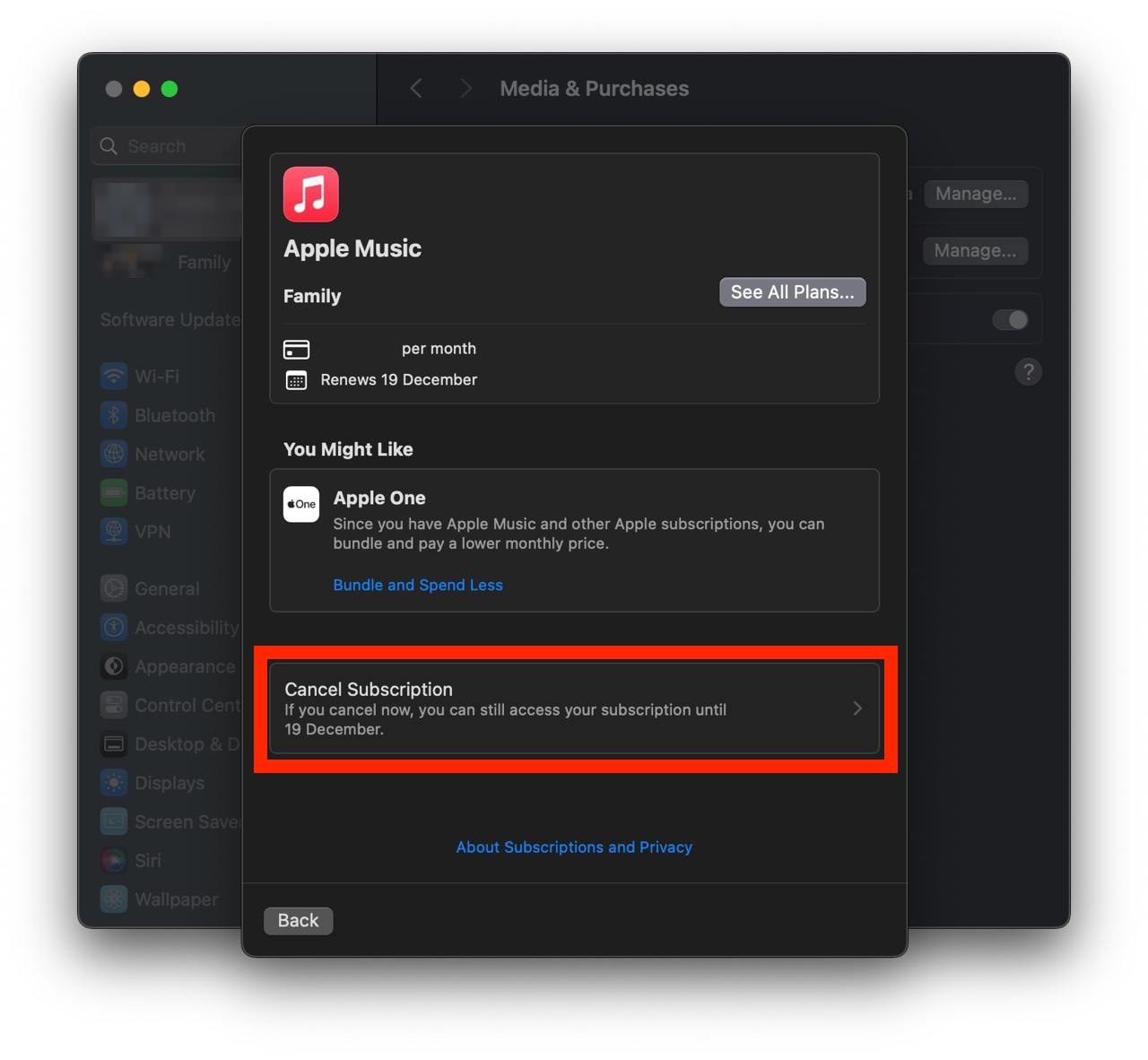
Show screenshot.Click the "Cancel Subscription" button.
Show screenshot.
Unable to find the subscription you want to cancel?
If you member of family account, you need to contact your Parent or family account owner to cancel the subscription by following the steps above.
If the receipt lists another Apple Account you use, sign in to that account and follow the steps in this guide to cancel the subscription.
Consider contacting app support or visiting the developer's website for assistance.
Follow by this link to discover the momoBOOK in the App Store.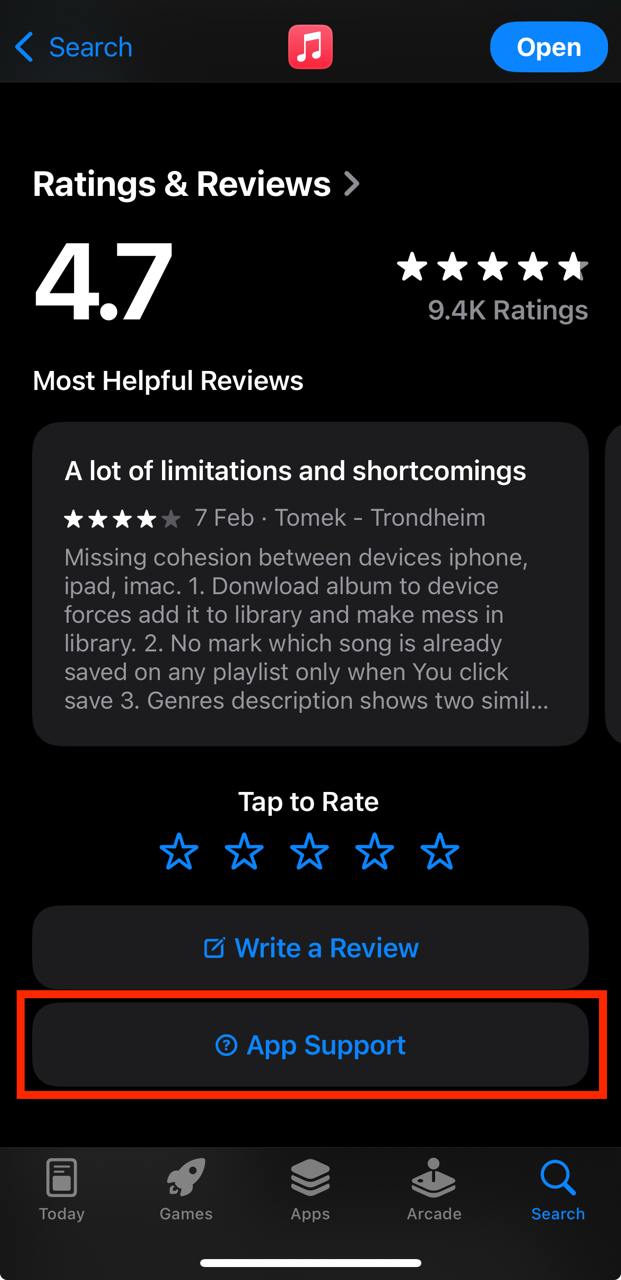
momoBOOK subscriptions
互動學外語
想看英語及多國語言學習雜誌、進修職場英語、挑戰英語檢定及了解多國語言學習秘技,一次擁有!
雜誌樂讀包
雜誌精彩內容每週更新看到飽,掌握最新國際脈動、時尚潮流,隨心暢讀超划算。
大大讀書
全台第一! 100本暢銷書籍x18分鐘名人影音說書,專業級閱讀觀點,大大提升自我競爭力!
親子小學堂
歡迎光臨親子小學堂,網羅第一品牌:親子天下、格林、小兵優質內容,邀您共享親子閱讀好時光。
好書隨我讀
提供綜合書籍的電子閱讀服務,內含商管理財、生活休閒、翻譯文學、心理勵志的豐富內容。