Qorani : Coran & Tafsir

How to cancel a subscription on Qorani

How to cancel a subscription on your iPhone

Discover how to cancel a subscription through Apple or one purchased via an app on the App Store.

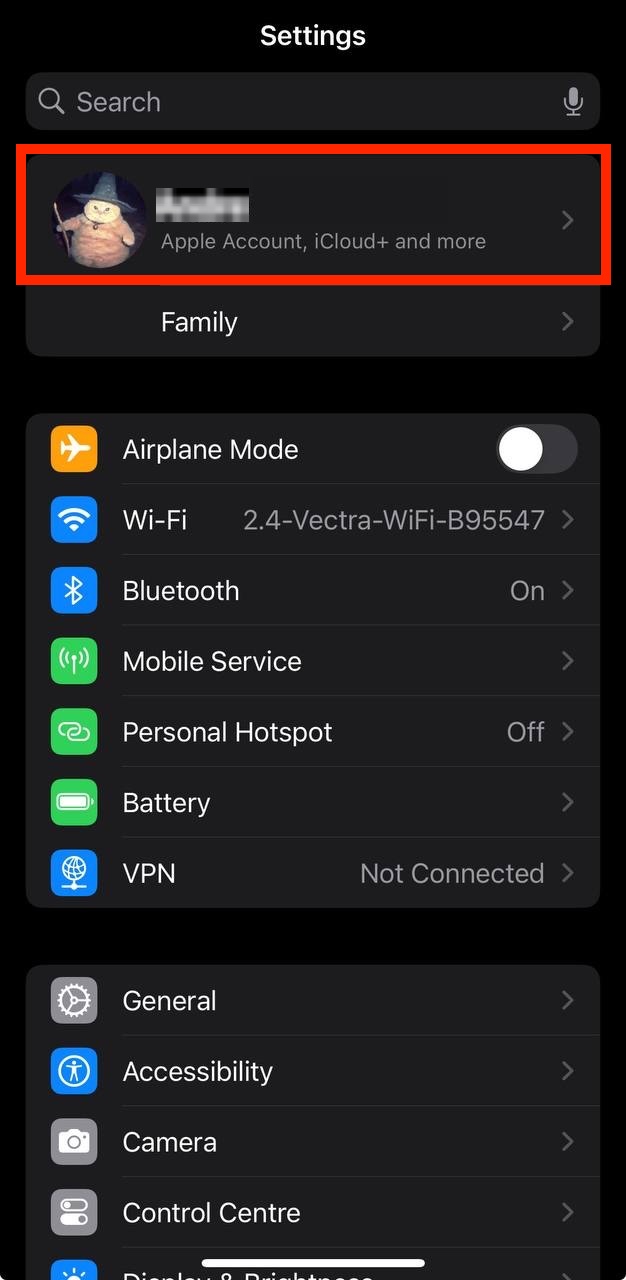
  • Open the Settings app.
  • Tap your name - "Apple Account, iCloud and more"
  • Settings
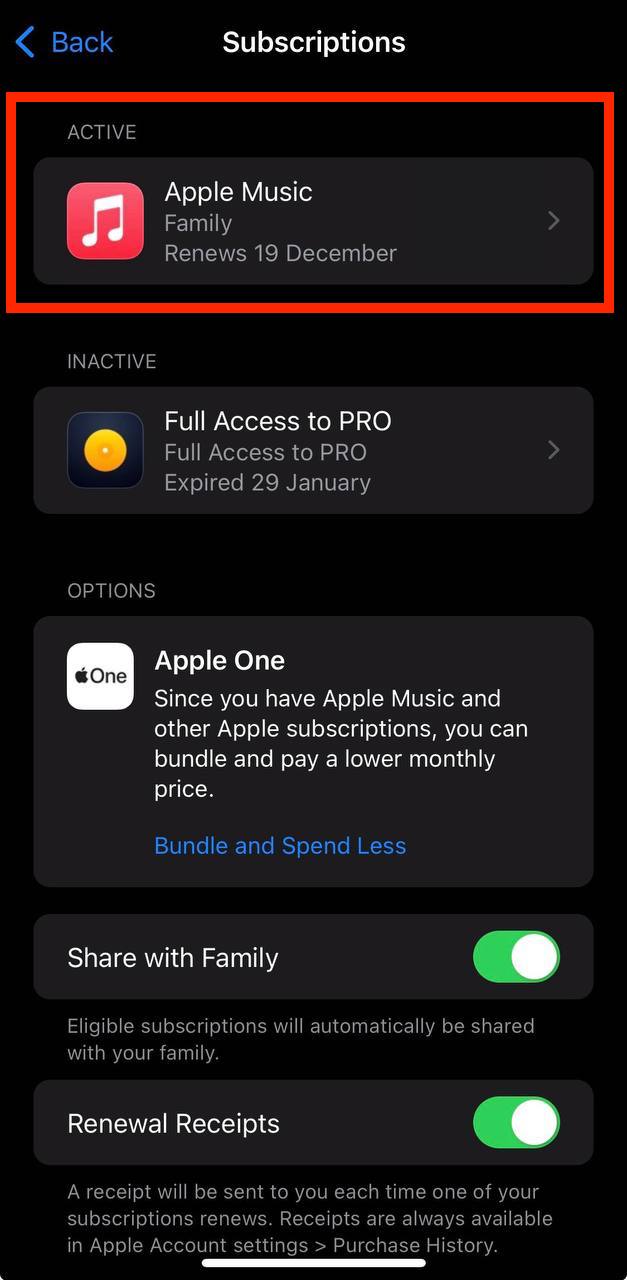
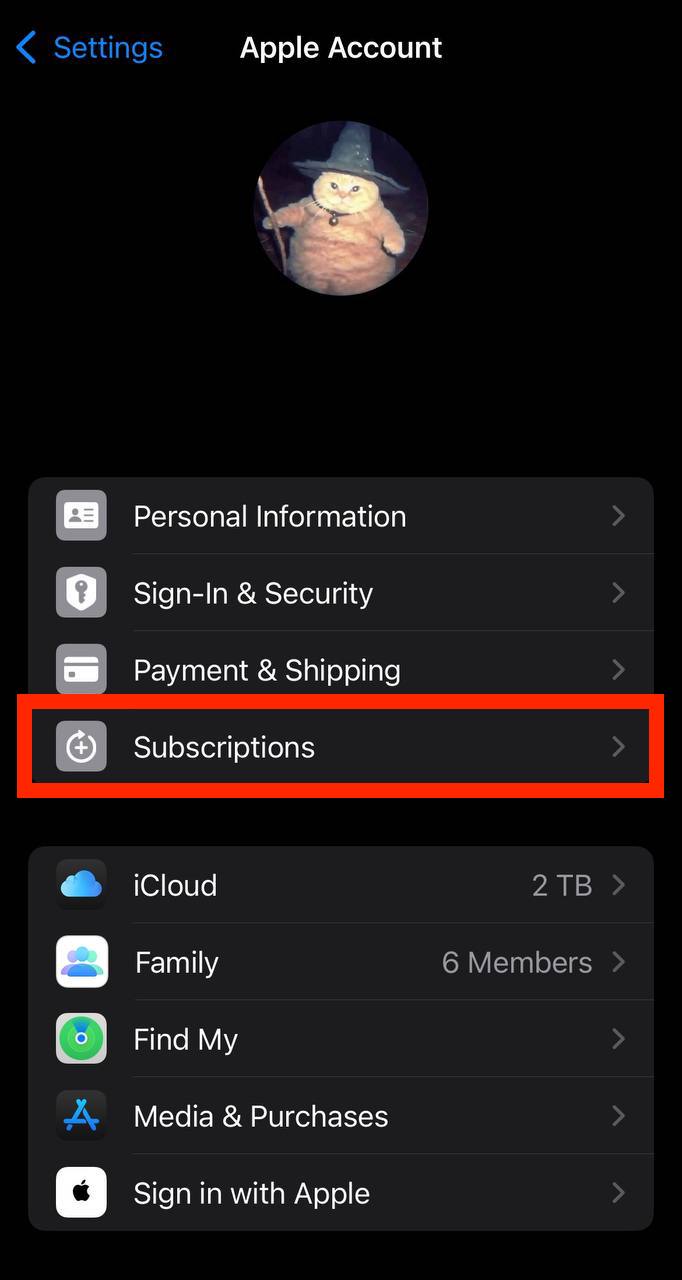
  • In the first section, tap Subscriptions.

    Show screenshot.
    Apple Account on iPhone
  • Select the Qorani subscription you want to cancel.

    Show screenshot.
    Apple Account subscriptions on iPhone
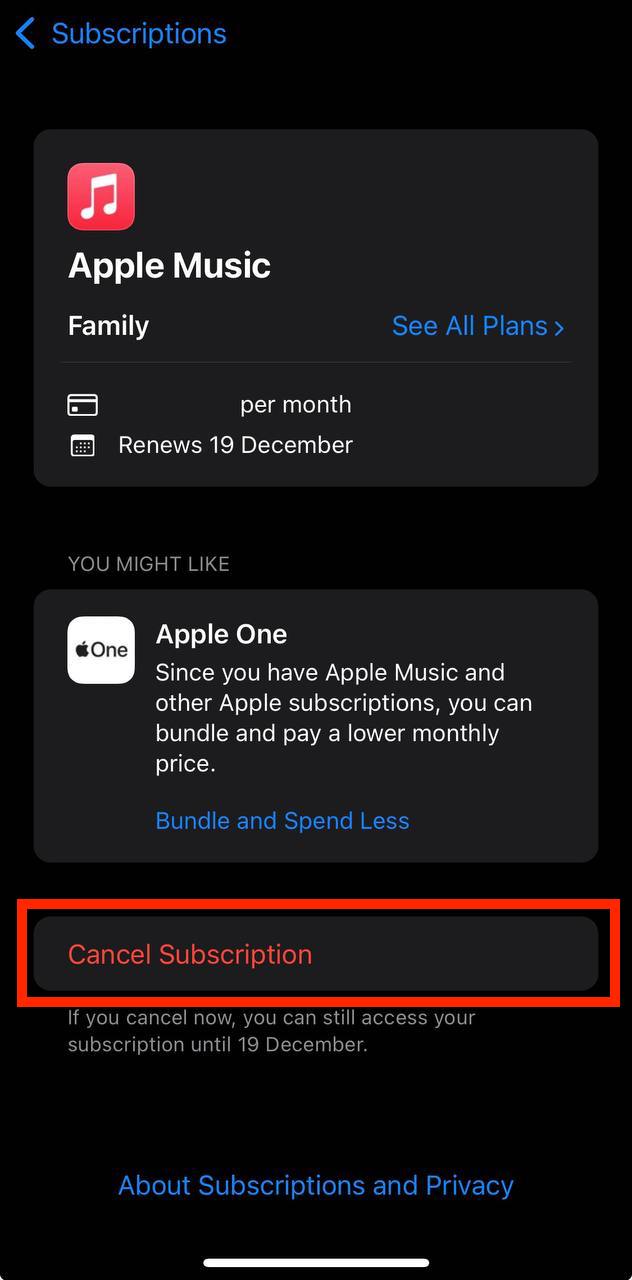
  • Tap to Cancel Subscription. You may need to scroll down to locate the Cancel Subscription button. If the button is missing or a red expiration message appears, the subscription has already been canceled.

    Show screenshot.
    Subscription screen on iPhone

Cancel a subscription on your Mac

  • Open the System Settings app.
  • Click your name - "Apple Account" in the top-right corner.
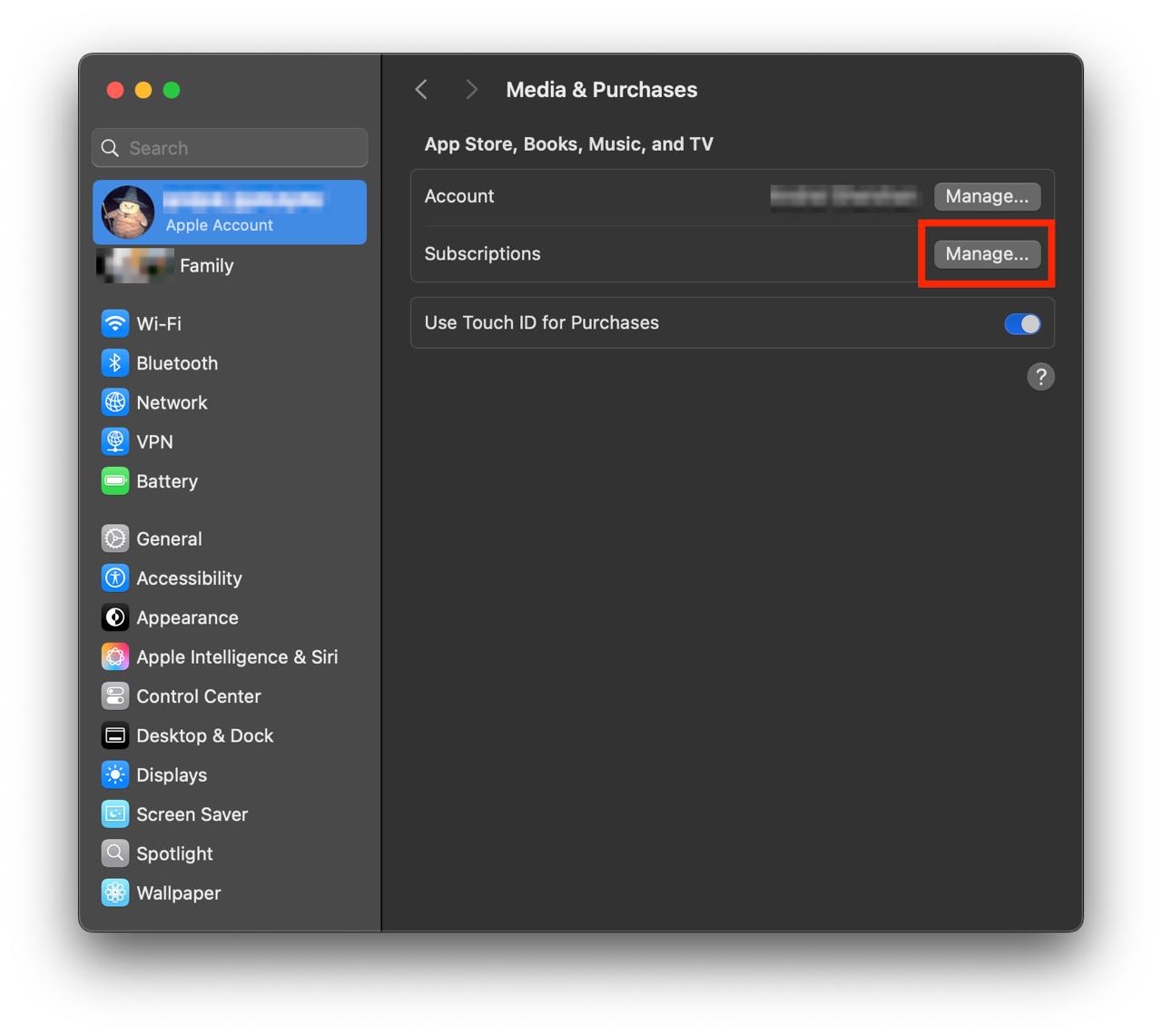
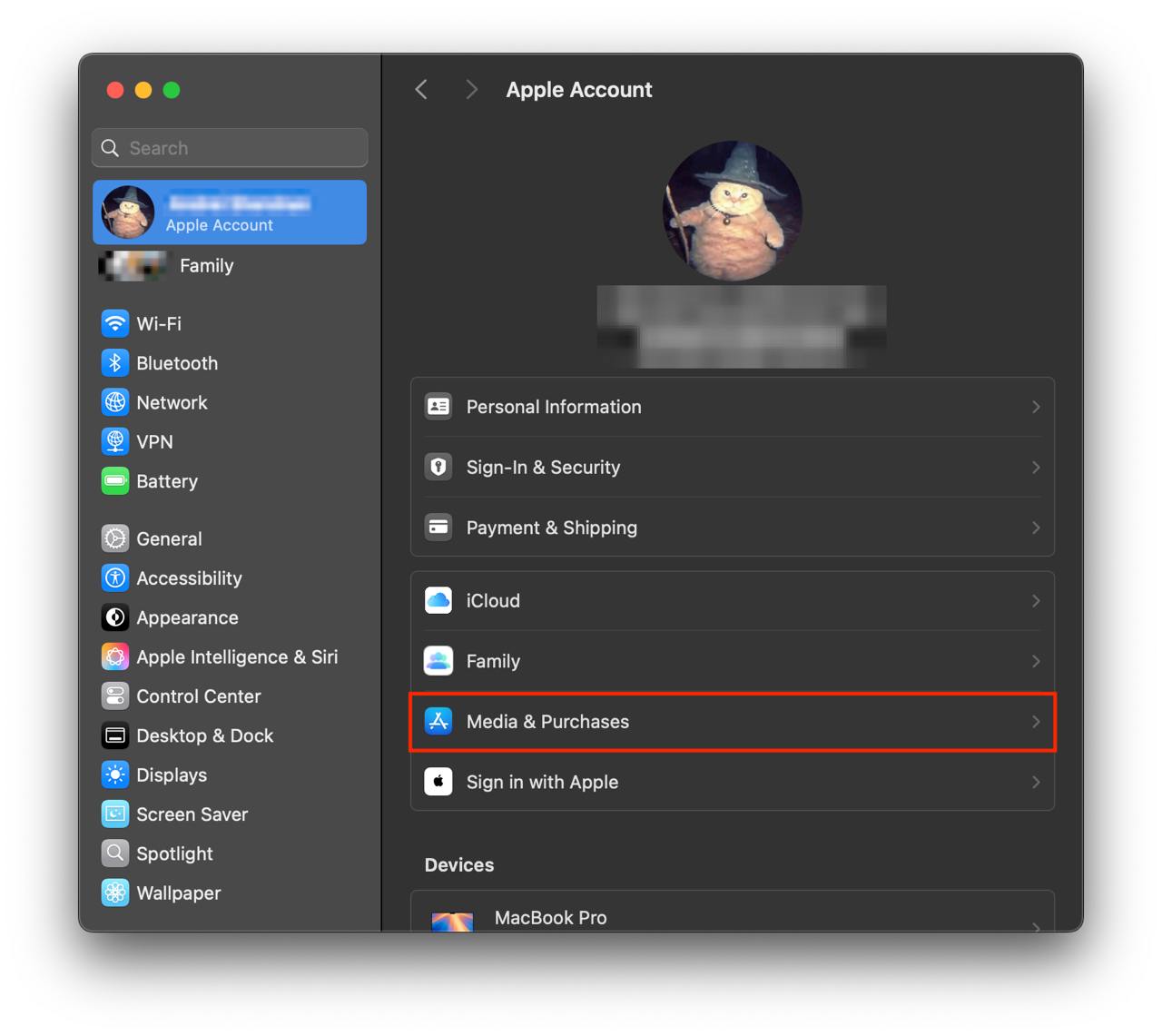
  • Click to "Media & Purchases" in the left-hand menu.

    Show screenshot.
    Settings
  • Click to the "Manage..." button next to "Subscriptions" in the left-hand menu.

    Show screenshot.
    Settings
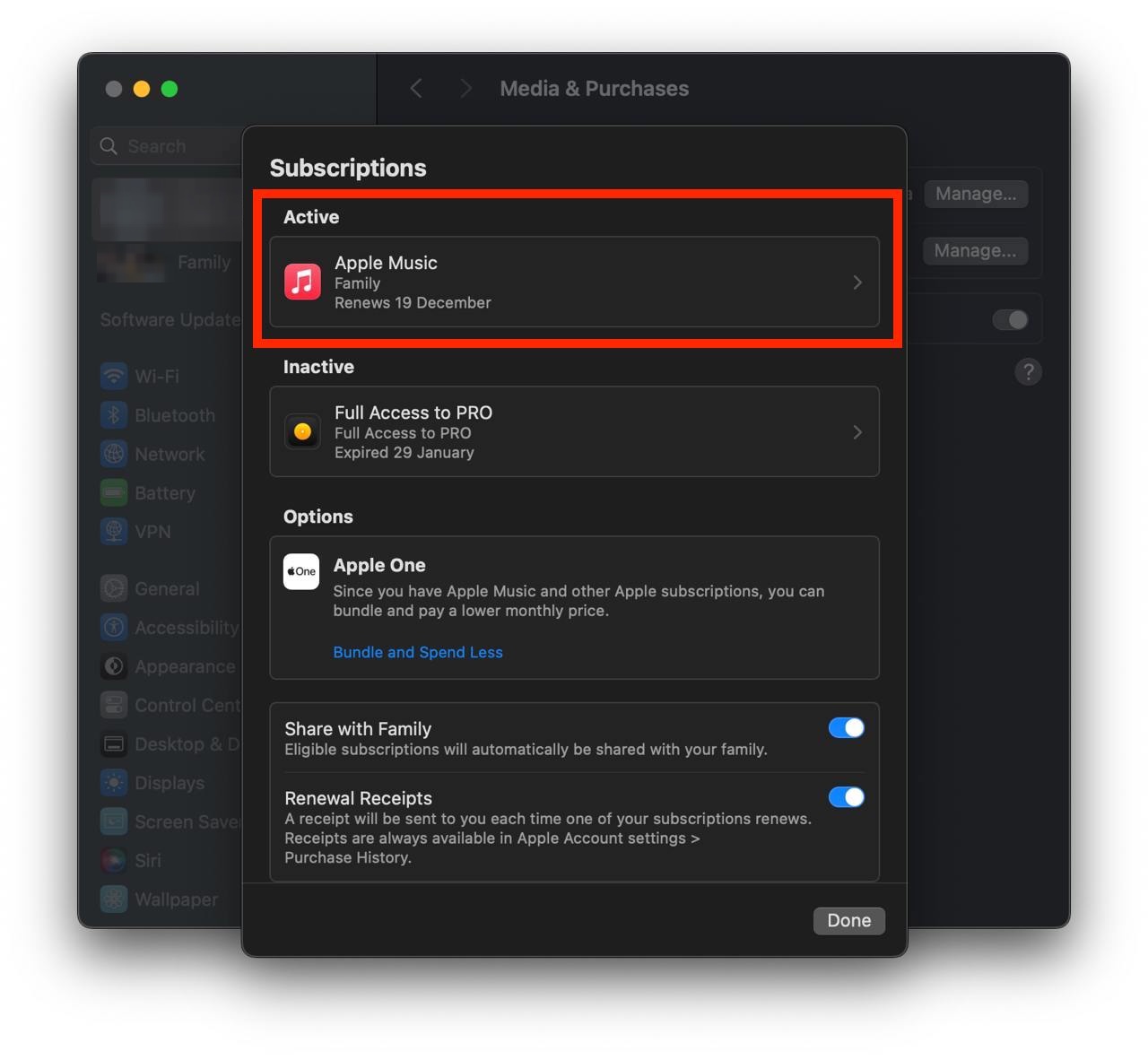
  • Select the subscription you want to cancel. You may need to scroll down to locate the Cancel Subscription button. If the button is missing or a red expiration message appears, the subscription has already been canceled.

    Show screenshot.
    Settings
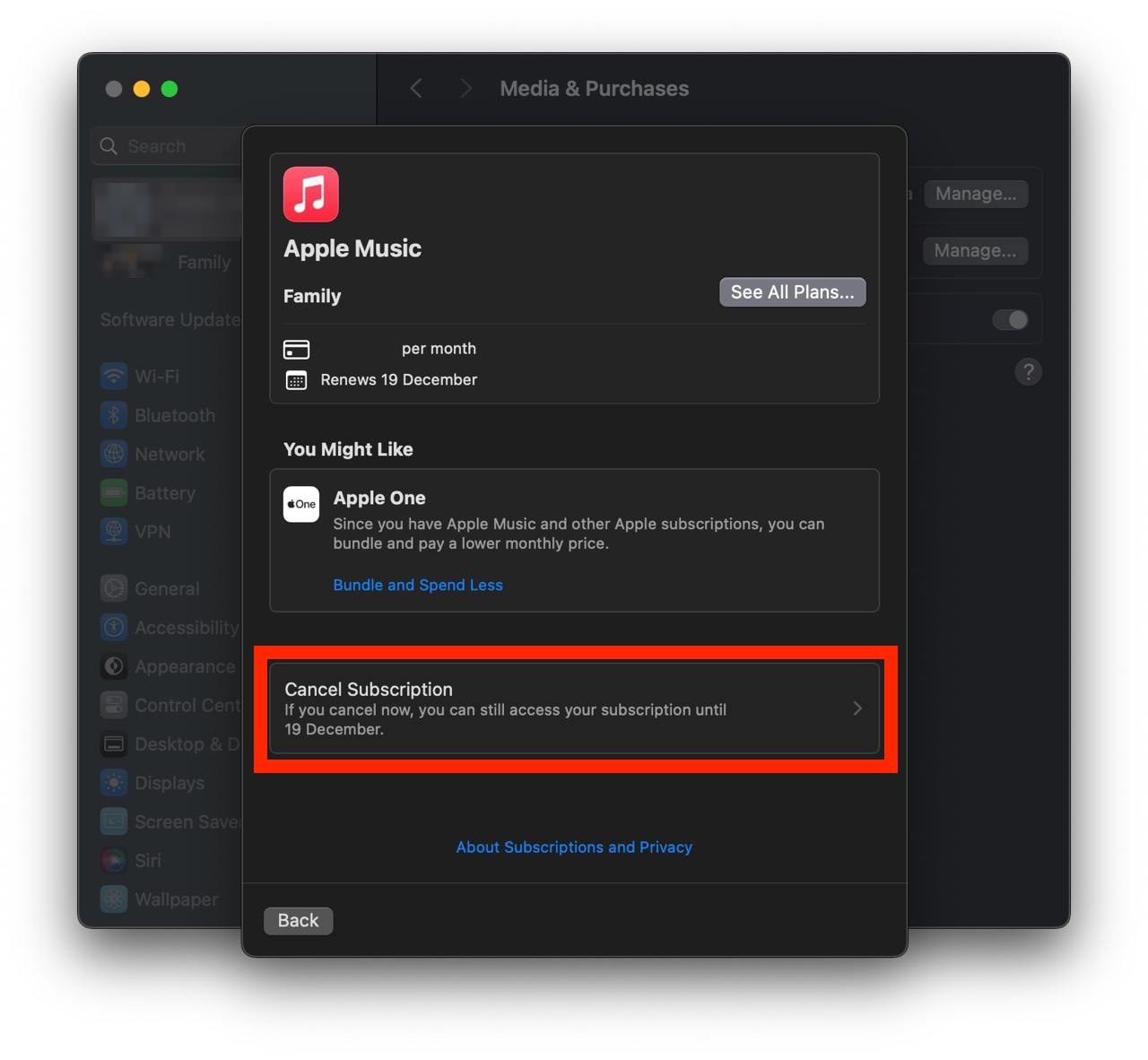
  • Click the "Cancel Subscription" button.

    Show screenshot.
    Settings

Unable to find the subscription you want to cancel?

  • If you member of family account, you need to contact your Parent or family account owner to cancel the subscription by following the steps above.

  • If the receipt lists another Apple Account you use, sign in to that account and follow the steps in this guide to cancel the subscription.

  • Consider contacting app support or visiting the developer's website for assistance.
    Follow by this link to discover the Qorani in the App Store.
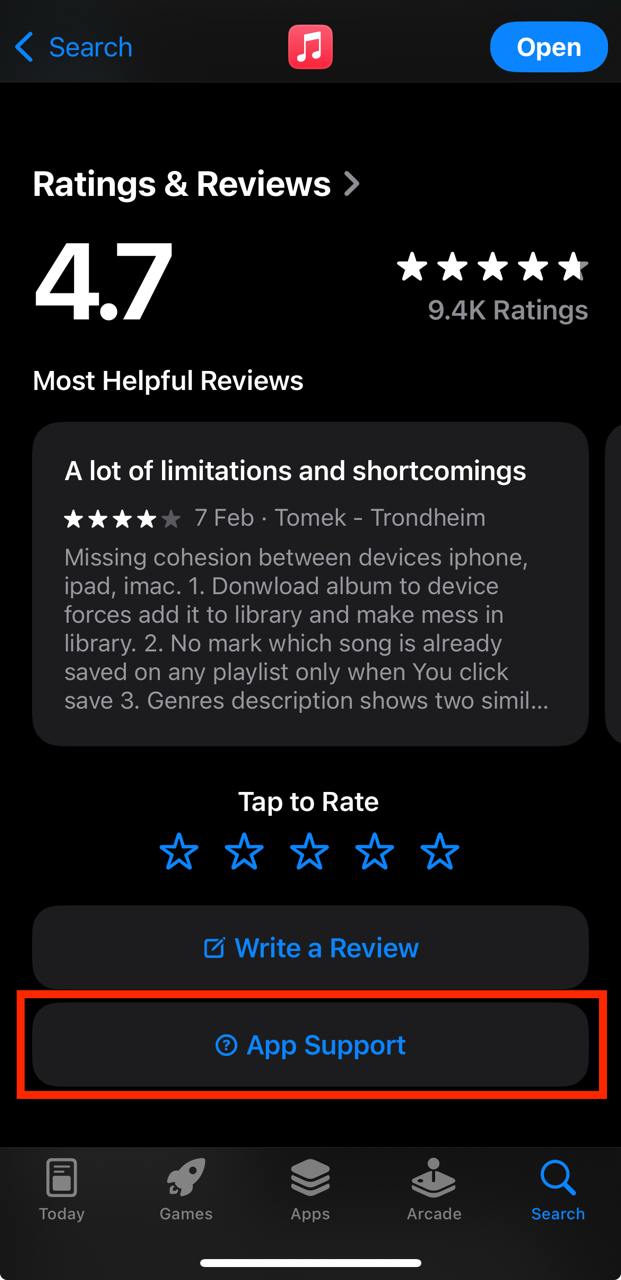
    App Support

Qorani subscriptions

Classic - Mensuel

Accès illimité pendant 1 an

$3.991 Month
Price Updates
July 19, 2026→$3.99
April 2, 2025→$7.99
March 16, 2025→$7.99
September 17, 2024→$7.99
July 29, 2024→$5.99

Duo (Mensuel)

Accès illimité pendant 1 mois

$5.991 Month
Price Updates
July 19, 2026→$5.99
April 2, 2025→$14.99
March 16, 2025→$14.99
September 17, 2024→$14.99
July 29, 2024→$11.99

Family - Mensuel

Accès illimité pendant 1 mois

$8.991 Month
Price Updates
July 19, 2026→$8.99
April 2, 2025→$17.99
March 16, 2025→$17.99
September 17, 2024→$17.99
July 29, 2024→$14.99

Classic - Annuel

Accès illimité pendant 1 an

$24.991 Year
Price Updates
July 19, 2026→$24.99
February 23, 2026→$24.99
November 28, 2025→$24.99
October 19, 2025→$59.99
September 11, 2025→$59.99
May 25, 2025→$59.99
May 12, 2025→$59.99
April 21, 2025→$59.99
April 5, 2025→$59.99
April 2, 2025→$59.99
March 22, 2025→$59.99
March 16, 2025→$59.99
March 3, 2025→$24.99
February 24, 2025→$59.99
February 9, 2025→$59.99
December 4, 2024→$59.99
October 25, 2024→$59.99
September 17, 2024→$59.99
July 29, 2024→$34.99

Duo - Annuel

Accès illimité pendant 1 an

$34.991 Year
Price Updates
July 19, 2026→$34.99
February 23, 2026→$34.99
November 28, 2025→$34.99
October 19, 2025→$89.99
September 11, 2025→$89.99
June 27, 2025→$89.99
April 21, 2025→$89.99
April 5, 2025→$89.99
April 2, 2025→$89.99
March 22, 2025→$89.99
March 16, 2025→$89.99
March 3, 2025→$34.99
February 24, 2025→$89.99
February 9, 2025→$89.99
September 17, 2024→$89.99
July 29, 2024→$59.99

Family - Annuel

Accès illimité pendant 1 an

$44.991 Year
Price Updates
July 19, 2026→$44.99
February 23, 2026→$44.99
November 28, 2025→$44.99
October 19, 2025→$129.99
September 11, 2025→$129.99
June 27, 2025→$129.99
April 21, 2025→$129.99
April 5, 2025→$129.99
April 2, 2025→$129.99
March 22, 2025→$129.99
March 16, 2025→$129.99
March 3, 2025→$44.99
February 24, 2025→$119.99
February 9, 2025→$119.99
September 17, 2024→$119.99
July 29, 2024→$79.99