
How to cancel a subscription on WEBGYM 運動の習慣化をサポート!
How to cancel a subscription on your iPhone
Discover how to cancel a subscription through Apple or one purchased via an app on the App Store.
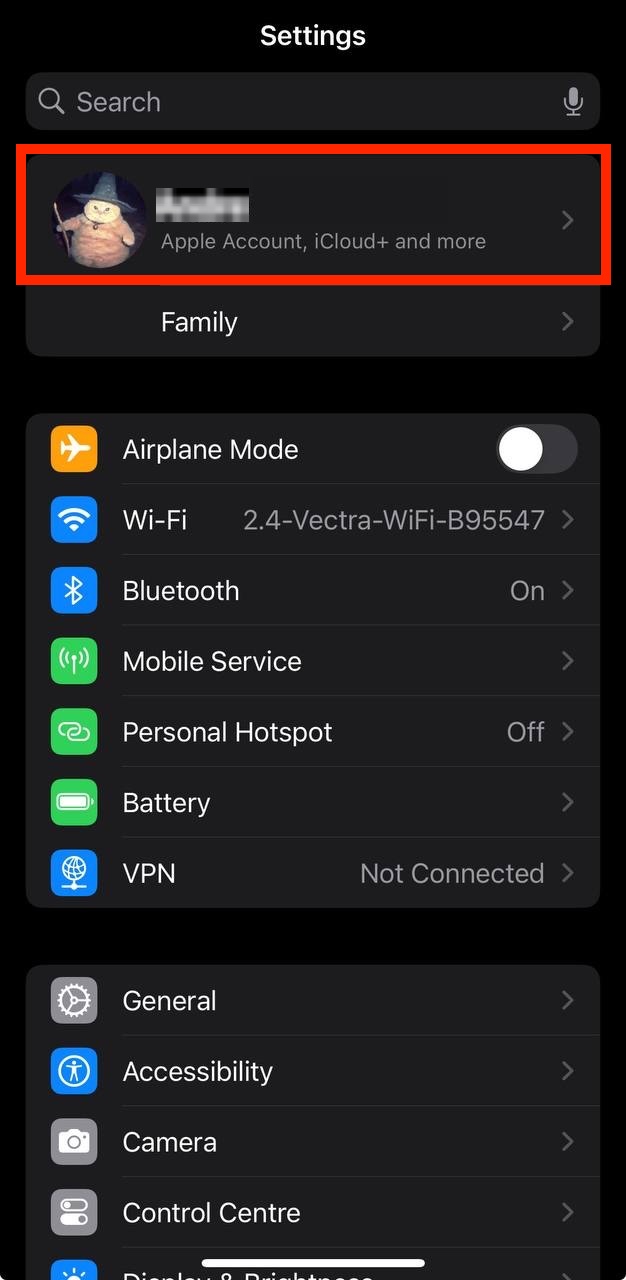
- Open the Settings app.
- Tap your name - "Apple Account, iCloud and more"
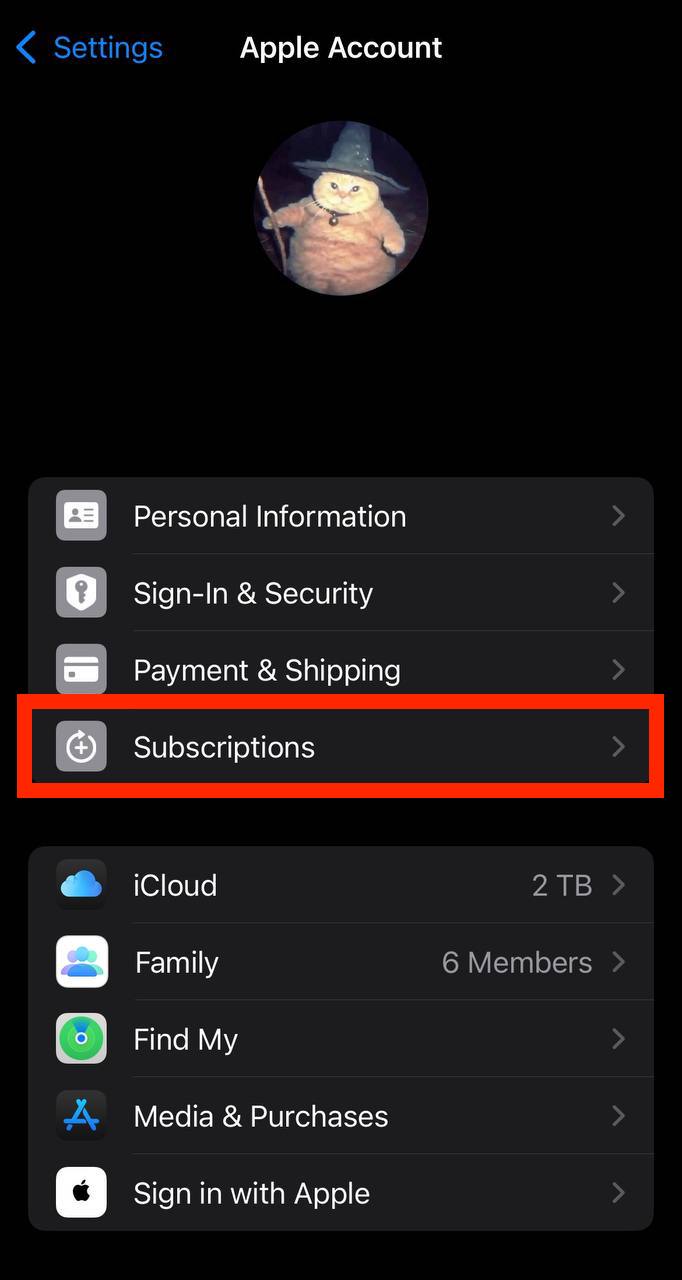
In the first section, tap Subscriptions.
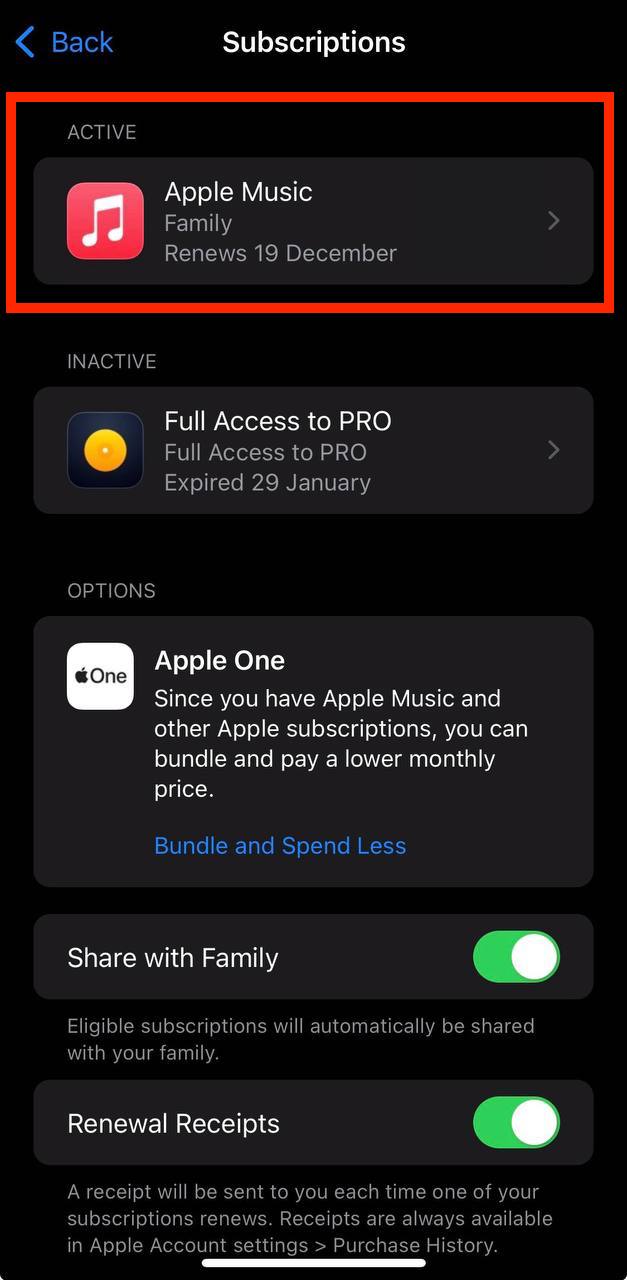
Show screenshot.Select the WEBGYM 運動の習慣化をサポート! subscription you want to cancel.
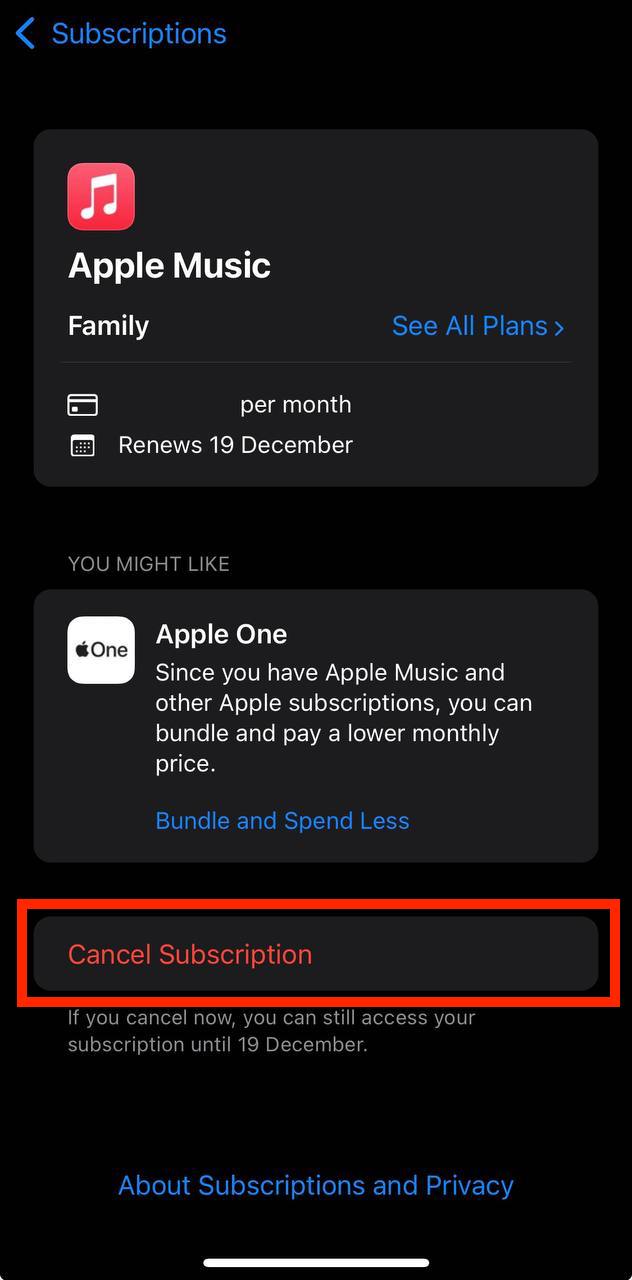
Show screenshot.Tap to Cancel Subscription. You may need to scroll down to locate the Cancel Subscription button. If the button is missing or a red expiration message appears, the subscription has already been canceled.
Show screenshot.
Cancel a subscription on your Mac
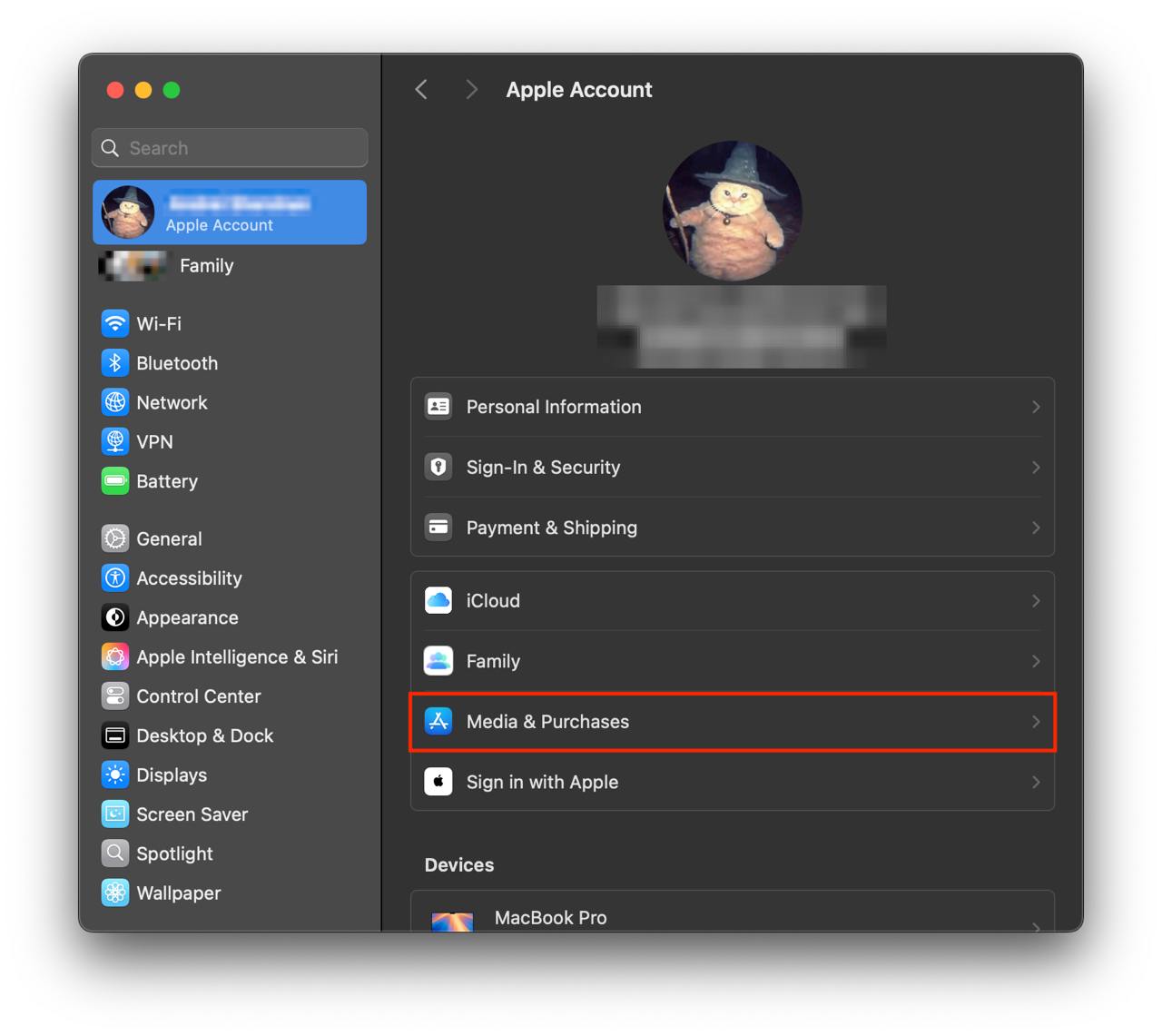
- Open the System Settings app.
- Click your name - "Apple Account" in the top-right corner.
Click to "Media & Purchases" in the left-hand menu.
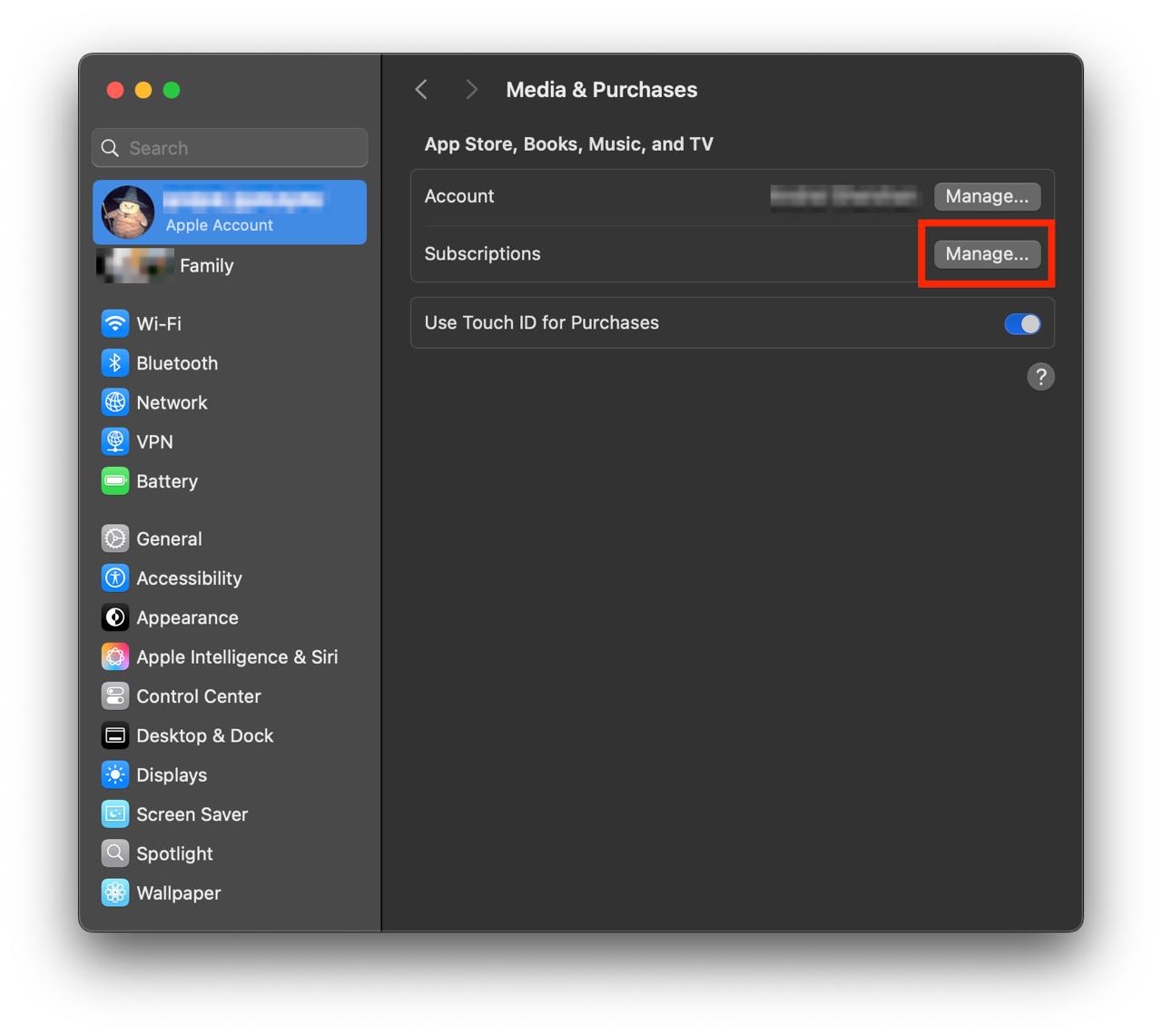
Show screenshot.Click to the "Manage..." button next to "Subscriptions" in the left-hand menu.
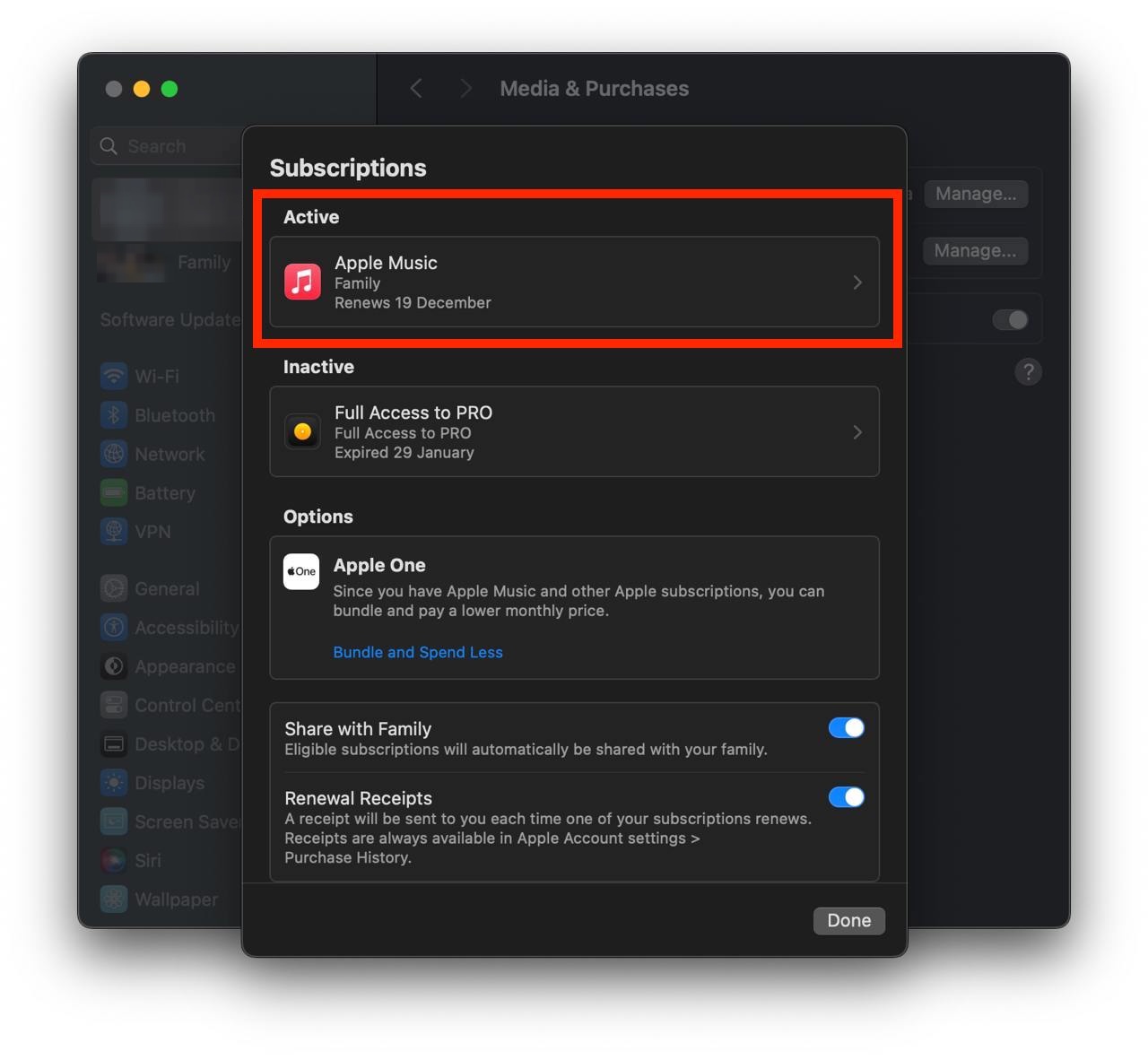
Show screenshot.Select the subscription you want to cancel. You may need to scroll down to locate the Cancel Subscription button. If the button is missing or a red expiration message appears, the subscription has already been canceled.
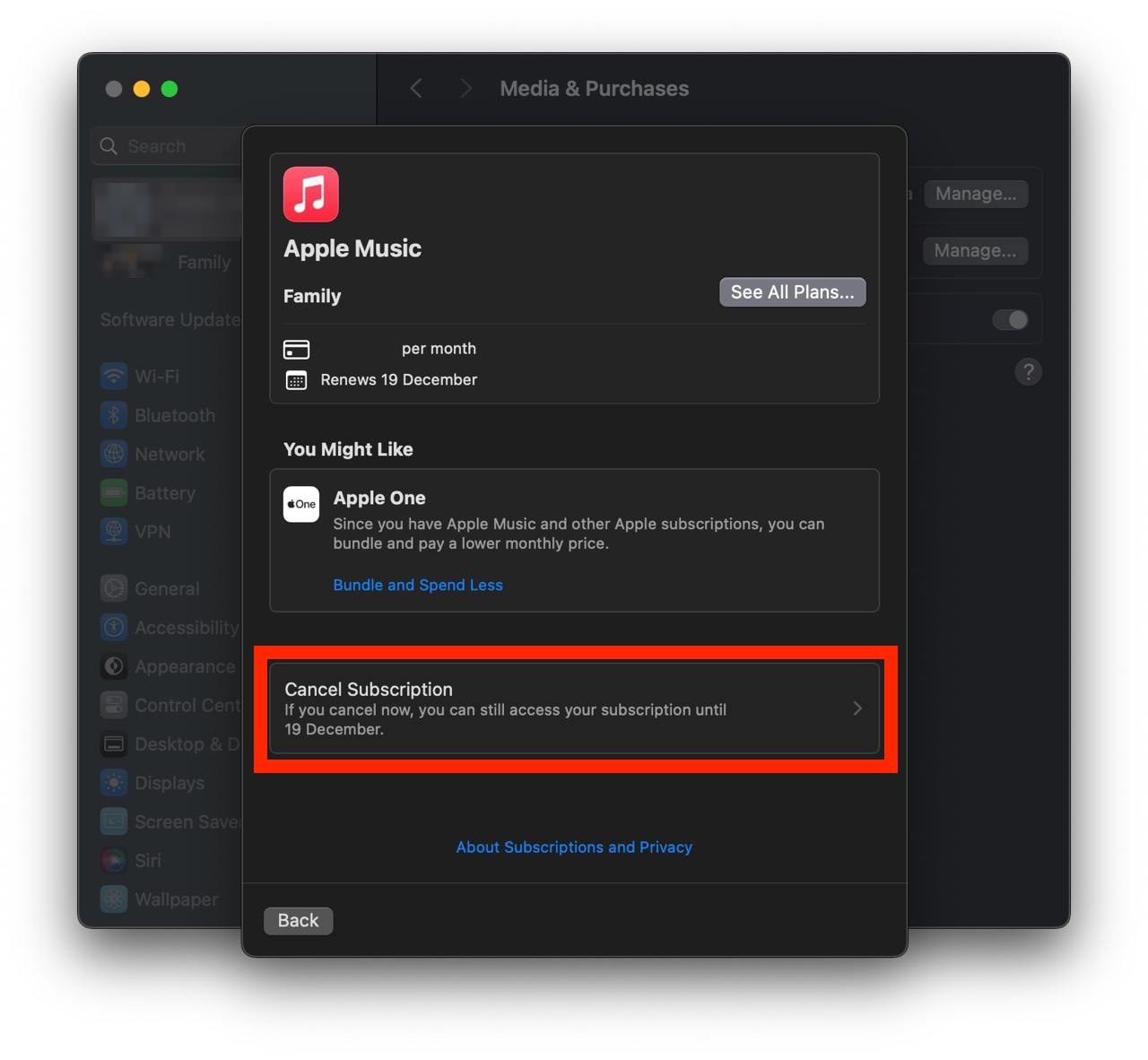
Show screenshot.Click the "Cancel Subscription" button.
Show screenshot.
Unable to find the subscription you want to cancel?
If you member of family account, you need to contact your Parent or family account owner to cancel the subscription by following the steps above.
If the receipt lists another Apple Account you use, sign in to that account and follow the steps in this guide to cancel the subscription.
Consider contacting app support or visiting the developer's website for assistance.
Follow by this link to discover the WEBGYM 運動の習慣化をサポート! in the App Store.
WEBGYM 運動の習慣化をサポート! subscriptions
プレミアム月額課金額
プレミアム月額課金でできること ・自分の好きな時間でスタジオメニュー全視聴可能。 ・好きなトレーン二ングメニューをお気に入り保存。 ・自分オリジナルのマイセットメニューの作成 ・トレーニングログ全機能 ・動画セット解放 ・広告の非表示 ・1week無料体験できます(月額のみ) プレミアム会員へ登録を選択すると、iTunesアカウントにてお支払い手続きが行われます
WEBGYM トレーナー月額課金額
新機能WEBGYM トレーナーを含む全ての機能が一月間利用可能
プレミアム年間課金額
WEBGYMアプリの全機能を1年間ご利用いただけます。 プレミアム年間課金でできること ・自分の好きな時間でスタジオメニュー全視聴可能。 ・好きなトレーン二ングメニューをお気に入り保存。 ・自分オリジナルのマイセットメニューの作成 ・トレーニングログ全機能 ・動画セット解放 ・広告の非表示 ・1week無料体験できます(月額のみ) プレミアム会員へ登録を選択すると、iTunesアカウントにてお支払い手続きが行われます
WEBGYM トレーナー3ヶ月課金額
新機能WEBGYM トレーナーを含む全ての機能が3ヶ月間利用可能
WEBGYM トレーナー年額課金額
新機能WEBGYM トレーナーを含む全ての機能が一年間利用可能