
How to cancel a subscription on XQ全球贏家手機版
How to cancel a subscription on your iPhone
Discover how to cancel a subscription through Apple or one purchased via an app on the App Store.
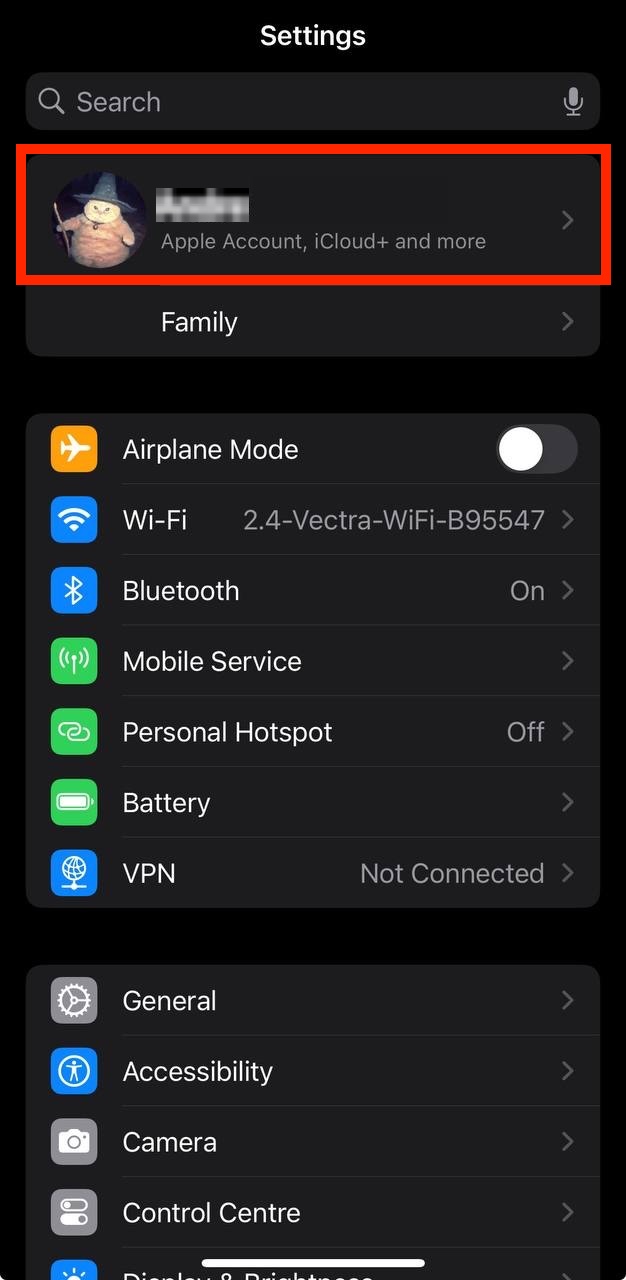
- Open the Settings app.
- Tap your name - "Apple Account, iCloud and more"
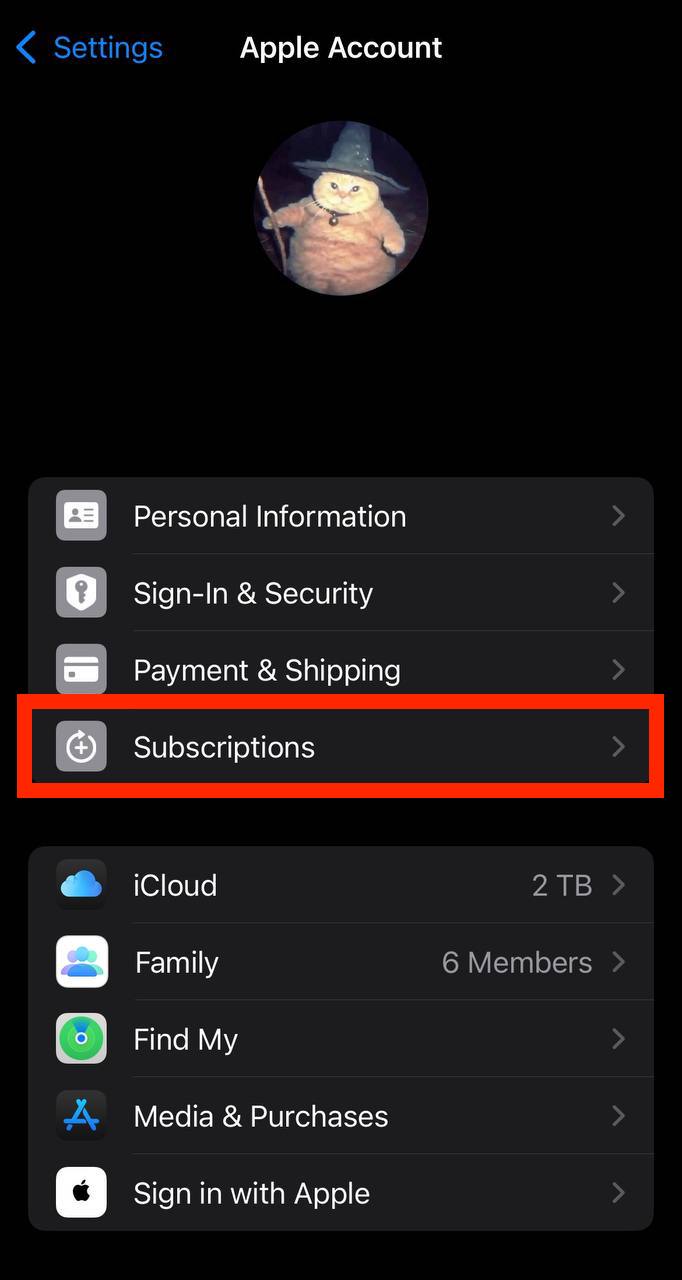
In the first section, tap Subscriptions.
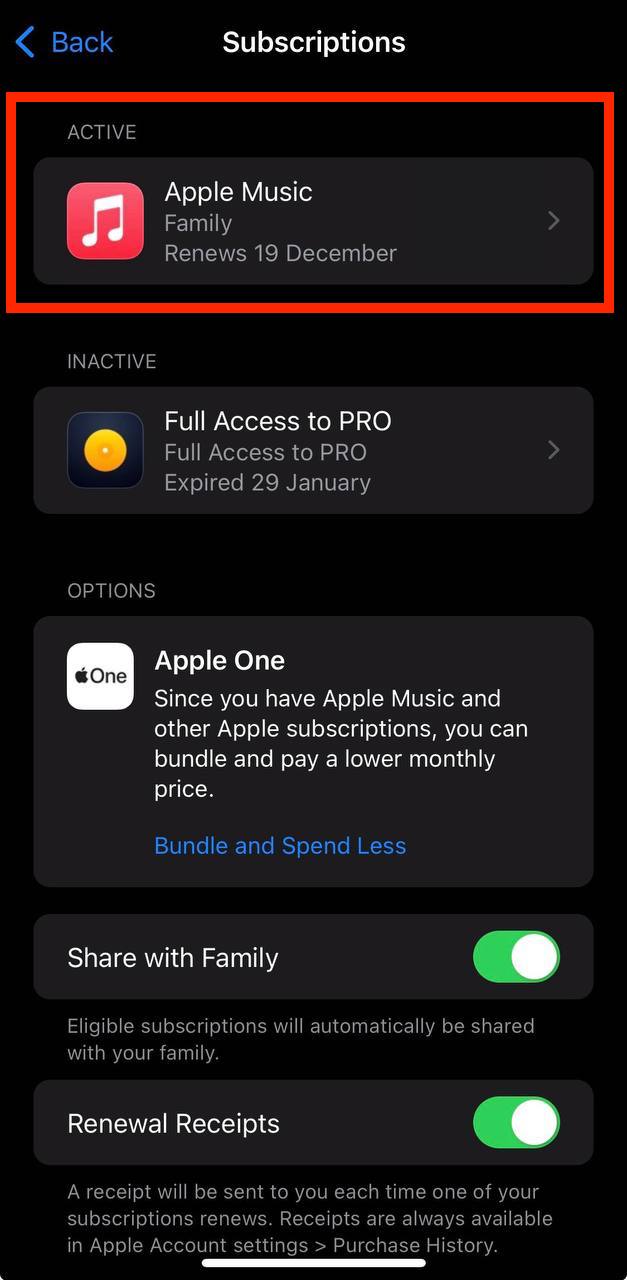
Show screenshot.Select the XQ全球贏家手機版 subscription you want to cancel.
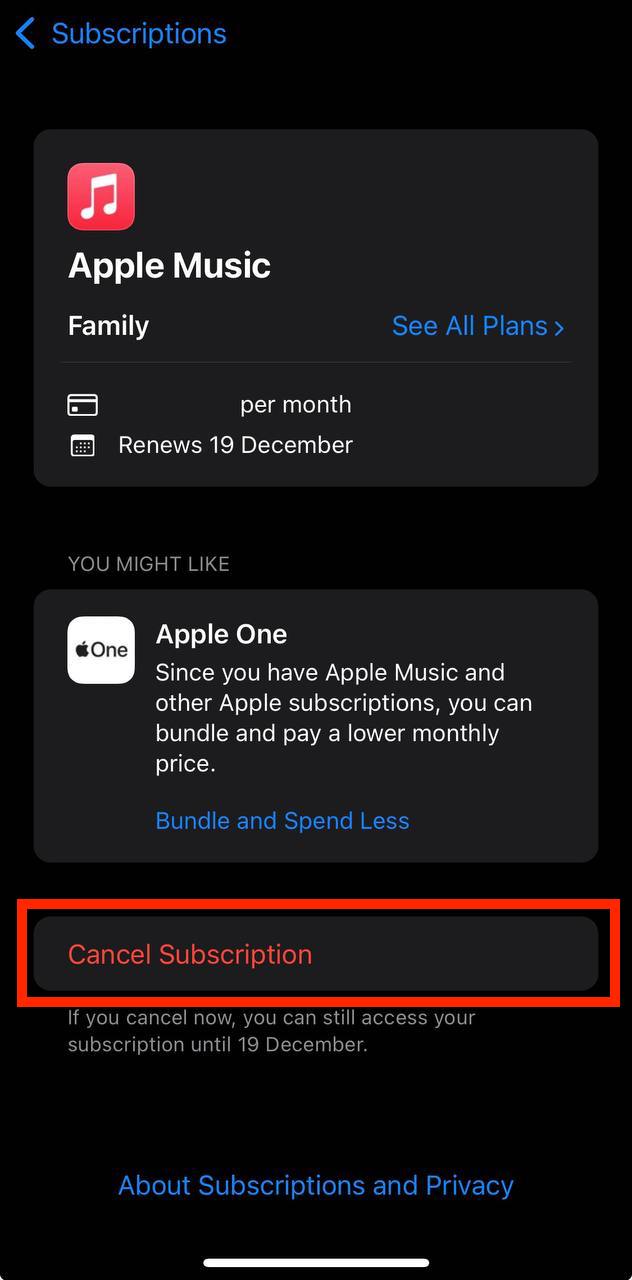
Show screenshot.Tap to Cancel Subscription. You may need to scroll down to locate the Cancel Subscription button. If the button is missing or a red expiration message appears, the subscription has already been canceled.
Show screenshot.
Cancel a subscription on your Mac
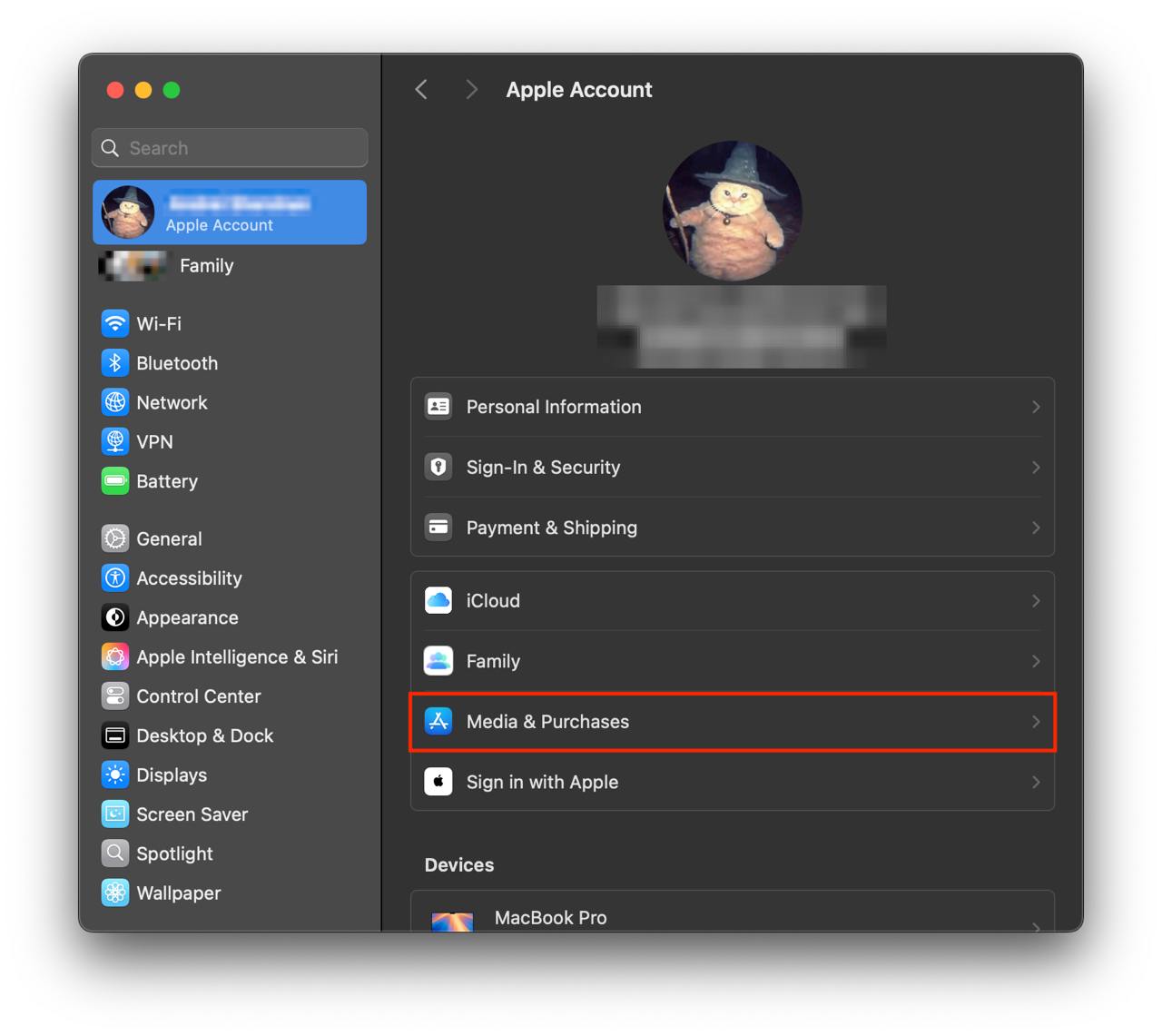
- Open the System Settings app.
- Click your name - "Apple Account" in the top-right corner.
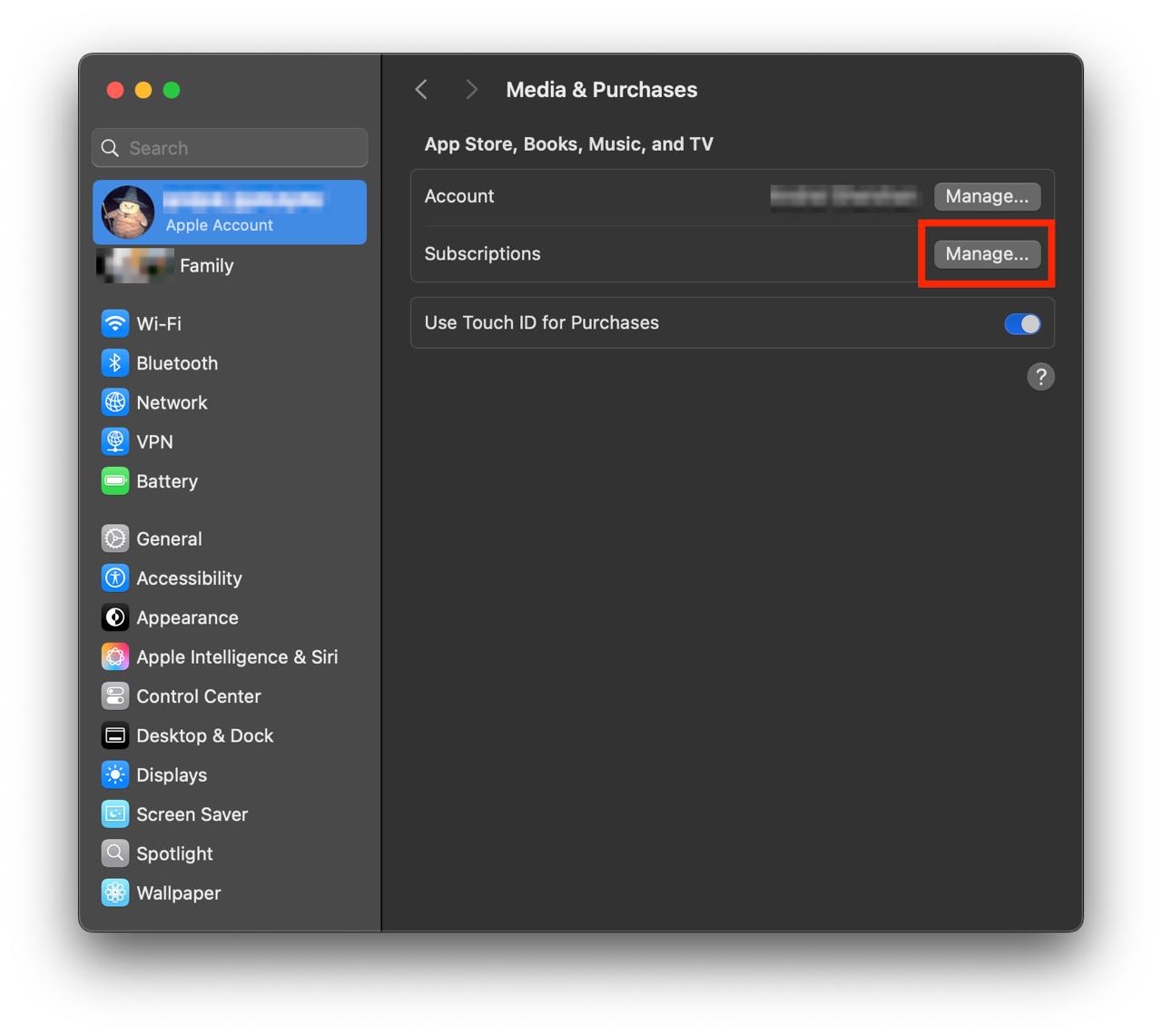
Click to "Media & Purchases" in the left-hand menu.
Show screenshot.Click to the "Manage..." button next to "Subscriptions" in the left-hand menu.
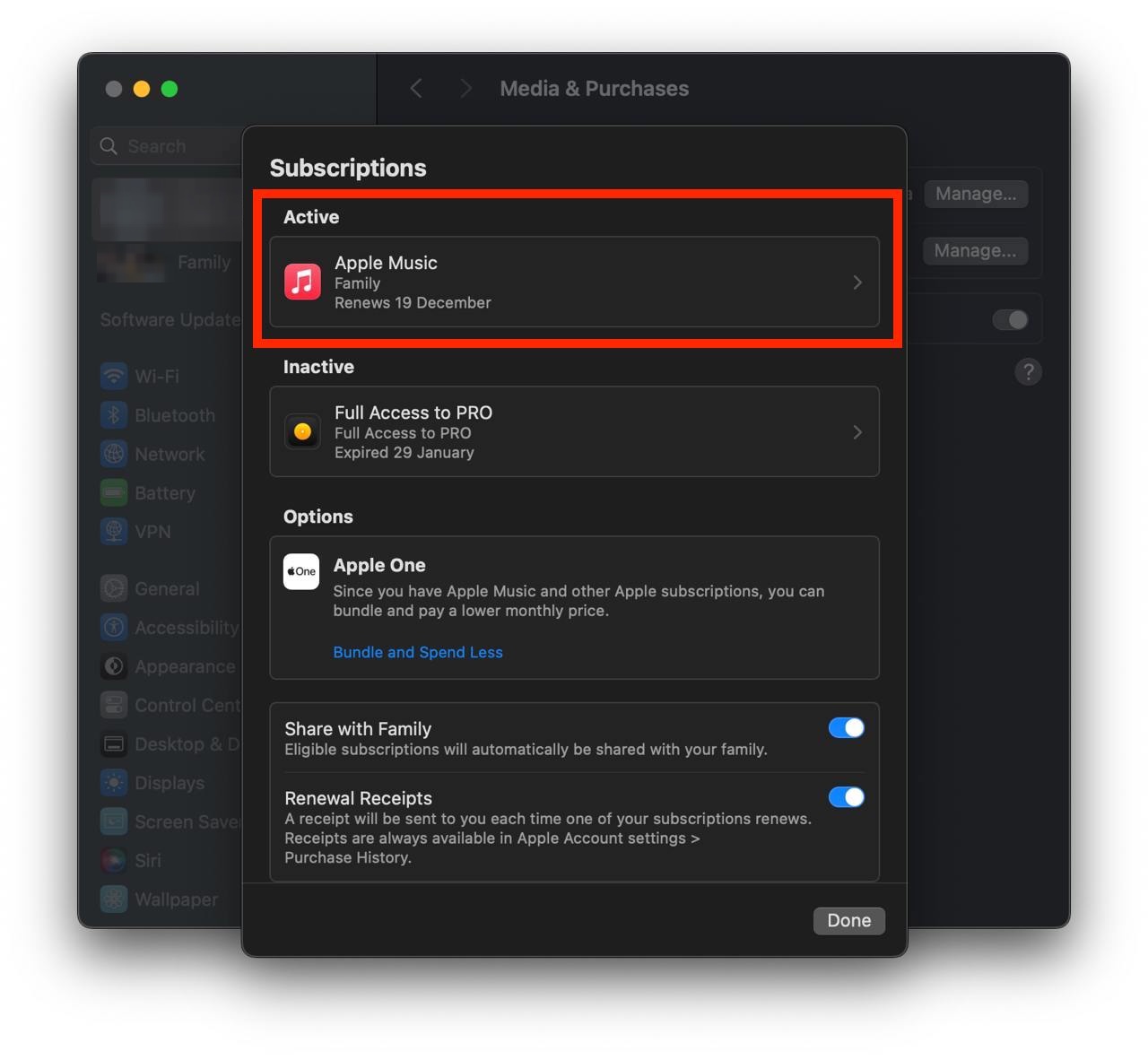
Show screenshot.Select the subscription you want to cancel. You may need to scroll down to locate the Cancel Subscription button. If the button is missing or a red expiration message appears, the subscription has already been canceled.
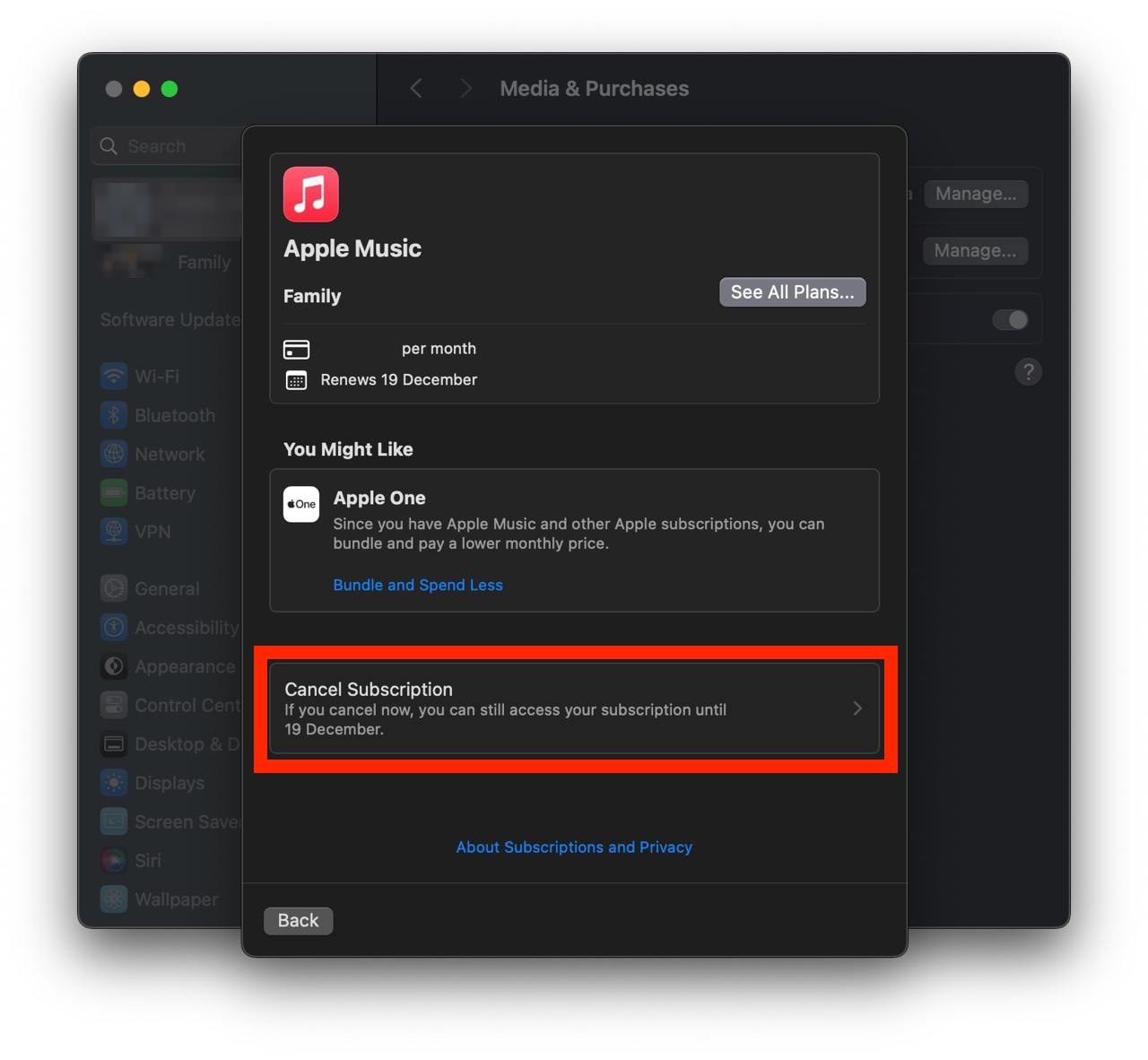
Show screenshot.Click the "Cancel Subscription" button.
Show screenshot.
Unable to find the subscription you want to cancel?
If you member of family account, you need to contact your Parent or family account owner to cancel the subscription by following the steps above.
If the receipt lists another Apple Account you use, sign in to that account and follow the steps in this guide to cancel the subscription.
Consider contacting app support or visiting the developer's website for assistance.
Follow by this link to discover the XQ全球贏家手機版 in the App Store.
XQ全球贏家手機版 subscriptions
台股進階模組
盤中大戶和散戶買賣力,搭配贏家選股提供超過300個選股條件,策略同時搭載回測功能!
美股分析模組
個股分析,研究美股神隊友,即時排行網羅時下熱門股,知名機構及內部人持股分析,洞察潛在先機!
量化積木模組
建構策略免寫程式,十萬多條件及參數變化任你組合,簡單三步驟完成交易策略。
籌碼分析模組
族群透視提供細產業及主題指標,找出當日強/弱勢類股,籌碼分點選股支援回測看出主力進出動向。