
How to cancel a subscription on Apple Developer
How to cancel a subscription on your iPhone
Discover how to cancel a subscription through Apple or one purchased via an app on the App Store.
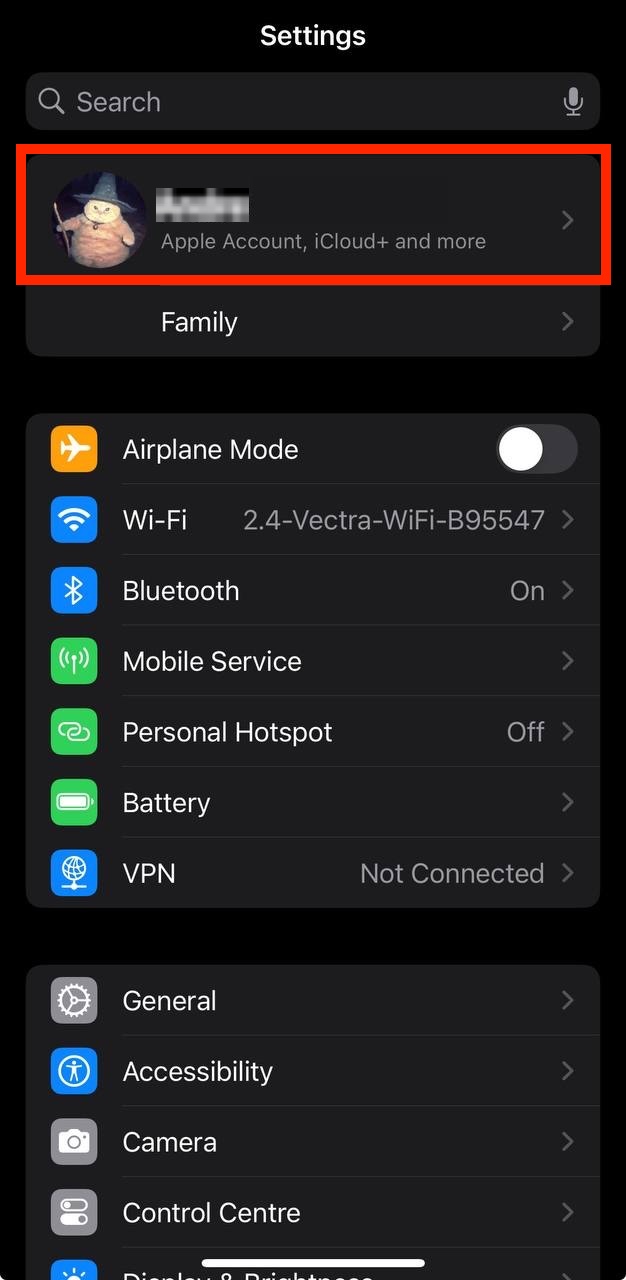
- Open the Settings app.
- Tap your name - "Apple Account, iCloud and more"
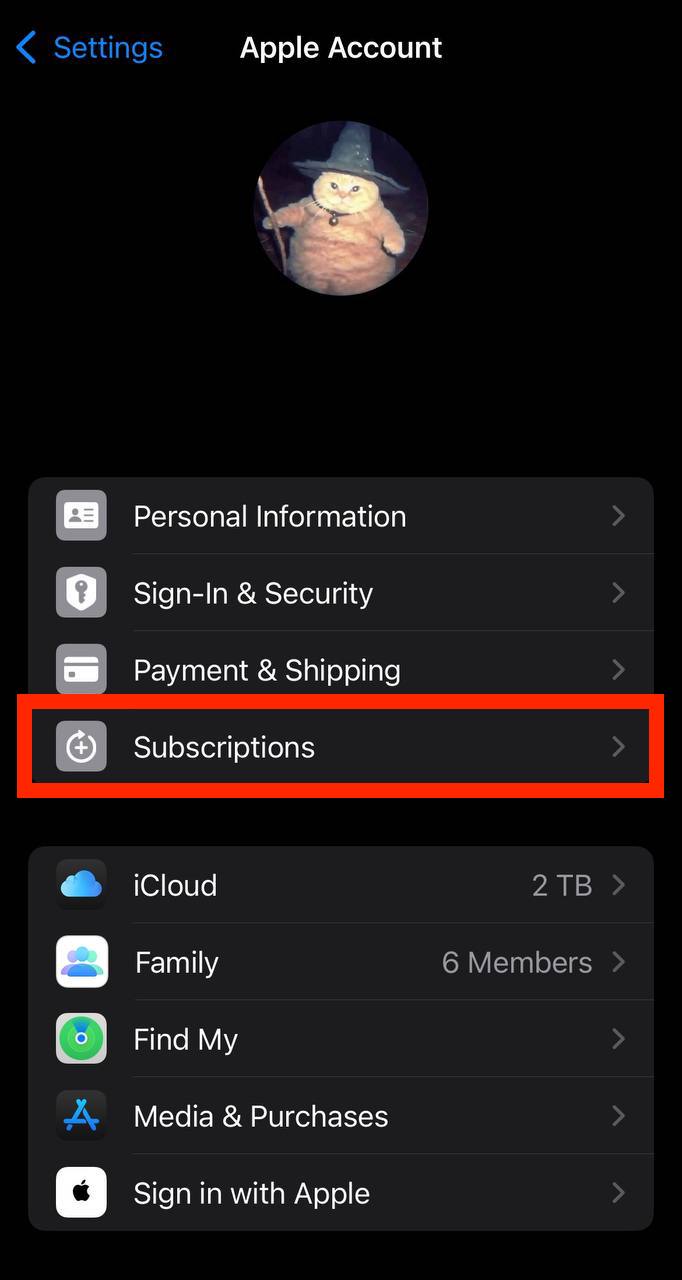
In the first section, tap Subscriptions.
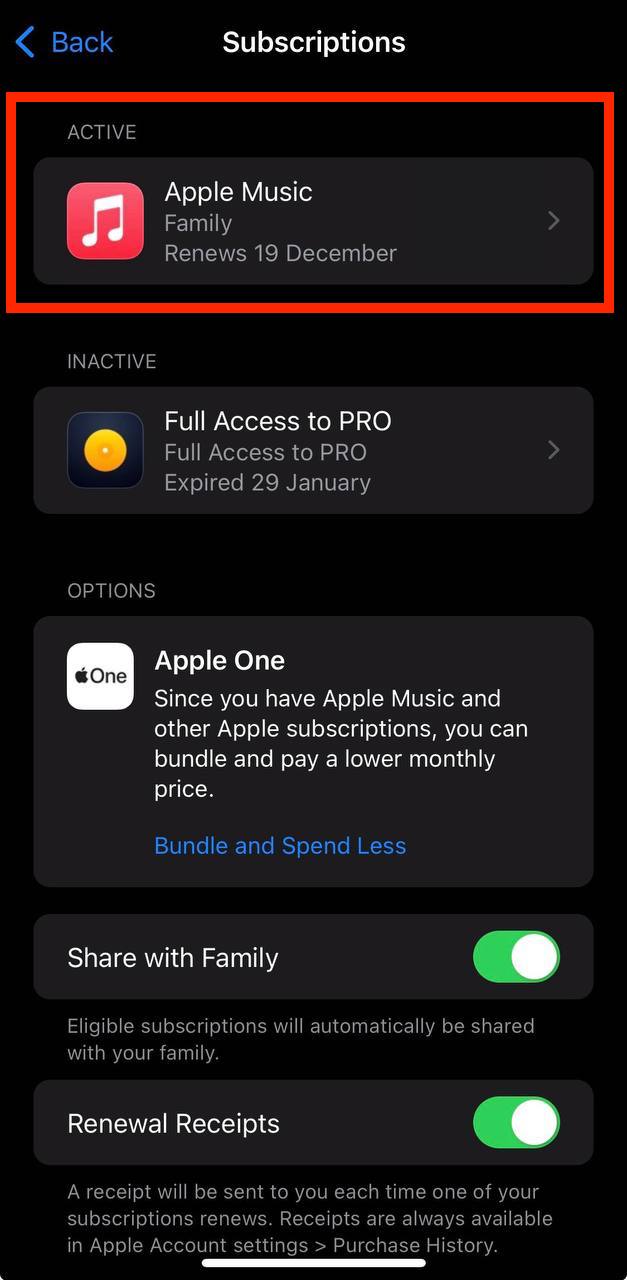
Show screenshot.Select the Apple Developer subscription you want to cancel.
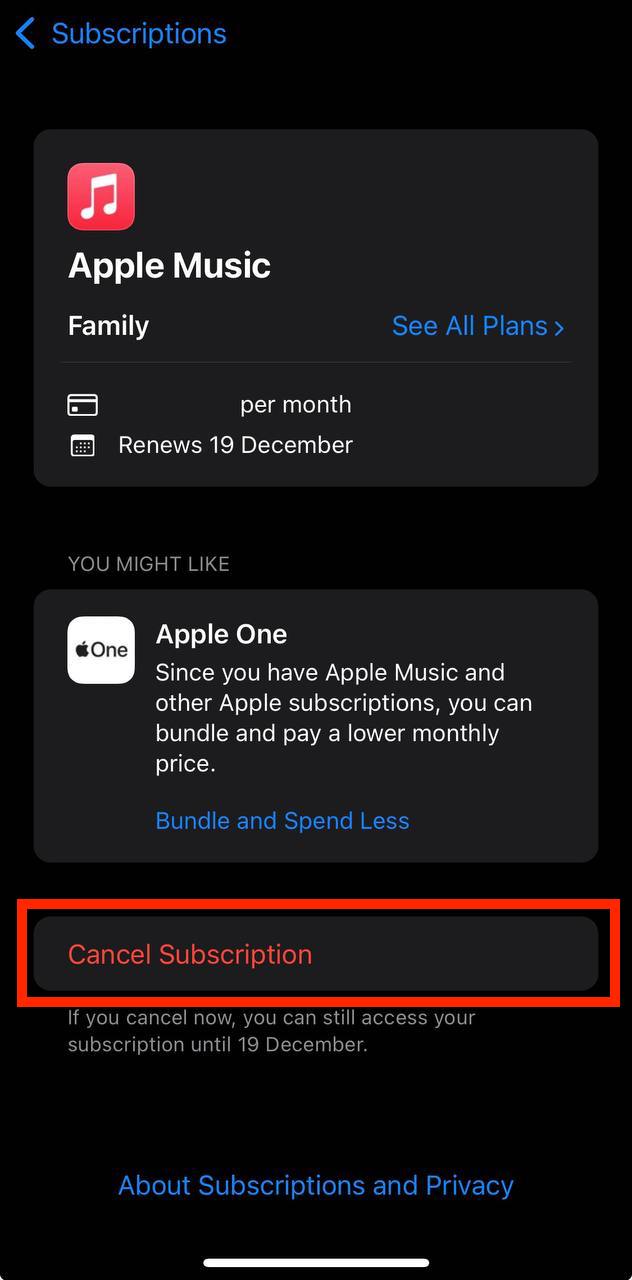
Show screenshot.Tap to Cancel Subscription. You may need to scroll down to locate the Cancel Subscription button. If the button is missing or a red expiration message appears, the subscription has already been canceled.
Show screenshot.
Cancel a subscription on your Mac
- Open the System Settings app.
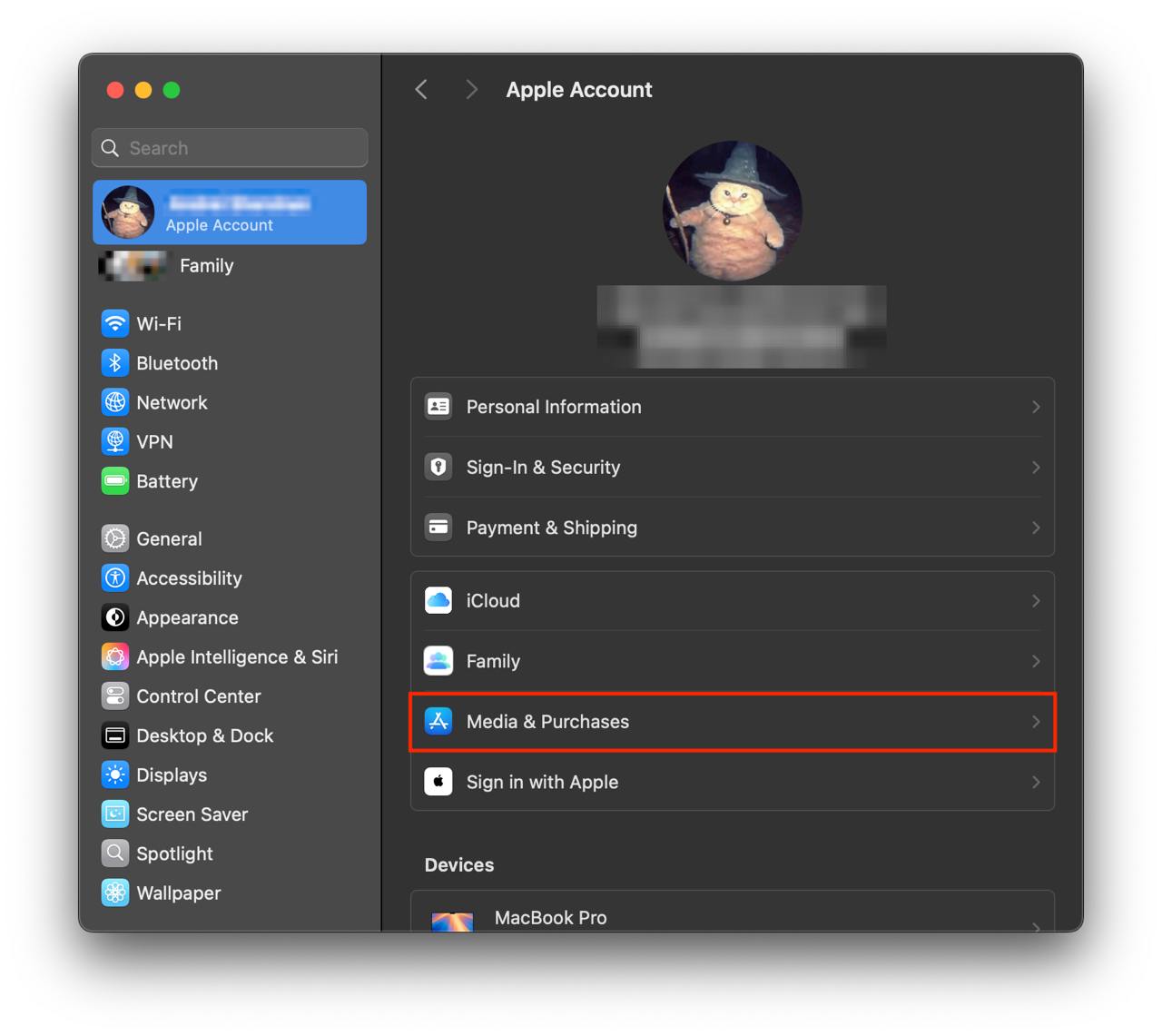
- Click your name - "Apple Account" in the top-right corner.
Click to "Media & Purchases" in the left-hand menu.
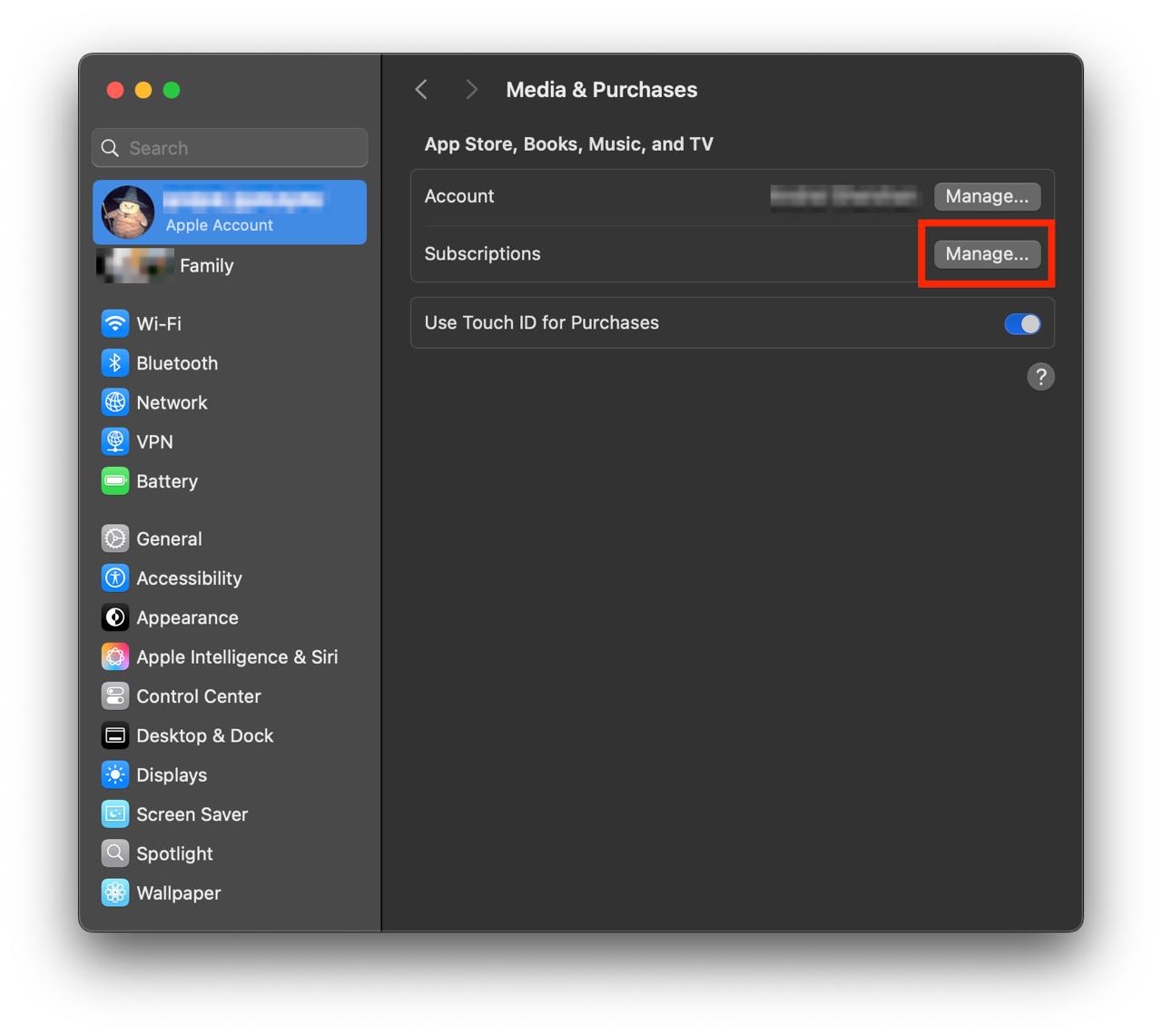
Show screenshot.Click to the "Manage..." button next to "Subscriptions" in the left-hand menu.
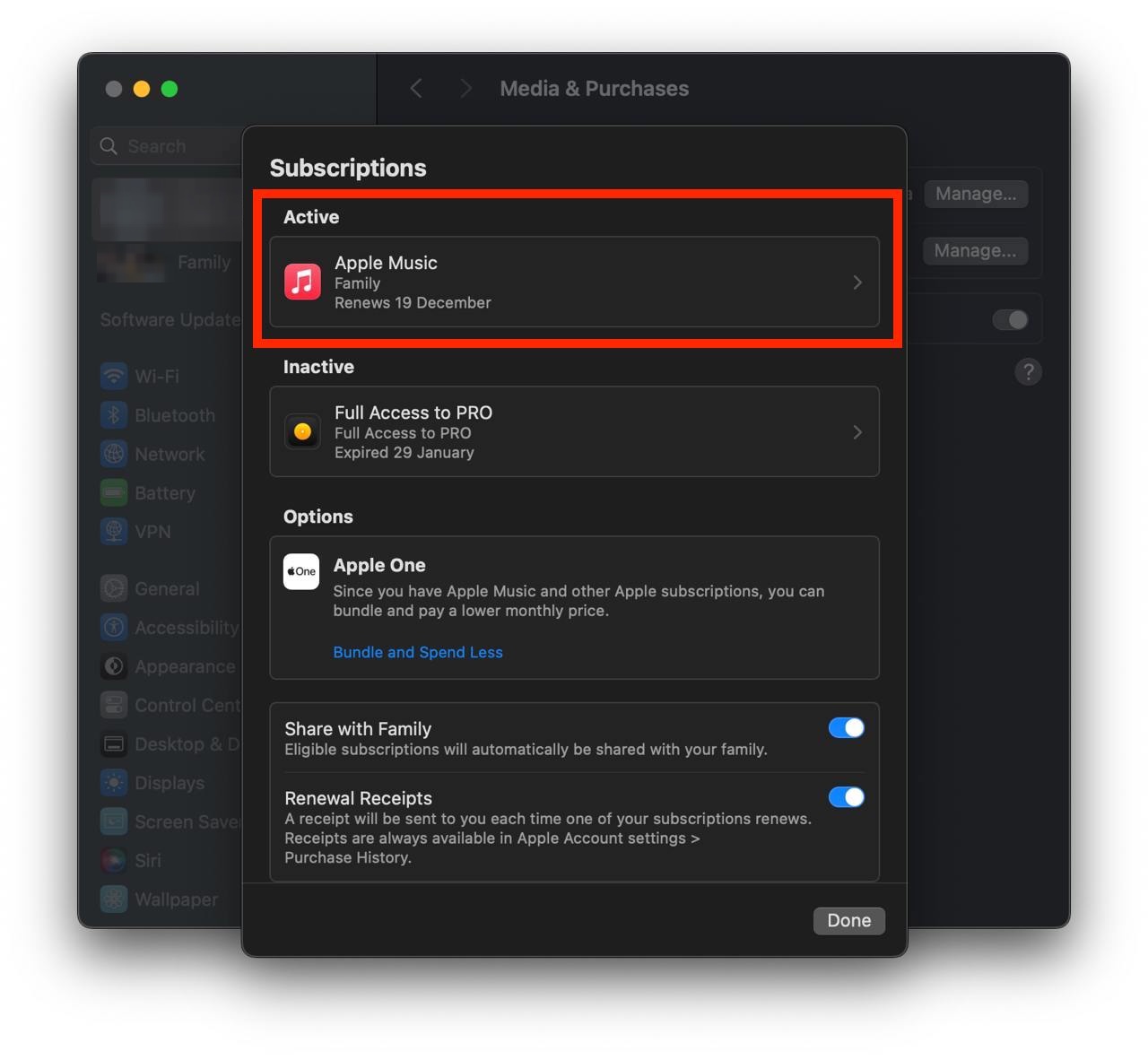
Show screenshot.Select the subscription you want to cancel. You may need to scroll down to locate the Cancel Subscription button. If the button is missing or a red expiration message appears, the subscription has already been canceled.
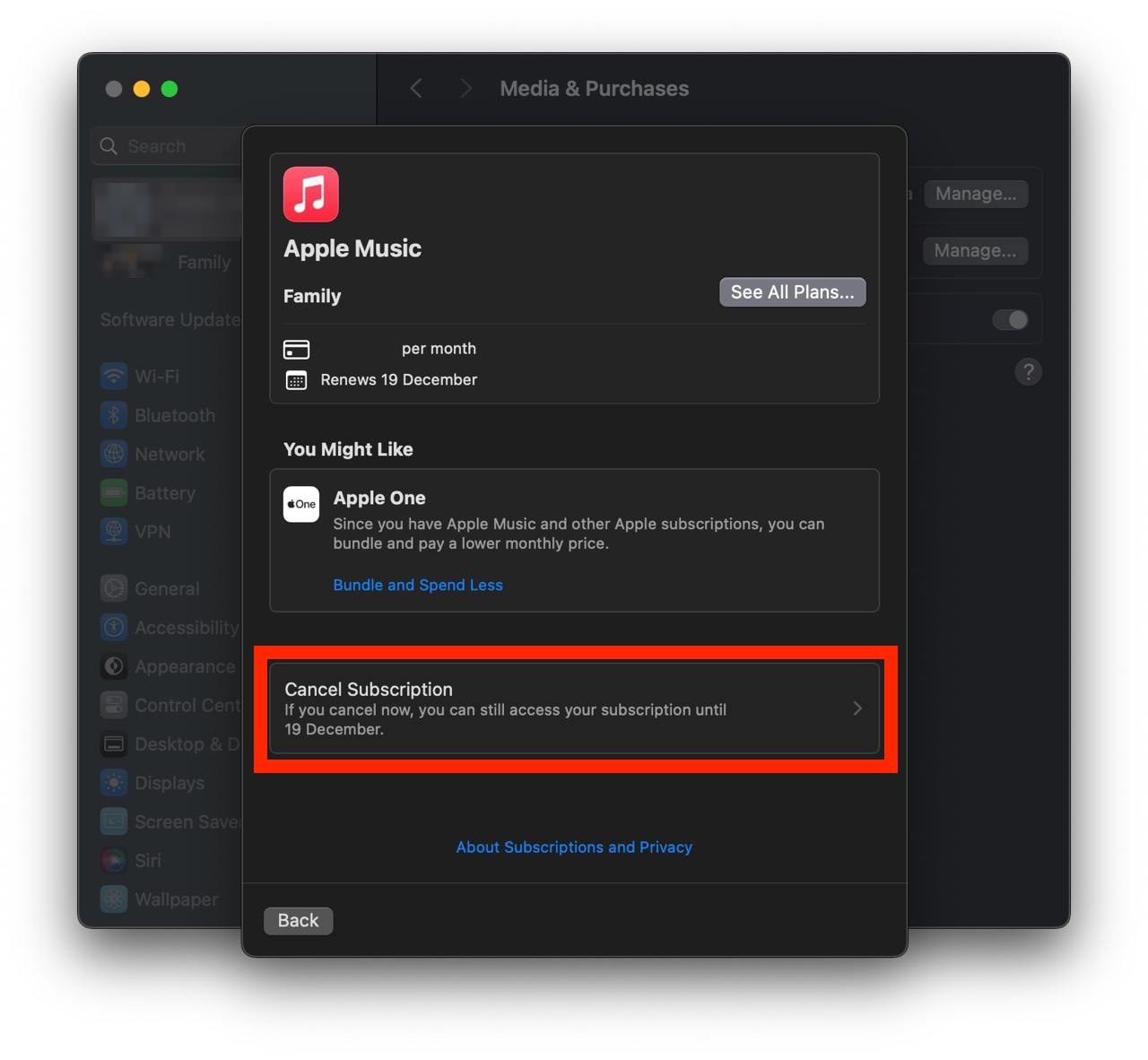
Show screenshot.Click the "Cancel Subscription" button.
Show screenshot.
Unable to find the subscription you want to cancel?
If you member of family account, you need to contact your Parent or family account owner to cancel the subscription by following the steps above.
If the receipt lists another Apple Account you use, sign in to that account and follow the steps in this guide to cancel the subscription.
Consider contacting app support or visiting the developer's website for assistance.
Follow by this link to discover the Apple Developer in the App Store.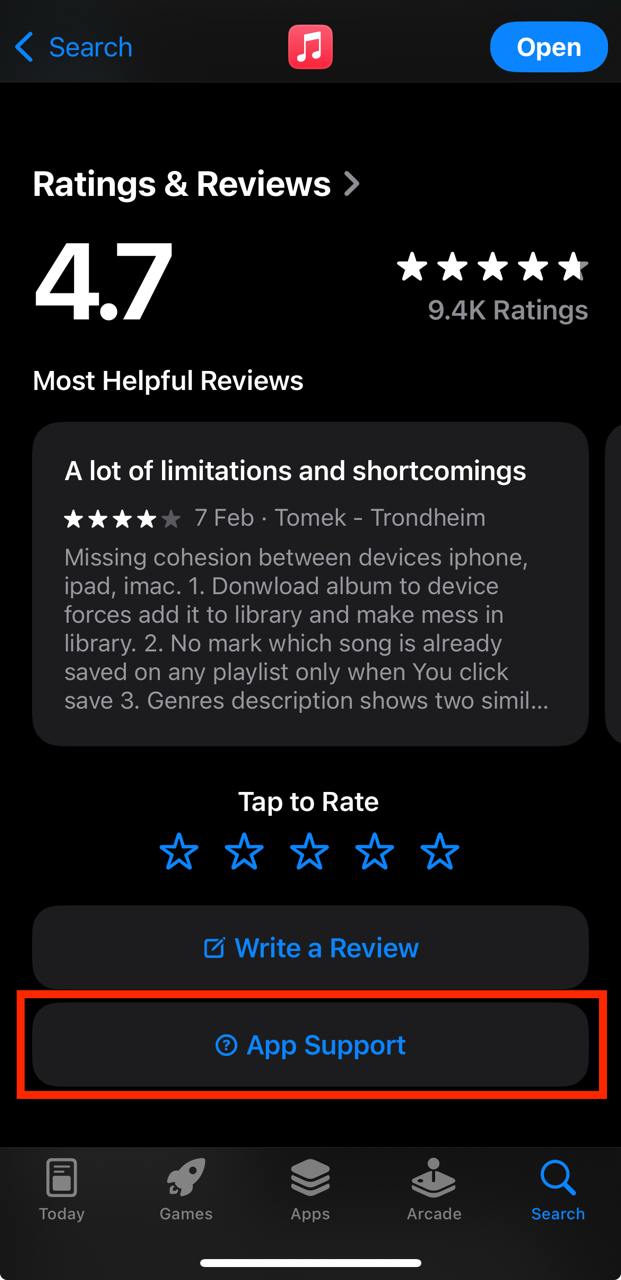
Apple Developer subscriptions
Xcode Cloud 100 Hours
Subscription for 100 Xcode Cloud Hours
WeatherKit 1 million calls
Subscription for 1 million WeatherKit calls
Apple Developer Program
Annual subscription
Xcode Cloud 250 Hours
Subscription for 250 Xcode Cloud Hours
WeatherKit 2 million calls
Subscription for 2 million WeatherKit calls
Xcode Cloud 1000 Hours
Subscription for 1000 Xcode Cloud Hours
WeatherKit 50 million calls
Subscription for 50 million WeatherKit calls
Xcode Cloud 10000 Hours
Subscription for 10000 Xcode Cloud Hours
WeatherKit 100 million calls
Subscription for 100 million WeatherKit calls
WeatherKit 150 million calls
Subscription for 150 million WeatherKit calls
WeatherKit 200 million calls
Subscription for 200 million WeatherKit calls